Contributor I
June 13, 2026
Answered

cant use era 100 as surround
I have had a Sonos Beam Gen 1 in my living room for quite some time. It is connected to my Samsung TV via HDMI ARC and connected to my network through Wi‑Fi. I am using a 2.4 GHz Wi‑Fi network. The Beam works fine on its own.


Recently, I purchased two Sonos Era 100 speakers with the goal of using them as surround speakers with the Beam.


When installing the Era 100 speakers through the Sonos app, I initially receive a message stating that the Era 100 has been added but may not be visible in the system. The app then advises me to unplug the speaker and reconnect it. This is indeed the case: after the first installation, the Era 100 does not appear in my list of devices.


When I set up the Era 100 again, I am asked to confirm that the speaker is working by pressing two touch controls. After that, the Era 100 speakers do become visible and function normally either as standalone speakers or as a stereo pair.


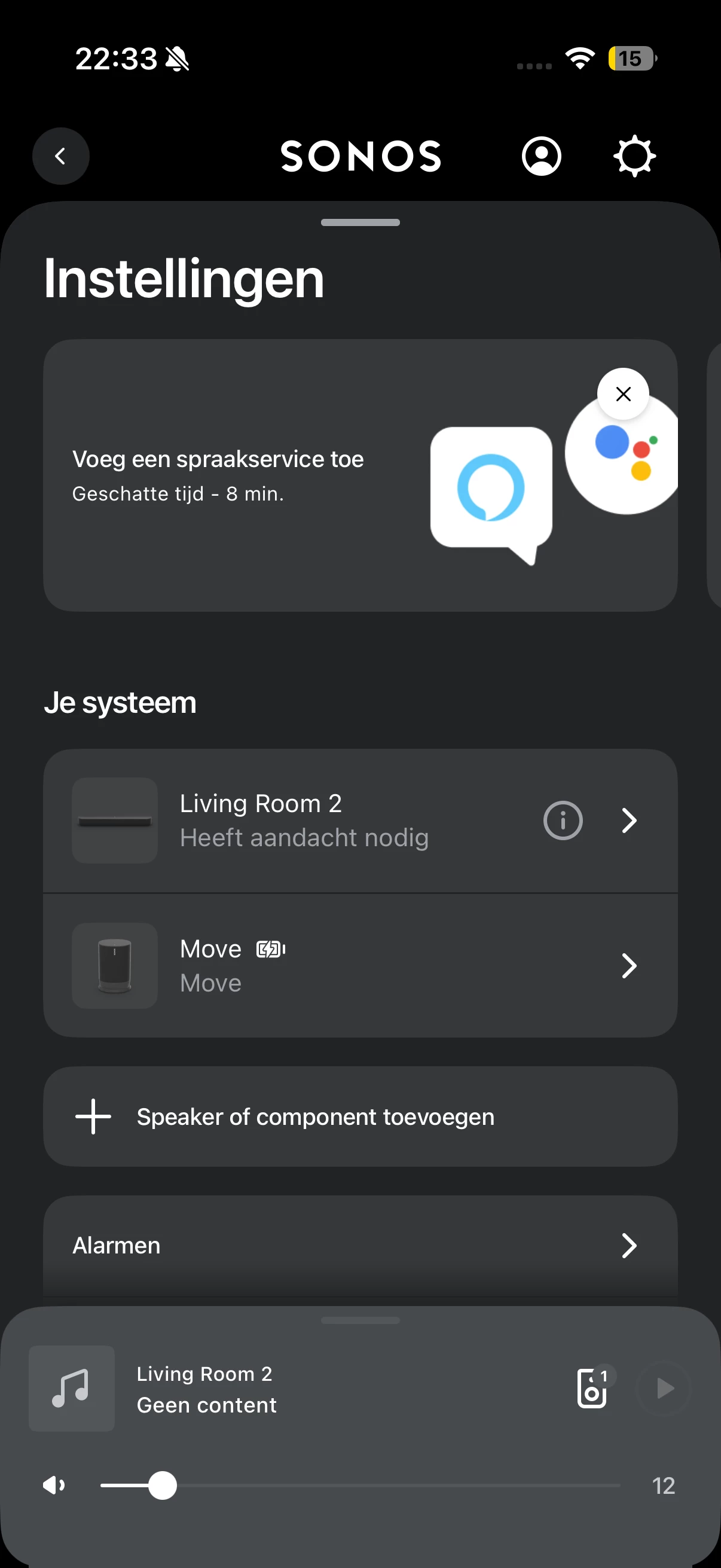
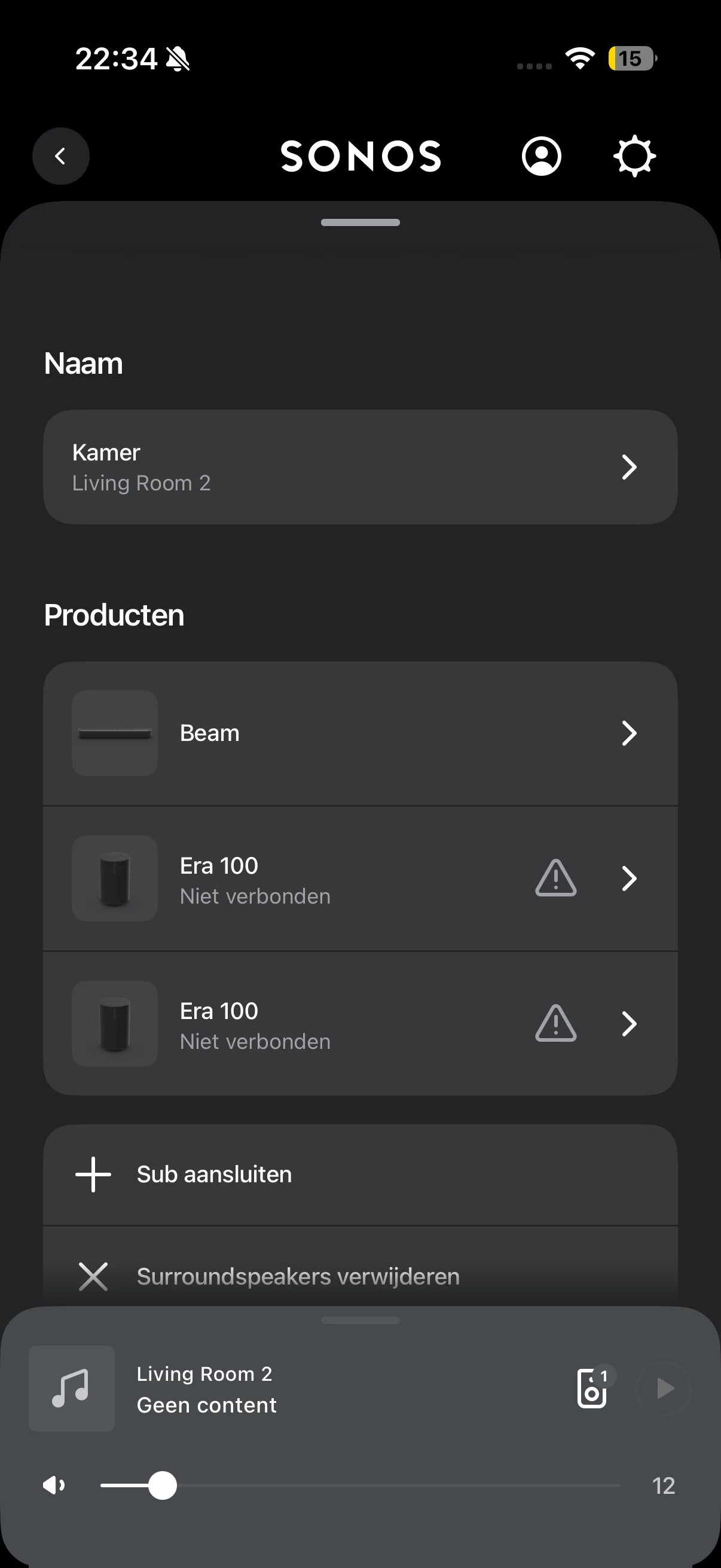
The problem occurs as soon as I add the two Era 100 speakers as surround speakers to the Sonos Beam. After adding them as surrounds, the Era 100 speakers suddenly stop working. In the Sonos app, I can see that there is an issue with the Beam. When I click on it, it indicates that the Era 100 speakers are no longer connected. At that point, they also cannot be played individually anymore.


I have already tried several steps to resolve this issue. I have fully reset the Era 100 speakers multiple times using a hard reset: unplugging the power cable, holding the button on the back while reconnecting power, waiting for the LED to flash, and then releasing the button before setting them up again. I also connected the Beam via an Ethernet cable and then attempted the surround setup again.

This did not solve the problem. In addition, the Beam itself has been reset multiple times, but that also did not help.


In summary:
    ●    Beam Gen 1 works correctly via HDMI ARC with a Samsung TV.
    ●    The system runs on a 2.4 GHz Wi‑Fi network.
    ●    Era 100 speakers work properly as standalone speakers or as a stereo pair.
    ●    During installation, I initially receive a message that the speaker may not be visible.
    ●    After setting them up again, the Era 100 speakers function normally.
    ●    As soon as I add them as surrounds to the Beam, they lose connection.
    ●    After that, they cannot be used either as surrounds or as standalone speakers.
    ●    The Era 100 speakers have been hard reset multiple times.
    ●    The Beam has been reset multiple times.
    ●    The Beam has also been tested with an Ethernet connection, but this did not resolve the issue.


My question is why the Era 100 speakers lose their connection after being paired as surrounds, while they work correctly on their own or as a stereo pair. I would like to know which network or Sonos settings could cause this behavior and what additional troubleshooting steps I can try to get the Era 100 speakers working reliably as surround speakers with the Beam Gen 1.

This topic has been closed for further comments. You can use the search bar to find a similar topic, or create a new one by clicking Create Topic at the top of the page.
Stanley_4
Stanley_4Answer
Grand Maestro
June 14, 2026

27 replies

AjTrek1
June 14, 2026

Ah yes that screenshot was made somehow when the app was not working. This is the working situation:


OK… you should be able to see what those clients are. Sonos may show as SonosInc or SonosZP. 

On your device can you see another WiFi network that you use or once used in the past? 

Together Everyone Achieves More = T.E.A.M.
AjTrek1
June 14, 2026

I think this thread has gotten off track. The original issue was that the Era 100’s were not able to be used as surrounds. My suggestion is to reproduce the issue starting from the beginning then run the diagnostic as suggested and call Sonos Tech support.

Together Everyone Achieves More = T.E.A.M.
Maahes89Author
Contributor I
June 14, 2026

I will! Thanks alot!

quick question, does it matter i connect the era’s on 5ghz and the beam on 2.4ghz, or do they need to be on the same frequency?

because when i try to put the era’s via 2.4ghz, they wont show up on my system unless i remove the plug and restart them, then i need to configure them again.


MoPac
Headliner III
June 14, 2026

Sounds like you have more than one network.  The controller ( device using the Sonos app ) & all Sonos speakers must be on the same network & subnet.  Check your mesh settings.

If 2.4 & 5 are two different networks connect the Controller & Sonos speakers to one of them.  The Surrounds connect to the Beam’s separate hidden 5Ghz network.

i know nothing about mesh systems.  My Sonos stuff runs on an ISP “Band Steering” network.  Never have connection issues.  All IP Addresses are reserved.

Stanley_4
Grand Maestro
June 14, 2026

You should have one SSID for all the Wi-Fi bands. Let Sonos devices pick the one they want. Trying to force things usually does not go well.

Do not factory reset your Sonos unless support tells you to or it is in an official Sonos article. Rebooting (Sonos and router) is fine and often helps.

AjTrek1
June 14, 2026

I will! Thanks alot!

quick question, does it matter i connect the era’s on 5ghz and the beam on 2.4ghz, or do they need to be on the same frequency?

because when i try to put the era’s via 2.4ghz, they wont show up on my system unless i remove the plug and restart them, then i need to configure them again.


That may well be the crust of your issue.

  • All bands should have the Same SSID. 
  • In you ASUS admin make sure Airtime Fairness is turned off.
  • Do not use Smart Connect.
  • Sonos will decide the best band to use
Together Everyone Achieves More = T.E.A.M.
Maahes89Author
Contributor I
June 14, 2026

Not sure what router brand that is, so a generic answer.

https://en.community.sonos.com/tutorials-and-how-to-s-229149/sonos-unifi-best-practices-recommended-settings-6933597?tid=6933597&fid=228987

Proxy ARP: Disabled (unchecked).


Oh guys! 
 

It finally worked. I changed the settings of my router as suggested in this guide, i couldnt get all of them, but some of them i could find, such as the snooping for example. 
 

anyways, i reset them, and this time everything worked. So im enjoying the surround sound. Thank you everyone for helping me