
Contributor I
Oct 30, 2018 12:06 AM UTC

Sonos / Xfinity Issue - Not getting 5.1

TV: LG 55LM7600
Sonos: Playbar + Sub + 2 Play Ones
Cable Box: Xfinity Xi5 (wireless box)

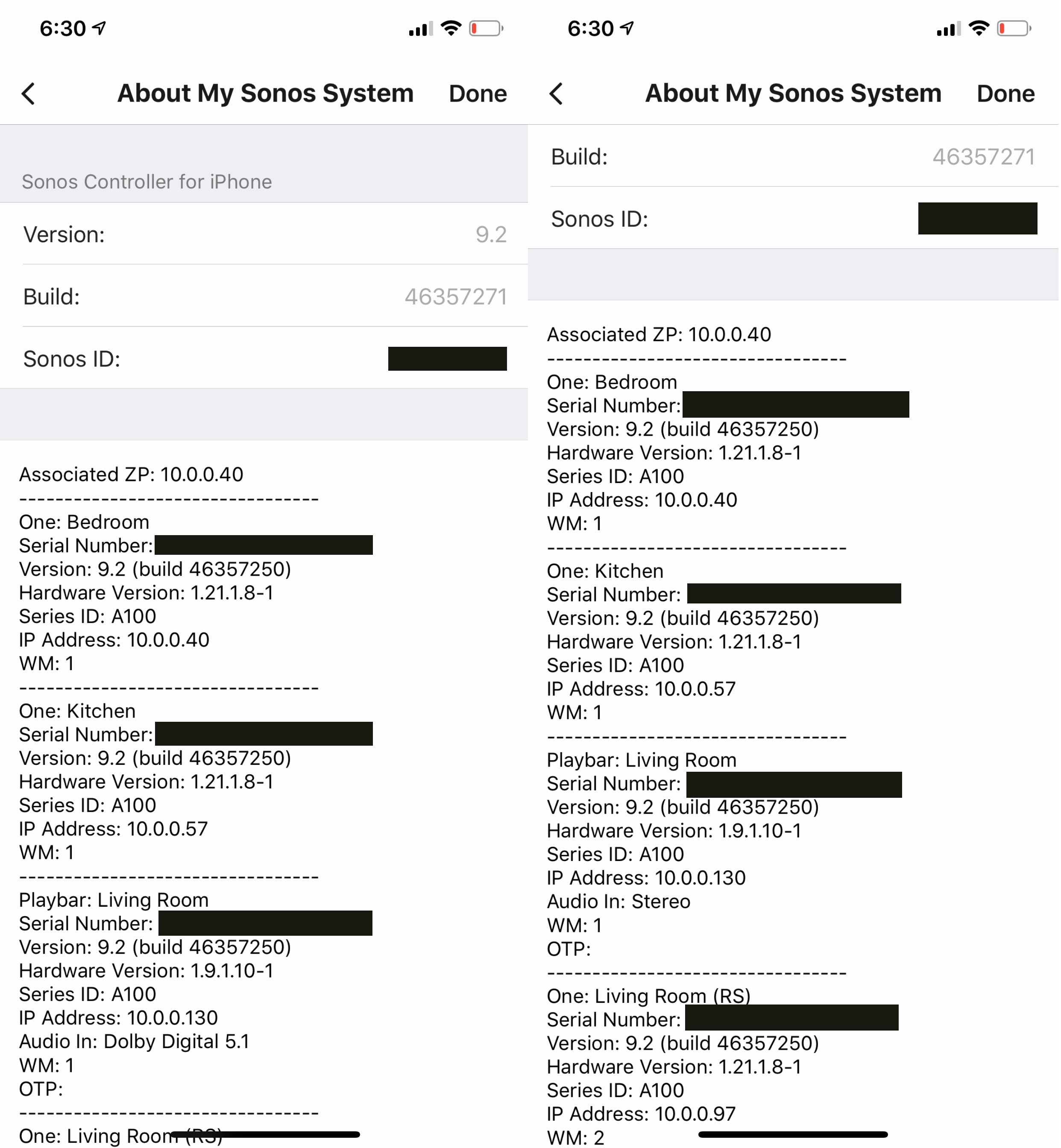
I'm not able to get 5.1 audio recognized in the Sonos app from my Xfinity box. When using the same HDMI port/cable, I'm able to get Dolby Digital 5.1 from my Xbox One. I've tried all the settings on my STB and TV and am still not able to get 5.1 with any program I try. Is this an issue with the cable box or is there something else I should try? I just don't understand why the Xbox One is capable of delivering 5.1 and my cable box is not.
This topic has been closed for further comments. You can use the search bar to find a similar topic, or create a new one by clicking Create Topic at the top of the page.

11 replies

Airgetlam
Oct 30, 2018 3:08 AM UTC
If you're getting it out of your XBox, but not out of the Xfinity box, then the issue is in the Xfinity box. Double check that the audio settings for the cable box is set up to output Dolby Digital. If you need to, call the Xfinity folks on the phone, I've see a case or two over the last several years where the cable box was broken, and not actually putting out a Dolby Digital signal.
Translate
Bruce
Contributor I
Oct 31, 2018 3:50 PM UTC
Still unable to get any answers on this from Xfinity. Is it possible that the Xbox is doing something different that would allow Sonos to recognize the signal as Dolby Digital 5.1?
Translate
Airgetlam
Oct 31, 2018 3:53 PM UTC
Ummm, yes? It's sending a 5.1 signal, where the XFinity box isn't?

Have you looked at the audio settings on the Xfinity box? Have you tried swapping the HDMI cables, or even just the HDMI ports that they're plugged in to on the TV, to see if there's a potential failure there?
Translate
Bruce
Contributor I
Oct 31, 2018 5:29 PM UTC
Yeah, I've tried switching cables/ports and no luck. At this point I think it has to be the Xfinity box. I have my Xbox set to Bitstream out via HDMI. So i wasn't sure if that made a difference.
Translate
jgatie
Oct 31, 2018 5:42 PM UTC
I believe the audio on an Xfinity box defaults to stereo. You have to switch it to Auto Detect to get 5.1. Also, if Auto Detect is on, it may be having a problem negotiating the handshake. Try unplugging the HDMI and plugging it back in.
Translate
Airgetlam
Oct 31, 2018 5:55 PM UTC
Thanks, jgatie. I lost access to my friend's Xfinity box when I moved to Texas...and don't have a lot of memories around how I set it up for her. I'm still a DirecTV user, much more familiar with the Genie interface on that software. Kind of surprised that XFinity's customer service couldn't remote into the box and change the settings....unless there's the remote chance that a) the box is broken, or b) The box doesn't support 5.1 through HDMI. Both would seem unusual to me.
Translate
Bruce
Contributor I
Oct 31, 2018 11:14 PM UTC
I'm at a loss and I appreciate everyone's response. I'm pretty convinced that the firmware in this STB is not capable of detecting that this Sonos setup is a 5.1 capable system and only detecting that it can deliver stereo. I don't know how else to explain it. I've confirmed that my tv is capable of passing Dolby Digital audio via optical.
Translate
controlav
Lead Maestro
Nov 1, 2018 4:26 AM UTC
I've confirmed that my tv is capable of passing Dolby Digital audio via optical.

"Dolby Digital" can be Stereo (DD 2.0). you need to verify it can pass DD 5.1 when fed from HDMI.
Translate
Author of the leading independent Sonos apps for Android, MacOS, iOS, Windows and Xbox.
controlav
Lead Maestro
Nov 1, 2018 12:22 PM UTC
My LG55LWS5700 required me to change settings in the service menu to pass DD 5.1. To get to the service menu I had to buy a $15 remote. I used the information from this site: http://blog.workingsi.com/2012/02/hacking-lg-55lw5700-tv.html
Translate
Author of the leading independent Sonos apps for Android, MacOS, iOS, Windows and Xbox.
Airgetlam
Nov 1, 2018 4:30 PM UTC
Does the STB from XFinity have its own optical port? If so, you could test by connecting the PLAYBAR to that.

Maybe if you posted the model number of the setop box, we could look up the user manual, and make suggestions as to how to change it so that it's sending a 5.1 signal out through HDMI.
Translate
Bruce