
Contributor I
May 15, 2019

Google Assistant Skill Setup: Sonos Not Recognizing Linked Speakers

  • May 15, 2019
  • 9 replies
  • 608 views
I have Play5 and Play3 speakers throughout our home. My Sonos account is logged in through the same email address I use for my Google Assistant. My Sonos account correctly lists all of my speakers I own as part of my system.
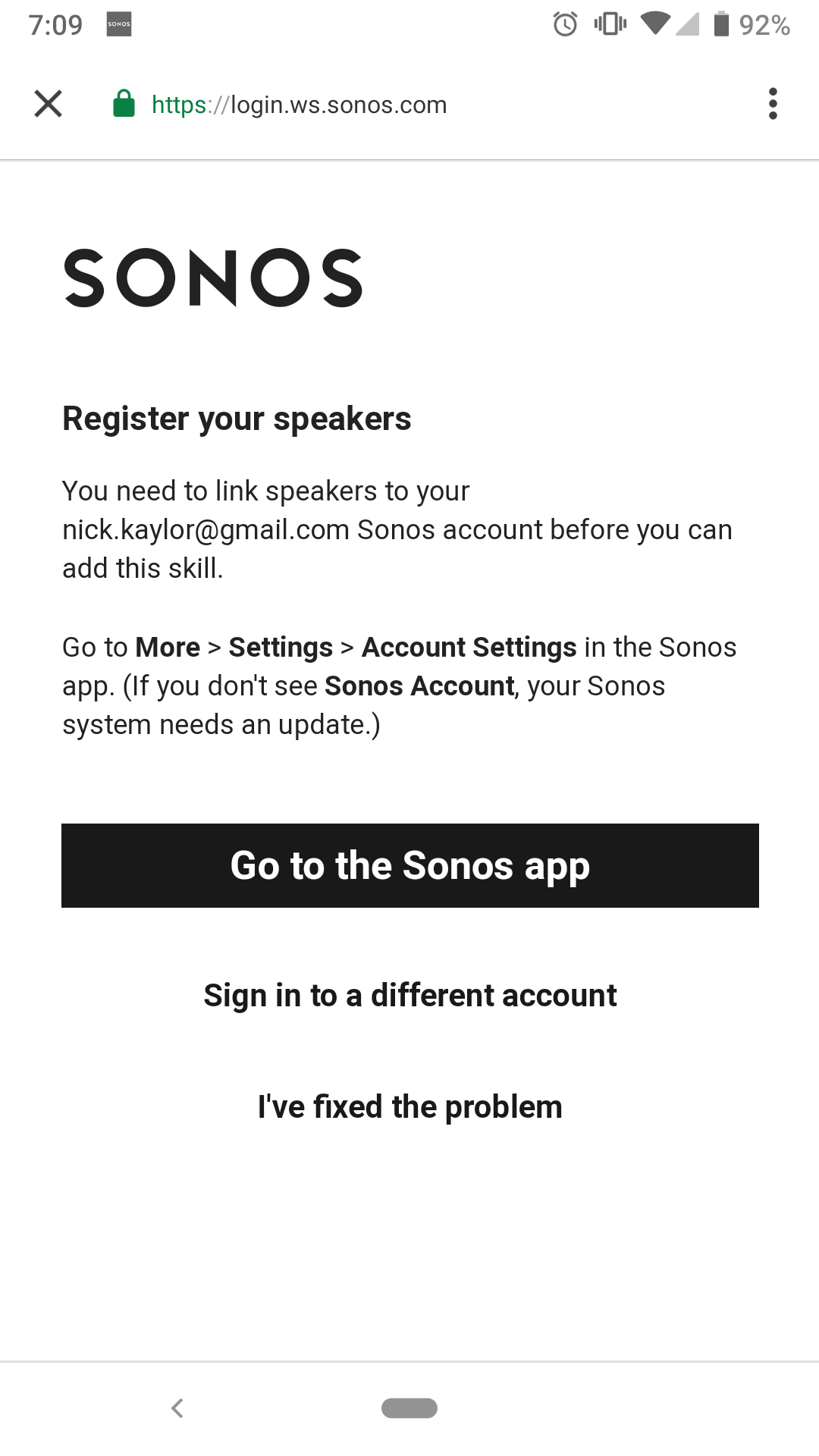
So why, when setting up the Google Assistant skill, am I unable to get the setup wizard to recognize that fact and continue through the setup? Screenshot included:
    This topic has been closed for further comments. You can use the search bar to find a similar topic, or create a new one by clicking Create Topic at the top of the page.

    9 replies

    Lyricist I
    May 15, 2019
    Same issue here.
    Avid Contributor I
    May 15, 2019
    same
    Lyricist I
    May 15, 2019
    Same
    Lyricist II
    May 15, 2019
    Same issuef

    To offer more details, I have done a system update this morning and I have no speakers with mics, just 1's and a connect amp
    Lyricist I
    May 15, 2019
    Experiencing same thing.
    Lyricist I
    May 15, 2019
    same here
    Avid Contributor I
    May 16, 2019
    I tried again this morning and now it's working! I did get an update to my Google Home app (Android) but that could just be a coincidence.
    Lyricist II
    May 16, 2019
    Same, it's working now.

    Would be nice for Sonos or Google to communicate it but thanks TimSee!
    nickrkAuthor
    Contributor I
    May 18, 2019
    As recent replies have stated, it's working now.
    Kinda.
    Only for one of my speakers, the rest aren't recognized. Only my first-gen play5, none of my play3s.