Trending Lyricist I
February 6, 2024
Answered

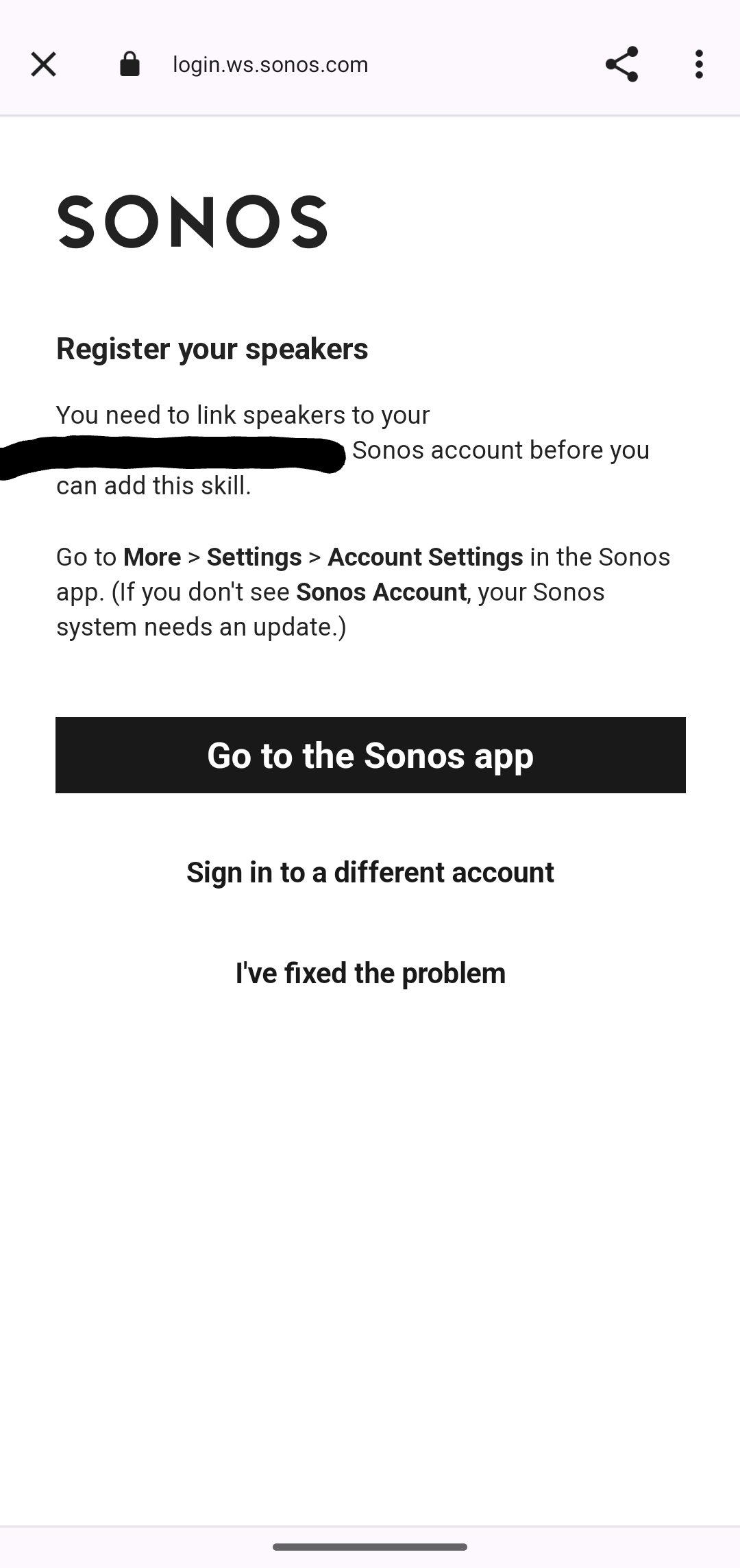
Google Assistant Setup fails with "Register your speakers"

  • February 6, 2024
  • 15 replies
  • 565 views

My Soundbar Beam Gen. 2 is registered with my account. I checked on the Sonos Website.

Bug occurs in the Android 14 app (Google Pixel 8).

See Screenshot:
 

This topic has been closed for further comments. You can use the search bar to find a similar topic, or create a new one by clicking Create Topic at the top of the page.
Best answer by AudioJack

Update: without any changes performed on my end it started to work yesterday. Maybe the Sonos technical team fixed a technical error with the Webservice calls to Google Servers. See below:


15 replies

Lyricist III
March 4, 2024

Was told by Sonos support that this is a known problem with the Sonos Roam - which I bought specifically to use with Google Home.  The speaker will be returned for a refund.

Just like in my case, I bought the Sonos Roam because of the Google Assistant and because I wanted to try out Sonos. I can rule out that the issue lies with Google because the same problem occurs when trying to set it up with Amazon Alexa. The support also informed me that there is a known issue that they are working on. However, they couldn't tell me whether a software update would be available in a few days or only in weeks/months.

I have done a lot of research on this topic, and it seems not to be just a problem with the Roam, as exactly the same issues were reported on the One as well, and forum entries date back to 2021. Therefore, I had little hope that a solution would be forthcoming anytime soon. However, I read a few times that if you keep trying, it might work eventually - without any software update. And that's what happened to me today. After more than a week, I was able to successfully link the Google Assistant. I will keep it for now because, aside from this issue, it is an outstanding product. However, I won't buy any more Sonos products for the time being. I actually wanted to upgrade the living room with Sonos speakers, but if there are also such problems with the Assistant, it would be extremely annoying, considering the very high price.

It stopped working on the same day. What a disappointment, shame on Sonos. I wish I had checked the app reviews before buying a Sonos Product.

Lyricist I
March 6, 2024

Same error message on my old Beam Gen1, AND my new Move2 and Arc..
Fillin in everything and on the Sonos Side of things it requests me to Update either Google Assistant or Sonos app. 

On google side of things it says my system is not connected to my account. (which it is.) 

---
On a sidenote i cant get the “skills” in Alexa to work either. Only get sonos own voice activation to work sadly. 

Lyricist III
March 7, 2024

I believe that Sonos shows an indifferent attitude towards this issue. Despite the lack of a solution and numerous customers facing the same problem, this request is marked as "ANSWERED". It is profoundly regrettable that a company of such renown considers such a matter as "concluded". Such business practices are deeply disappointing.

Lyricist I
March 10, 2024

Still have same problem here. Device registered and everything is updated/reinstalled

Lyricist III
March 30, 2024

So, I sent it back. Never again SONOS products. Vote with your wallet.
