
Contributor I
October 28, 2020
Answered

Google assistant and Sonos Arc - connection problem

  • October 28, 2020
  • 22 replies
  • 1608 views

I can’t set google assistant voice service.

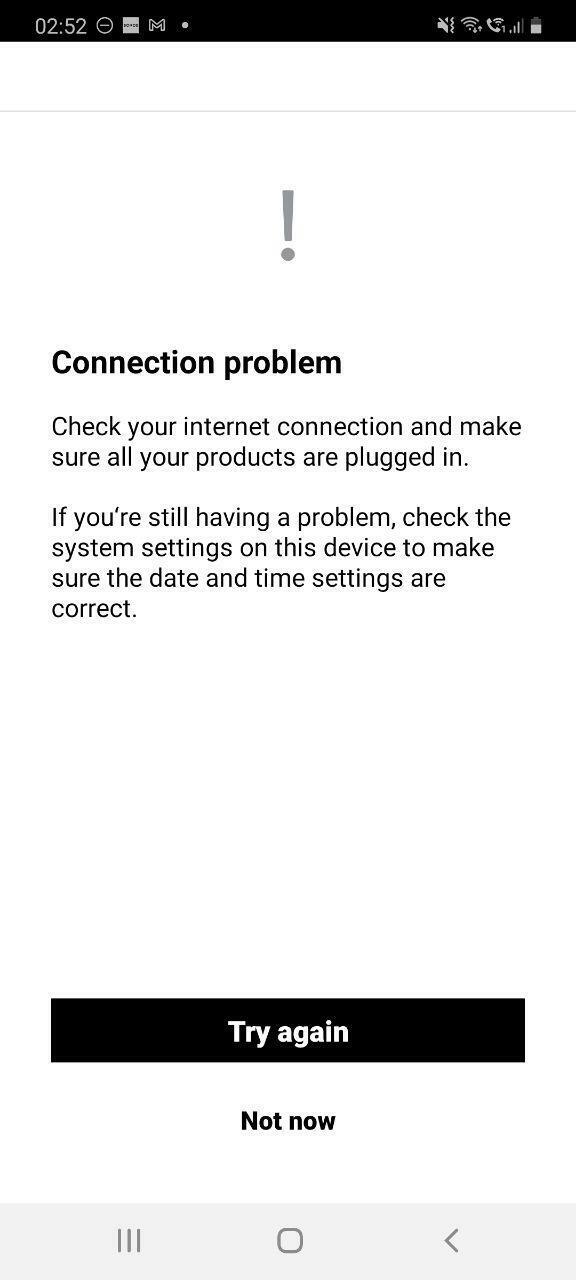
I have tried different wifi, different ethernet provider, connecting via ethernet cable, rebooting, reinstalling app. I always get and connection problem error.

How can I fix this?
 

This topic has been closed for further comments. You can use the search bar to find a similar topic, or create a new one by clicking Create Topic at the top of the page.
Best answer by Mark P

Hi @CooleRnax.

Welcome, thank you for reaching out to Sonos Community. I totally understand where you're coming from and I’m here to help.

Have you tried doing factory data reset? 

Can you submit a diagnostic report from your Sonos system and reply back with your confirmation number after doing the factory data reset and still unable to add?

Let us know if it works. If you need help with any other information, please be sure to let us know.

22 replies

Mark P
Mark PAnswer
Retired Sonos Staff
October 29, 2020

Hi @CooleRnax.

Welcome, thank you for reaching out to Sonos Community. I totally understand where you're coming from and I’m here to help.

Have you tried doing factory data reset? 

Can you submit a diagnostic report from your Sonos system and reply back with your confirmation number after doing the factory data reset and still unable to add?

Let us know if it works. If you need help with any other information, please be sure to let us know.

Help others find useful content by clicking the like button and selecting the best answer to your question
Lyricist II
November 19, 2020

Hi there,

I’m having the same issue with a Sonos Move I have just installed to my existing system.

I have done an app reset and I have tried to connect my Google Assistant both on my Android device as well as my iPad. Both give the same error message that is indicated above.


Thanks,

Steve

Lyricist I
November 19, 2020

Same here on my brand new Sonos Beam, I'm unable to add the Google Assistant because of the same error.

Mark P
Retired Sonos Staff
November 19, 2020

Hi @

Welcome, thank you for reaching out to Sonos Community, I totally understand where you're coming from and I’m here to help.

Are you able to use your google assistance command on your android phone (not in the Sonos app)?

Is your Google assistance is working with other devices in the house?

If you need help with any other information, please be sure to let us know.

Help others find useful content by clicking the like button and selecting the best answer to your question
Lyricist I
November 19, 2020

The Google Assistant app is working on my phone (outside the Sonos app). I also have a Nest Mini which is working fine.

I got a slightly different error than the one above though (I don't have the Try again/Not now buttons). See the image below (in dutch). Already tried to reboot my router without luck.


Lyricist I
November 19, 2020

Maybe worth to mention: trying to connect to Alexa (I don't have that app) is throwing the same error.

Lyricist II
November 19, 2020

Hi @

Welcome, thank you for reaching out to Sonos Community, I totally understand where you're coming from and I’m here to help.

Are you able to use your google assistance command on your android phone (not in the Sonos app)?

Is your Google assistance is working with other devices in the house?

If you need help with any other information, please be sure to let us know.


Hi Mark,

Yes, I have other Google Home devices in my home that all work. 
Google Assistant works on my Android phone and the Sonos system in my home also fully works (and is connected to the internet).
The error only occurs when I try to setup the Google Assistant on my Sonos Move device.

Thanks,

Steve

Lyricist I
November 20, 2020

Waking up the next morning and the issue is fixed (I didn't change anything)! I have successfully added Google Assistant now.

Lyricist II
November 20, 2020

So I no longer get the same error message but now when the Google Assistant app tries to find any new devices, it cannot find the Sonos Move… I get stuck there…

I have tried unlinking and reconnecting Sonos to the Google Assistant/Google Home application.

I have also tried connecting it via iOS and Android.

Both give the same experience.

Any suggestions?

Mark P
Retired Sonos Staff
November 20, 2020

Hi @Ponzie.

Welcome, thank you for reaching back to Sonos Community.

Can you submit a diagnostic report from your Sonos system and reply back with your confirmation number?

Make sure Google assistance was already been added to the Sonos application.

Let us know if it works. If you need help with any other information, please be sure to let us know.

Help others find useful content by clicking the like button and selecting the best answer to your question