New Era 300 will not play local library.

  • December 12, 2025
  • 15 replies
  • 112 views

MoPac
Forum|alt.badge.img+18

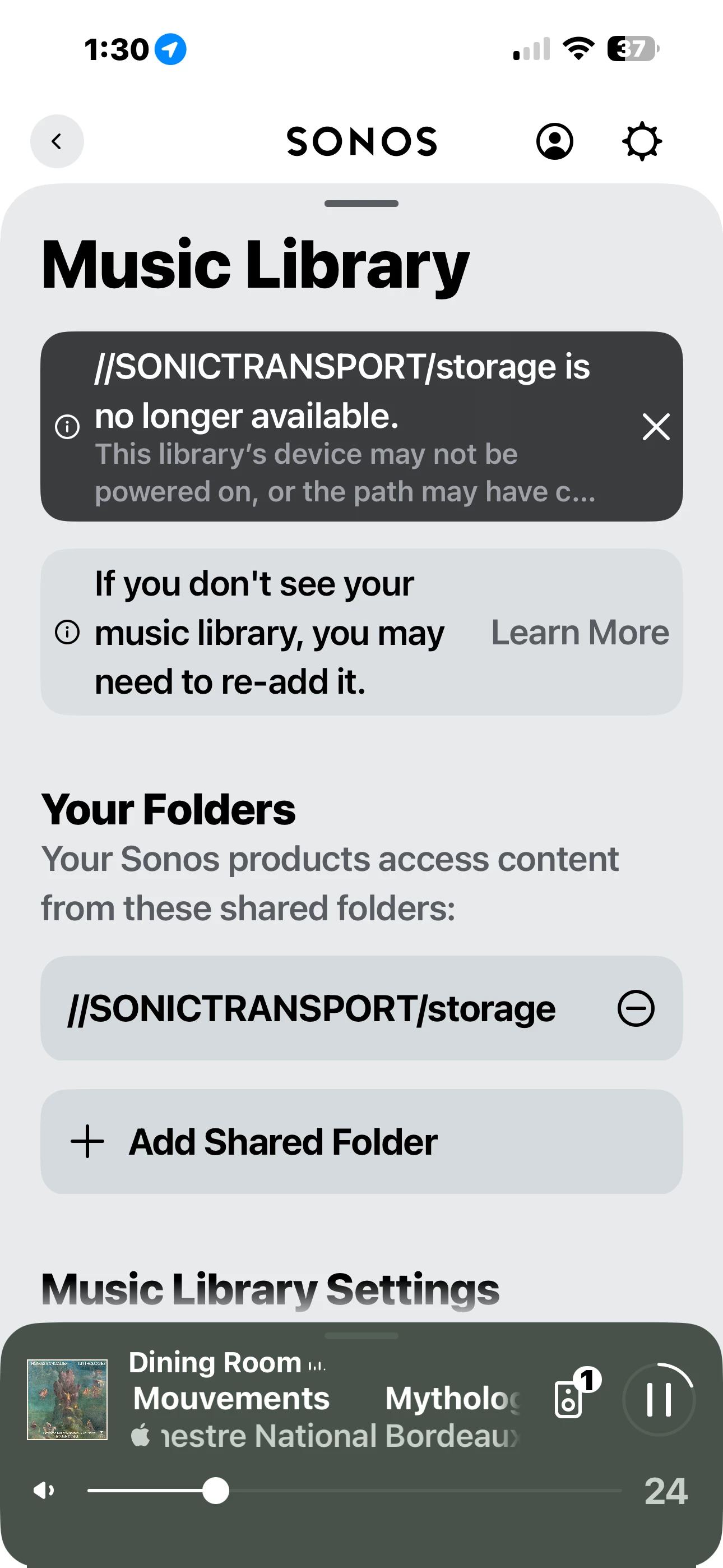
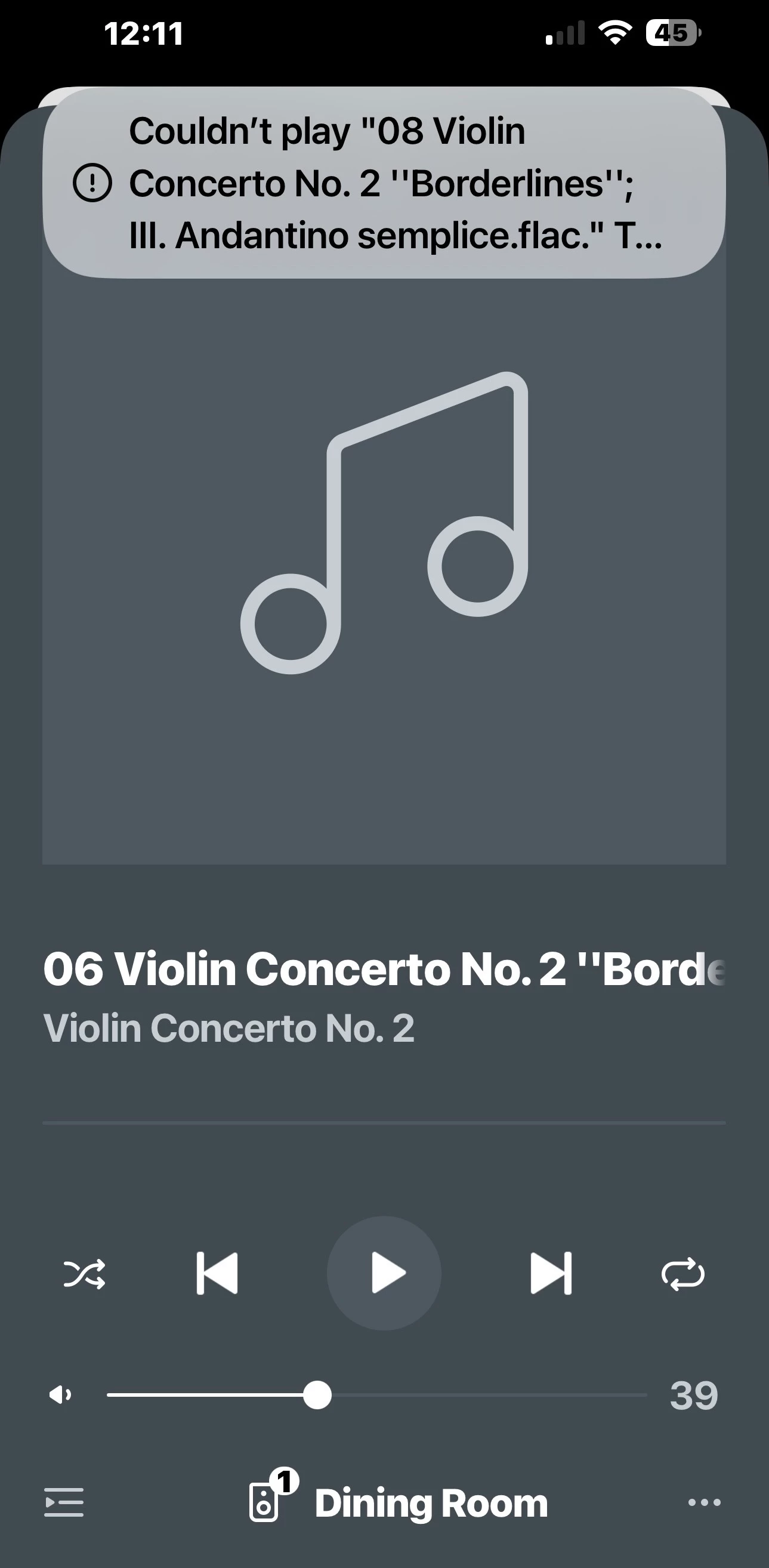
 Just purchased an Era 300.  It plays streaming services, but will not play my local library.  The four other zones play the local library just fine.  If I play from another zone then add the new 300 it plays local library.  If I try to play the local library with only the new 300 it fails. 
 
 A reboot did nothing.  All speakers are on the same network.  
 

15 replies

MoPac
Forum|alt.badge.img+18
  • Author
  • Headliner III
  • December 12, 2025

 Sent a diagnostics concerning the issue where the Era 300 will not play local library.


Stanley_4
  • Lead Maestro
  • December 12, 2025

Power down ALL Sonos, reboot router and controller, power up your Sonos.

If it works and keeps working you should be good. If it works for a while then quits, you may want to set static/reserved IP Addresses for all Sonos from the router's DHCP Settings page. Follow with another network-wide refresh to lock in the new addresses.

,


jgatie
  • December 12, 2025

You may need to reindex the library to force a copy to the new device.


Forum|alt.badge.img+4
  • Collaborator II
  • December 12, 2025

How is your local path formatted?

I had this exact issue with newly added Ultra and Era 300's failing to play local sources when all other, pre-existing, speakers were fine.

My local paths used a named nas device, //NAS/Library.

Changing the name element to the nas IP fixed the issue, //111.111.111.111/Library.


Edit: I should add this was at the suggestion of Sonos 2nd line support.


Airgetlam
  • December 12, 2025

Remember, Sonos Support doesn’t live in these forums, only Sonos Forum moderators. You might want to call in to have someone look at your diagnostic. 


MoPac
Forum|alt.badge.img+18
  • Author
  • Headliner III
  • December 12, 2025

 Scan for new content worked from Windows 10 PC.  That did not fix Era 300 not playing my music library.  Tried Scan again from the iPhone.  It failed.  Sent diagnostics.

 Swiped out app.  Scan worked after that.  Oddly an Xfinity connection test showed 300 Sleeping.  A follow up Xfinity test showed strong connection.  That’s why I’m scanning library while the 300 is playing streamed music.


MoPac
Forum|alt.badge.img+18
  • Author
  • Headliner III
  • December 12, 2025

 The 300 still refuses to play my Music Library.  Sending it back.


Forum|alt.badge.img+4
  • Collaborator II
  • December 12, 2025

 The 300 still refuses to play my Music Library.  Sending it back.

Since you seem to be using a named nas in your path, did you read my post about library path formatting? You are having exactly the same symptoms that I had...


MoPac
Forum|alt.badge.img+18
  • Author
  • Headliner III
  • December 12, 2025

User117655

 I may be wrong here, but it seems to me if there was an issue with using the NAS network name then the library would never scan and there would be problems with playback of the NAS library.  Right now only the new Era 300 refuses to play the NAS library and the scan works after swiping out the app.

 I will try the IP Address and let you know what happens.


Forum|alt.badge.img+4
  • Collaborator II
  • December 12, 2025

User117655

 I may be wrong here, but it seems to me if there was an issue with using the NAS network name then the library would never scan and there would be problems with playback of the NAS library.  Right now only the new Era 300 refuses to play the NAS library and the scan works after swiping out the app.

 I will try the IP Address and let you know what happens.

That is what I thought but like I say exactly the same issue you have with new speakers (ultra/era/sub surround set) on an existing system failing but with pre-existing speakers remaining 100% functional (and scanning OK from desktop app)... Changing to IP and rescanning solved it for me 🤷🏼‍♂️

(Should add I use a fixed IP address for the nas)


Forum|alt.badge.img+9
  • Prodigy II
  • December 12, 2025

I assumed the problem with my arc ultra I got recently was a Samba issue. Playing the network share on an older speaker and grouping the Ultra solved it on the rare occasion I want to play my library on the Ultra. 


MoPac
Forum|alt.badge.img+18
  • Author
  • Headliner III
  • December 12, 2025

 Did the NAS IP Address for the share rather than the NAS  network name.  Index was ok, but the new Era 300 still will not play music from the NAS.  All other Sonos zones play from the NAS with no issue.


Stanley_4
  • Lead Maestro
  • December 12, 2025

Try playing the library from the 300 again, submit a diagnostic. Play where it works, submit another diagnostic.

Once both are sent CALL Sonos support and have them look at both. They can see logging and status i formation hidden from us users.


MoPac
Forum|alt.badge.img+18
  • Author
  • Headliner III
  • December 13, 2025

 Sent it back to Amazon.


Forum|alt.badge.img+4
  • Collaborator II
  • December 13, 2025

@MoPac ☹️ That's a pity, resolved it for me though,