User117655
Prodigy II
June 7, 2026

Feature Request: Search to correctly return compilation albums in Artist results

The search results returned within the Android app should behave as they do in the desktop app and return ‘Album Artist’ within the Artists results for compilations...

Any compilation albums have the ‘Album Artist’ value effectivly excluded from Artist search results in the App. This is new behaviour for the app since the ‘May 2024’ release. Prior to this behaviour was correct. It remains correct in the Desktop app.

Details:

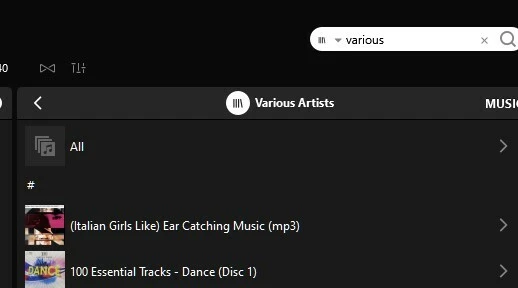
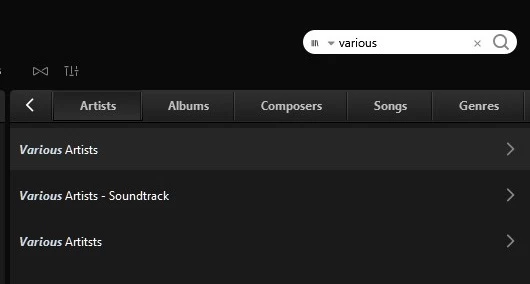
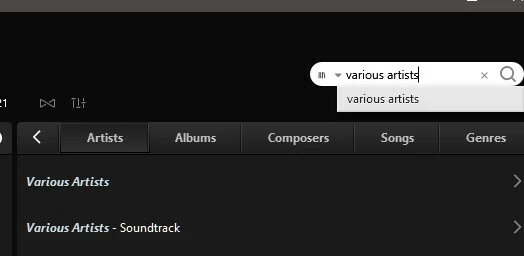
  •  On searching for ‘Various’/’Various Artists’ the Windows desktop application it, correctly, does what it always has done and returns ‘Varions Artists’ in the ‘Artists’ search results:
 

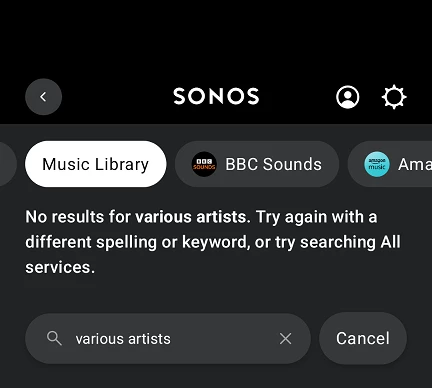
  • However, when the same search is performed from the Android app there are no results under ‘Artists’:
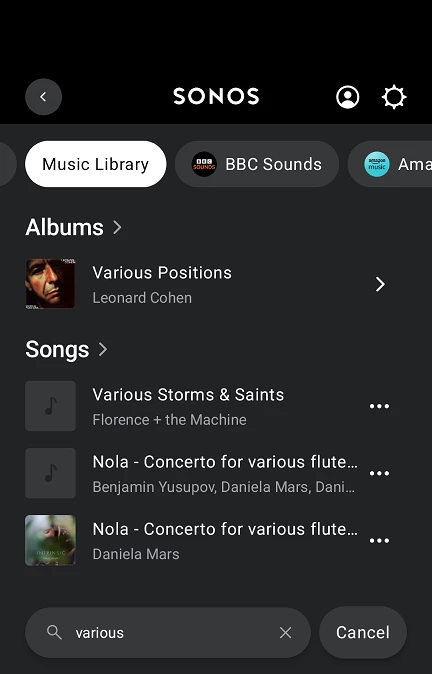
  • All other results (Albums/Songs/Composers ect.) are consistent & correct across both Android and Winsows apps.
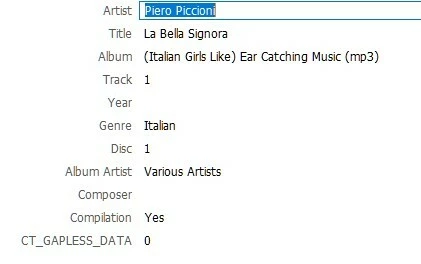
  • Albums are correctly tagged:

Capitalisation, varying index grouping between album artist/compilation/both options or removing the ‘Compilation’ tag has no impact on the behaviour - except removing the ‘Compilation’ tag results in duplicate albums for each individual artist - as would be expected. 

However:

  • Tagging a non-compilation album with ‘Album Artist’ only:
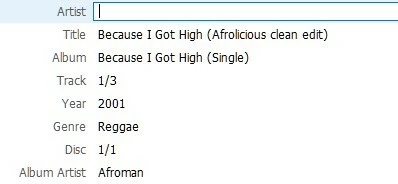
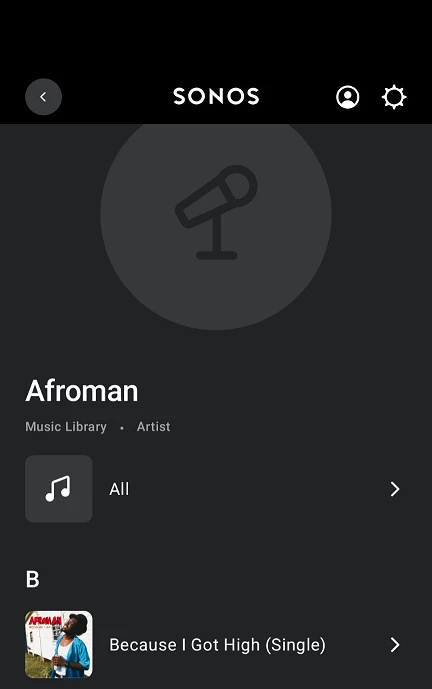
    has the correct result:
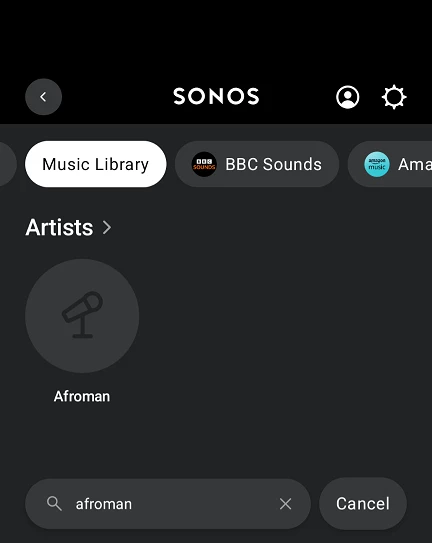
     

So it would seem there is an issue processing albums with the ‘Compilation’ tag set for searches initiated from the Android app… I would guess this is also true of iThing apps too? 

Please can this be corrected, maybe alongside the other outstanding issue:

  •  

Thankyou for your time...

22 replies

MoPac
Headliner III
June 27, 2026

A correction to the above post, the single album that I thought was indexed correctly (The Rocky Horror Show) was incorrectly tagged with 'Artist' set to 'Various Artists' amd the compilation tag was absent... Not totally my fault I hasten to add 🙄

Once corrected it disappeared so it would seem that Album Artist is ignored for compilations (or just ignored full stop?) for the artist search result section.

I don’t use the Compilation tag.  As long as my Album Artist tag is Various Artists all the compilations show correctly.  Yes, Artist tag set to Various Artists would cause issues.

User117655
Prodigy II
June 28, 2026

I don’t use the Compilation tag.  As long as my Album Artist tag is Various Artists all the compilations show correctly.  Yes, Artist tag set to Various Artists would cause issues.

It is odd, I may try again at some point by removing the compilation tag on an album and reindexing but it made no difference for me in the past. Also the fact that the windows desktop and 3rd party android apps behave  properly suggests it is not a tagging issue... 

MoPac
Headliner III
June 28, 2026

I’m very confused by all these compilation errors that many in this community are having.  I’ll be glad when a solution is found.  I’ve never had an issue with compilations after an update to the Sonos app was made sometime last year in response to many complaints about multiple versions of the same compilation albums being shown, each containing the track(s) from each Artist in the compilation.  After that update my compilations showed correctly.

I have yet to borrow someone’s Droid to test that Album Artist search.  The problem is ​@kdowling posted above that with his IOS S2 app an Album Artist search failed to show any results.  Back to being confused.

kdowling
June 28, 2026

I’m confused as well ​@MoPac, that you are getting search results. So let’s see what the difference is. All of my Various Artists albums are flac files. There is no compilation tag. Album Artist tag is “Various Artists” and Artist tag is the track artist. All my albums that are not multiple artist albums have no “Album Artist” tag at all.

The only tags my files use are TITLE, ARTIST, DATE, ALBUM, TRACKNUMBER, GENRE and ALBUM ARTIST only if it’s a multi artist album.

I use replay gain, so the tags REPLAYGAIN_TRACK_PEAK, REPLAYGAIN_TRACK_GAIN, REPLAYGAIN_ALBUM_PEAK and REPLAYGAIN_ALBUM_GAIN are also present.

Music Library settings: Group Albums by is “Album Artists”, Sort Folders by is “Song Number”, View Contributing Artists is Off.

Music Library → click in Search Music Library box. Type Various Artists and get no results returned. Both using iOS and Android S2 controllers.

Music Library → Artists, scroll down to Various Artists and see 163 albums listed. (158 in S1, S2 current indexing problem makes dup errors)


MoPac
Headliner III
June 28, 2026

The only difference I can see in the tagging discipline is I use the Album Artist for all tracks.  So a Miles Davis album has Miles Davis as the Artist & Miles Davis for Album Artist.  For classical albums the Artist & Album Artist is the last name of the composer.  Also if a classical album has multiple composers I separate each composer.  For example if an album contains Tchaikovsky: Symphony No. 6 & Shostakovich: Symphony No. 5 that album becomes two albums: Tchaikovsky: Symphony No. 6 & Shostakovich: Symphony No. 5.  When I search for the Artist Tchaikovsky I want to see only albums that contain Tchaikovsky compositions.  Same for all composers.  If a classical album has several composers I may treat it as a compilation.  Don’t have very many albums that have been treated that way. 
 

I do not use Replay Gain.  Also any other tags, other than the ones we both use, that may be included in purchased downloads are removed.  My tagging software is DbPoweramp.

User117655
Prodigy II
June 28, 2026

My tagging is detailed in my initial post.

From my observations it would appear that Album Artist is ignored in favour of Artist (if present) in the Sonos Android (and iOS) app(s).

I have tried combinations of tagging and app grouping with no correct behaviour materialising in the Android app.

Like I say, 3rd party (across platforms) and the windows Sonos apps all behave consistently and as expected (i.e. properly)... for me at least! I will add that I have a fairly large local library.

This is a bug/fault/issue that needs to be rectified on the new, post 2024, infrastructure.

Having been a professional technical test consultant for far far too long I do not have the time(mainly) or inclination to further narrow this down for Sonos unless they:

a) Pay me a professional rate 

and, to properly debug,

b) Grant me appropriate backend/codebase access

...but mainly (a) 🤓😉

kdowling
June 28, 2026

The only difference I can see in the tagging discipline is I use the Album Artist for all tracks.

I think this is where Sonos search is messing up somehow.

Do you have albums with the Album Artist tag as “Various Artists”? And if you do, when you search the local music library for “Various Artists”, does the result show an Artist by the name “Various Artists” at the top. And if you click on that, does it list all the albums where the Album Artist tag is “Various Artists”?


MoPac
Headliner III
June 28, 2026

After further research I noticed a difference in Various Artists search results using different IOS apps.  When I use either SonoPhone or Lumin Music or other control point apps I get a complete list of my compilation albums.  When I use the Sonos app to search Album Artists I get results, but the results are incomplete.


User117655
Prodigy II
June 28, 2026

So it seems to be a broken some or none situation with the 'new' apps and a correct all situation with the 'old'... 🤷🏼‍♂️

controlav
Lead Maestro
June 28, 2026

So it seems to be a broken some or none situation with the 'new' apps and a correct all situation with the 'old'... 🤷🏼‍♂️

The ‘old’ and 3rd party apps use the UPnP api which has exsited forever and seems to work. The mobile apps use some crazy new thing which, for some reason, which does more than just proxy the call back to UPnP.

Author of the leading independent Sonos apps for Android, MacOS, iOS, Windows and Xbox.