
Alonzo Mosley
Headliner I
November 24, 2021

Won't Update Music Library

  • November 24, 2021
  • 14 replies
  • 514 views

Trying to update my Music Library. Getting the message:
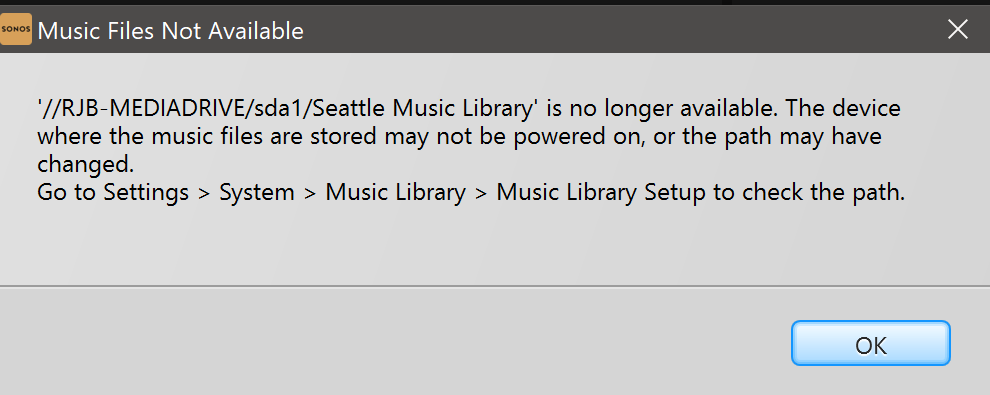
 

However, that path is absolutely available.
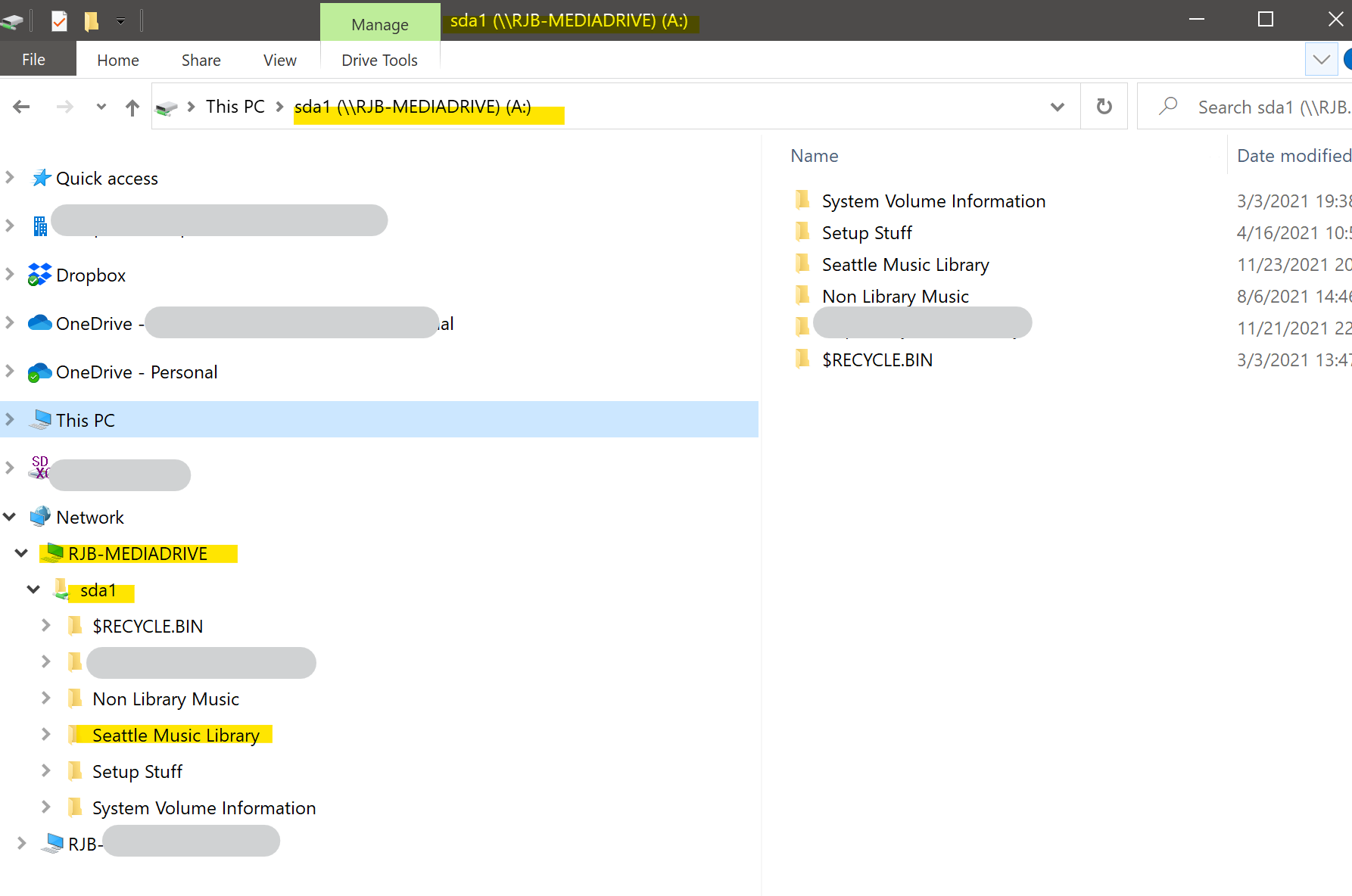
 

Additionally, I am literally listening to music in that Library right now. Sonos can find it, Windows can find it, it just won’t update.

This topic has been closed for further comments. You can use the search bar to find a similar topic, or create a new one by clicking Create Topic at the top of the page.

14 replies

Airgetlam
November 24, 2021

Since Sonos uses SMB and NTML in order to “read” an NAS, showing that Windows can see it doesn’t really tell us much, since it uses an entirely different protocol.

I’d recommend checking your NAS to see if there was a firmware update that turned off SMB v1 and/or NTML v1.

Bruce
Alonzo Mosley
Headliner I
November 24, 2021

Why would it be able to play from the NAS but unable to read from the NAS?

Dan: You're gonna need to get someone to fix my computer. Kim: What's wrong with it? Dan: It's in several pieces on my floor.
Airgetlam
November 24, 2021

Since I didn’t write the code, nor do I have access to it to see how the pathways work ,if they possibly work on two separate paths, I don’t really know. It was merely a potential solution, feel free to ignore if it offends your sensibilities. 

Bruce
Alonzo Mosley
Headliner I
December 14, 2021

“Offends sensibilities” is a little harsh: “If that’s a cause, how does it explain the facts on the ground” is one of the most basic troubleshooting questions, to avoid spending time (and potentially making things worse) chasing potential ghosts.


I have re-mapped the drive, successfully (Manage => Music Library Settings => Add Folder), yet it still gives me the same message when I try to update the same drive. So any time I add new music I need to remove the folder and add it again. Very frustrating.


Dan: You're gonna need to get someone to fix my computer. Kim: What's wrong with it? Dan: It's in several pieces on my floor.
Alonzo Mosley
Headliner I
January 7, 2022

Now it’s even worse.

I can show screenshots if necessary, but I have tried to use both the Android and the Windows app to re-update my Library.

In Windows, I click Manage=>Music Library Settings=>Add

I select :

  • “Networked Device (NAS)”
  • Browse
  • Network
  • The Drive (“RJB-MEDIADRIVE”)
  • The next triangle-open is “sda1”
  • The folder with my music (“Seattle Music Library”)
  • OK

The path shows correctly - “\\RJB-MEDIADRIVE\sda1\Seattle Music Library” so I click “Add”

I get the “’Seattle Music Library’ is now being set up on your system” message

The Settings window puts up its spirograph with “Updating Music Library… Please wait.”

Then I get the window:


I mean, it is LITERALLY right there. I JUST selected it IN THE SONOS APP.


Yes I have rebooted. EVERYTHING.

I am so tired of rebooting and reinstalling all of my Sonos products, but I just want this to work like it used to.

Someone please help.


Dan: You're gonna need to get someone to fix my computer. Kim: What's wrong with it? Dan: It's in several pieces on my floor.
Lyricist III
January 8, 2022

I experience the same problems….the system has worked for years without any problems when accessing my QNAP Music Library. Now it’s not working at all. I’m able to add the path to the music library and it’s accepting the access to the NAS and it start indexing. However, the path never shows up in the settings afterwards. I’ve tried to cable one of my speakers (instead of using the boost) - but it does not help.


My conclusion is that the new SMB-module is erroneous. I’ve tried to close down the SMB1 protocol on the NAS, or close down SMB2 and SMB3 but nothing helps.


So now I’m just waiting for an update of SONOS……

Lyricist III
January 8, 2022

An addition….when adding the setup information to the library, nothing really happens, but the music stops playing on all speakers. So perhaps the bug in the SMB/music library involves more than just the music library….?

Airgetlam
January 8, 2022

Curious as to what Sonos said when you contacted them? This still sounds like an update to the OS on your NAS that made a change that blocks the Sonos devices (not your computer) from reaching the data on your NAS. And particularly if you’re running S1 on your Sonos, the requirement remains SMB v1 and NTML 1. It’s fairly common for updates to the NAS to turn off these option, requiring you to have to go in and change them back. But ultimately, providing a diagnostic to Sonos, and calling in to discuss that would likely uncover the ‘real’ issue with the hard data. And more quickly than ‘waiting for an ’update’ ever would, since they have no real clue what the issue is you’re trying to deal with. 

Bruce
Alonzo Mosley
Headliner I
January 8, 2022

There are no firmware updates for my drive.

I’m running S2.

Calling in may be the option, but getting away and letting someone offline tinker with my home network is kinda fraught during a weekday, but if that’s what it is has to be. (It doesn’[t help that their 24/7 assistance is a chatbot that doesn’t understand much.)


Dan: You're gonna need to get someone to fix my computer. Kim: What's wrong with it? Dan: It's in several pieces on my floor.
Alonzo Mosley
Headliner I
January 8, 2022

It’s a Seagate drive attached to a TP-Link router. So if there are SMB settings anywhere (other than on my PC/client), I can’t find them.

Dan: You're gonna need to get someone to fix my computer. Kim: What's wrong with it? Dan: It's in several pieces on my floor.