
Trending Lyricist I
February 1, 2023
Answered

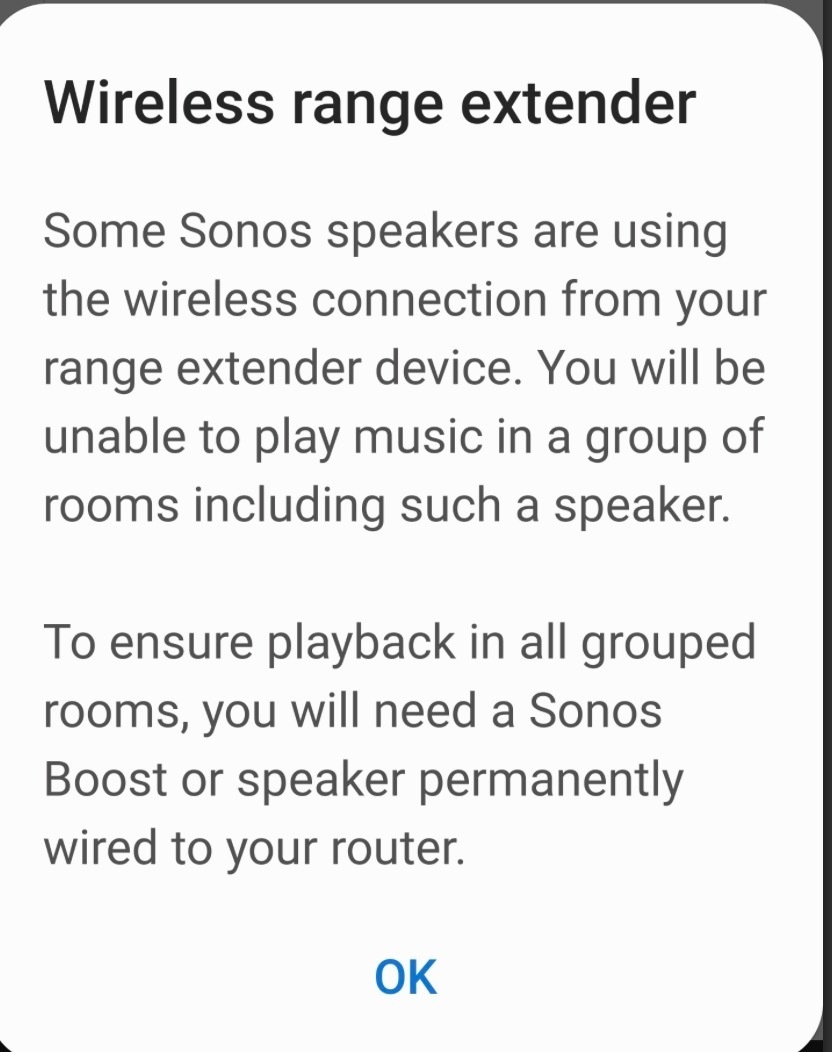
Wifi range expander message (but I have none)

Hi.  When I select several rooms I always get a message telling me Sonos does not work with wifi range expanders,  but I do not have a wifi range expander.  Just one single router . And in fact I can perfectly successfully connect to all the rooms in all combinations.  I just have to dismiss this incomprehensible unnecessary warning  message each time.  What is this happening? Thanks in advance for your help!
 

This topic has been closed for further comments. You can use the search bar to find a similar topic, or create a new one by clicking Create Topic at the top of the page.
Airgetlam
AirgetlamAnswer
February 1, 2023

Might be worth it if you were to submit a system diagnostic within 10 minutes of experiencing this problem, and call Sonos Support to discuss it. I’d think Sonos could possibly ‘see’ the reason why this pop up is occurring, and give you better hard suggestions than those made by us here in the forums.

When you speak directly to the phone folks, they have tools at their disposal that will allow them to give you advice specific to your Sonos system and network.


Bruce

14 replies

buzz
Grand Maestro
February 2, 2023

One possibility is that the router does not allow 2.4GHz clients to talk with 5GHz clients. There may be a router setting to control this. The other option would be different SSID’s for 2.4 and 5GHZ, but don’t give SONOS the 5GHz SSID.

February 2, 2023

Maybe it's just that the two hidden 'networks' were both 5GHz so you have now  'accidentally' turned them off along with the  visible 5GHz network?

Airgetlam
February 2, 2023

Or possibly set the “guest” network to have the same name as your normal network? I could easily see me doing that by mistake.

Bruce
fnegrinAuthor
Trending Lyricist I
February 3, 2023

Thanks all.  
 

The 2.4 and 5 Ghz networks already had different names out of the box. I never changed any setting on the router till today when i turned off the 5Ghz one


the two other hidden networks sonos apparently  sees (according to the sonos tech guy who sees them in the diagnostic) are invisible to me. Even with wifi scanning software.  Only sonos seems to see them. they apparently have their one names too


i have no idea if they are 2.4 or 5ghz


anyway, none of this matters since the problem vanished as soon as i turned off the 5 Ghz network.I do not know if the phantom  networks are still there or not


Speaking to sonos tech, they also think the app was confusing the 5Ghz network with an imaginary range extender.  They are looking at it as being a bug in the app that they need to fix.


For me, the issue is resolved since i do not get the message anymore.


and the system always worked perfectly other than the little error message … and still works perfectly now that the message is gone. 
 

so i’m happy!  


thanks again!!