
Avid Contributor III
August 16, 2026
Answered

Why does Deezer work so badly on the Sonos app 95% of the time?
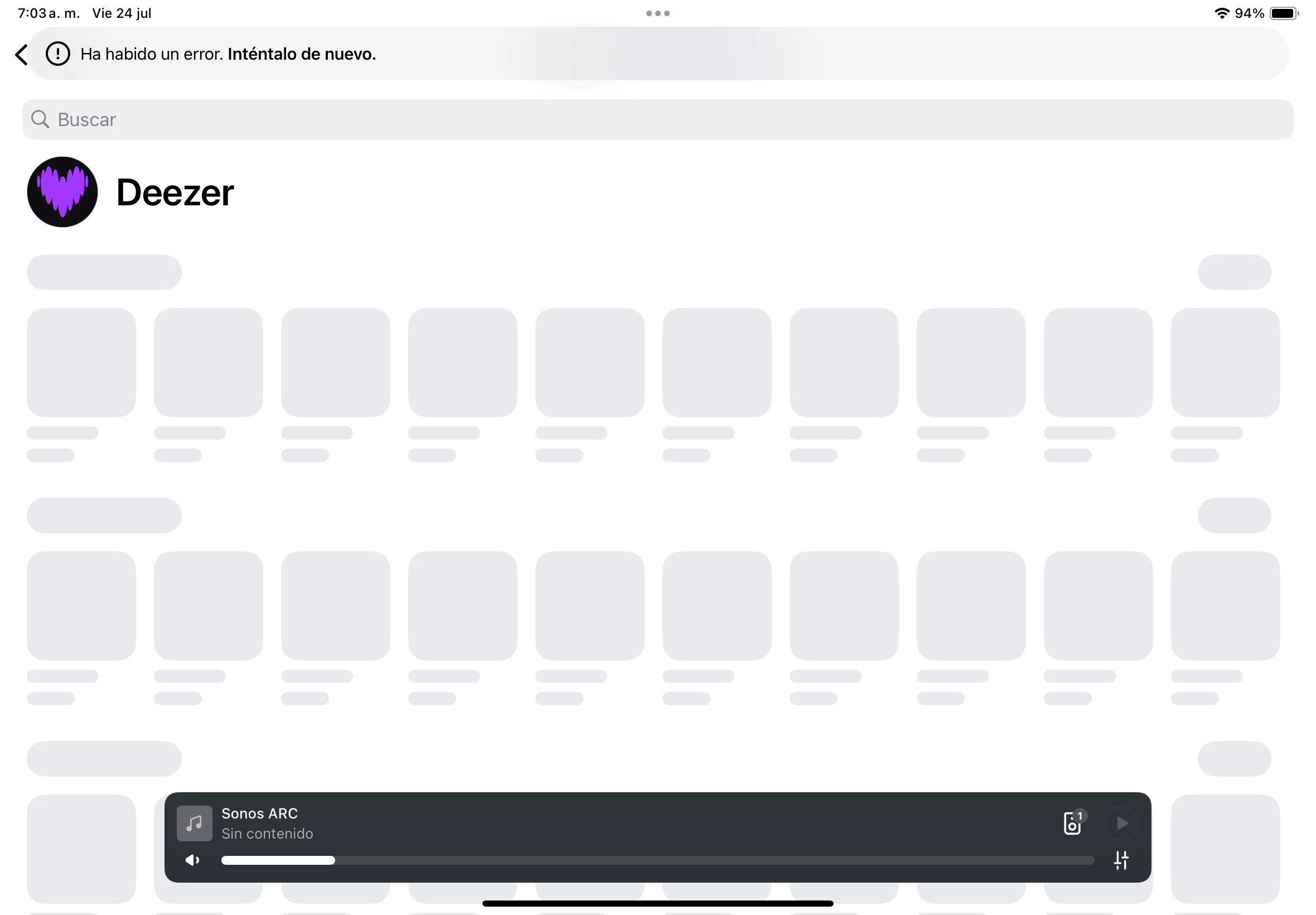
The Deezer app within the Sonos app crashes 95% of the time, as you can see in the screenshot. The other 5% of the time it works, it only lets me see my previously used playlists. If I try to access other playlists, I get another error, and I have to exit and reopen the app several times for them to appear. This happens on both iPasOS and Android.

The other annoying thing is that shuffle is automatically deactivated every time you select a song; you have to press the button every time you manually select a song. Shuffle mode should always be active unless you want to turn it off.

Airgetlam
AirgetlamAnswer
August 16, 2026

That sure looks like a failure to reach the Deezer server to get any information to populate the data. I’d really be tempted to do a network refresh , by powering off (unplugging) all Sonos devices, then rebooting the router. Wait two minutes, then plug back in the Sonos. Wait another two minutes before testing. It also may be worth reviewing the wifi interference FAQ, it could be the Arc is being blocked in communicating with your router. 

But if neither of those help, I would recommend that you submit a system diagnostic within 10 minutes of experiencing this problem, and call Sonos Support to discuss it. Don’t post the resulting diagnostic number here.

There may be information included in the diagnostic that will help Sonos pinpoint the issue and help you find a solution.

When you speak directly to the Support staff, they have tools at their disposal that will allow them to give you advice specific to your network and Sonos system.

Bruce

18 replies

Airgetlam
October 3, 2026

Since it is working for at least one user in DE ( ​@Schlumpf ),  then it certainly seems not like a Sonos general issue, and more like an issue specific to the network you’re trying to use. 
 

Since the phone support doesn’t seem to be able to help you, possibly we in the public can, but as we don’t have access to the same ‘hard’ (sales and diagnostic) data they do, we’ll need much more specifics about your setup, and most likely about your network.

Bruce
Schlumpf
Virtuoso
October 3, 2026

I can just add that it’s not a general problem. From DE Sonos reaches Deezer servers without any issues and works like expected. 

No. This is indeed a general, persisting issue for a year and also in Germany and The Netherlands.

Sorry to hear you‘re having such issues. I just can confirm again that from my location in Germany I don’t have any problem to access Deezer via Sonos app. 
But maybe there are different server to manage the Deezer service for Sonos and the one you are accessing has a problem. 
Where is your location? So perhaps someone from the same region can test this with Deezer. 

Ralf
Lyricist I
October 7, 2026

I’m hitting exactly the same problem. All my other Sonos services work, but Deezer (the one I want to use) shows the same error as the screenshot above

animesalt
Contributor I
October 7, 2026

Andix is spot on here. When one primary service like Spotify streams and handles metadata flawlessly while another constantly throws connection or queue errors, it usually points to an API handshake, token refresh, or cloud-side endpoint mismatch specific to that service's integration module within the Sonos ecosystem. 

Going through the endless loop of router reboots, account removals, and app reinstalls for a bug that ultimately lives on the backend gets exhausting fast. Sometimes voting with your subscription and moving to a platform with more stable API support is the only real fix when the integration stays broken this long!

Palco
Prominent Collaborator I
October 7, 2026

I just tried Deezer – everything went smoothly – it works 100%. (Czech)


Schlumpf
Virtuoso
October 7, 2026

So after all a local server related problem…!? 

Ralf
Lyricist II
October 11, 2026

No, Ralf. No. Leave the local server problem theory. It does not work neither Leiden nor in Oslo nor in Trier, neither on Android device nor iPhone. However: Deezer works fine in the Sonos Windows desktop app but it´s just inconvenient using your laptop all the time... As animesalt states users should not have to give in on user friendliness or mitigate defaults with workarounds. Support tried and tested: Sonos standard answer reboot, unplug, removal, reinstall… and Deezer refers to Sonos. It´s indeed a hassle to switch provider but less than pursuing this persistent issue not being acknowledged. 

Airgetlam
October 11, 2026

I’d certainly, given that data, recommend that you submit a system diagnostic within 10 minutes of reproducing the issue, and call Sonos Support to discuss it. Do not factory reset any units. Also, don’t post the resulting diagnostic number here. Since the Sonos system doesn’t function on the controller device, either on the mobile device or on your PC, something else appears to be going on. The controller itself is merely a remote control that tells the system running on the Sonos device what to do. 

There may be information included in the diagnostic that will help Sonos pinpoint the issue and help you find a solution.

When you speak directly to the Support staff, they have tools at their disposal that will allow them to give you advice specific to your network and Sonos system.

Bruce