Prodigy II
July 18, 2024
Answered

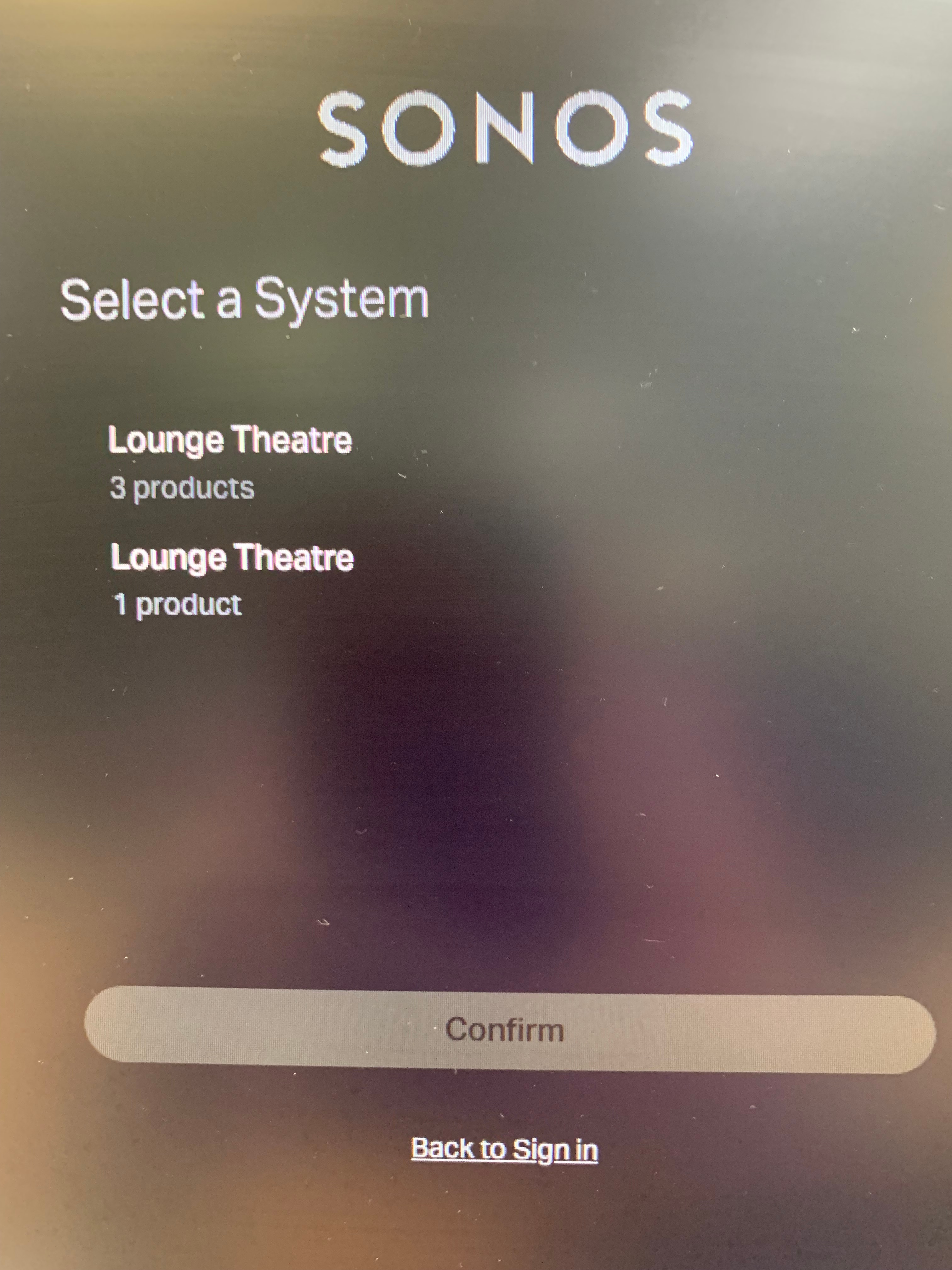
Web app shows i have duplicate systems? how do i delete one of them

  • July 18, 2024
  • 15 replies
  • 1261 views

I have 2 x Play1 and a sub in top system.

And my playbar is in bottom system.

How do i combine the 2 systems into one, or delete one of them, maybe playbar and reset and add it again. I have one system in one home on one network on a single router.

This happened on this weeks system update..

This topic has been closed for further comments. You can use the search bar to find a similar topic, or create a new one by clicking Create Topic at the top of the page.
Best answer by Corry P

Hi @paulrw 

Thanks for that! I’ve consulted with some engineers on this as I thought it was pretty weird, but they seemed to know what was going on straight away.

We think this will be resolved with a simple reboot of the Playbar - please unplug it from power for a moment, then plug back in.

Thanks to the diagnostics, we also spotted that you have disabled WiFi on the Playbar - although you have an ethernet connection there, your Sub wants to connect directly to the Playbar, so please turn WiFi on the Playbar back on. You can keep the Playbar ethernet-wired, if you like.

If this does not clear the two system issue you see in the web app, please instead follow these steps:

  1. Remove the Sub from the Playbar - Settings icon » [room with Playbar] » Remove Sub
  2. Factory reset the Playbar
  3. When Playbar has a flashing green light, go back to Sonos app and ensure you are connected to your existing system, and it will offer to add Playbar - please do so
  4. Add Sub back to Playbar - if not offered this during Playbar setup, do it manually by going to Settings icon » [room with Playbar] » Connect Sub

I hope this helps.

 

15 replies

Corry P
Sonos Staff
July 19, 2024

Hi @paulrw 

Yes! It’s not ideal, obviously. The idea is that anyone on iOS would be using the iOS app (and the same for Android), rather than web app - that’s why web app isn’t made for phone screens. Right now, of course, opening web app on a phone is just as handy a work-around for some issues as opening it on a PC or Mac, and I was not personally aware of Safari having separate settings for each website. Thanks!

"Common sense is the collection of prejudices acquired by age eighteen." - Albert Einstein
paulrwAuthor
Prodigy II
July 22, 2024

Hi @Corry P , 

Just a power cycle of playbar fixed it all a treat thanks, and please thank the Techy for me as well, guess he doesn’t get much thanks at present.

Could the leave wifi enbabled with ethernet on soundbars ,when using a sub be made more public knowledge somehow, i assumed it was the correct thing to do to get sonosnet, maybe the app should not let you switch it off….. 

Corry P
Sonos Staff
July 22, 2024

Hi @paulrw 

Fantastic - thanks for updating the thread, and I will let them know!

Yeah - personally, I think the option should be removed from Home Theatre devices altogether!

"Common sense is the collection of prejudices acquired by age eighteen." - Albert Einstein
Contributor I
August 3, 2024

I have the same problem and rebooting every device has not fixed any of it.

Airgetlam
August 3, 2024

I’d suggest, since the above solution didn’t work for you, that you call Sonos Support directly to discuss it.

When you speak directly to the phone folks, they have tools at their disposal that will allow them to give you advice specific to your network and Sonos system.

Bruce