

controlav
Lead Maestro
June 30, 2024
Answered

Was the Desktop app just deprecated?

  • June 30, 2024
  • 4 replies
  • 252 views

I get this when starting the Windows app now:
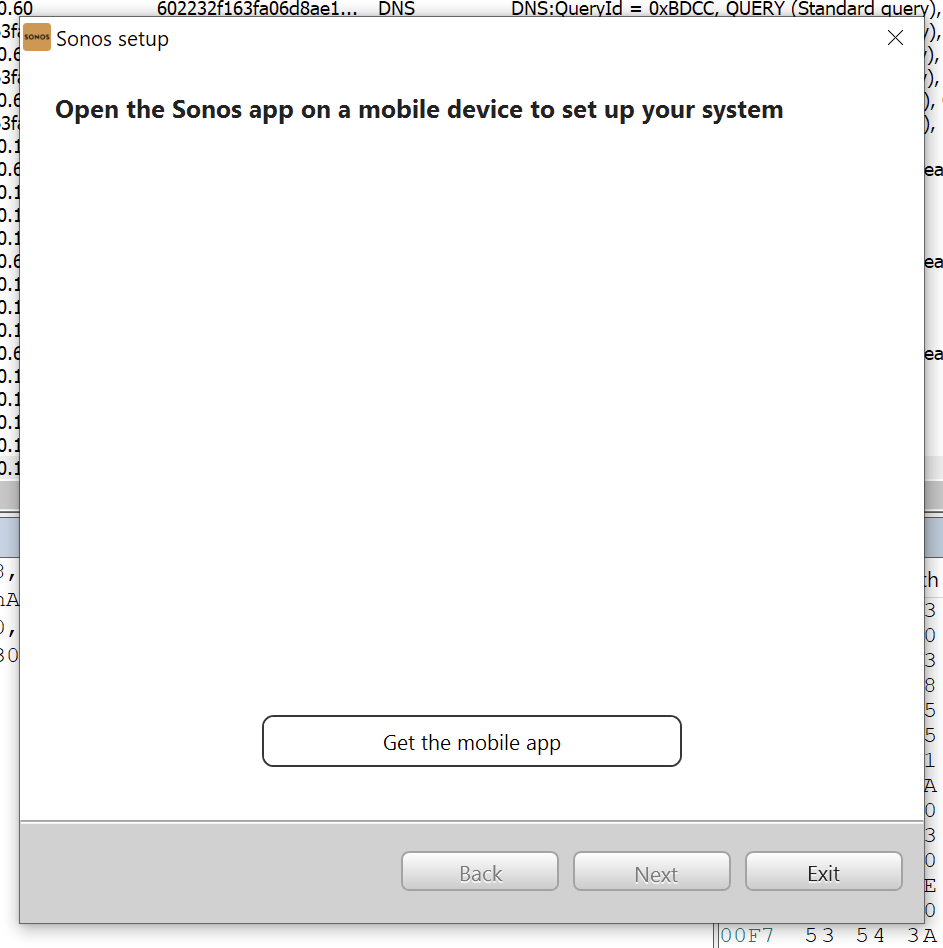
 

Of course I still have a perfectly running system, so is the Desktop app now officially deprecated? Pretty sure it was working a few days ago.
When this message first appeared there was a More Options button, and using that I did Reset this app. Which was clearly a mistake.

This topic has been closed for further comments. You can use the search bar to find a similar topic, or create a new one by clicking Create Topic at the top of the page.
Best answer by controlav

Figured it out: after resetting the app the S2 app was finding my S1 devices and getting confused. After running around the house pulling the power on every S1 device, doing another App Reset, AND deleting the localsettings.txt file (which still had my S1 deets even after the app reset) its all back now. Painful.

4 replies

AjTrek1
June 30, 2024

@controlav 

Not trying to be condensending but I’m having trouble understanding your question as you are the:

  • Author of the leading independent Sonos app for Windows,….
Together Everyone Achieves More = T.E.A.M.
Bumper
June 30, 2024

FYI I just reset my desktop controller and it comes back as normal and finds my system. 

controlav
controlavAuthor
Lead Maestro
June 30, 2024

@controlav

Not trying to be condensending but I’m having trouble understanding your question as you are the:

  • Author of the leading independent Sonos app for Windows,….

I use the official desktop app as the Gold Standard, if I can do the same thing as it, with a better, more modern UX, then my job is done.

Author of the leading independent Sonos apps for Android, MacOS, iOS, Windows and Xbox.
controlav
controlavAuthorAnswer
Lead Maestro
June 30, 2024

Figured it out: after resetting the app the S2 app was finding my S1 devices and getting confused. After running around the house pulling the power on every S1 device, doing another App Reset, AND deleting the localsettings.txt file (which still had my S1 deets even after the app reset) its all back now. Painful.

Author of the leading independent Sonos apps for Android, MacOS, iOS, Windows and Xbox.