mikegunnill
Producer I
February 23, 2023
Answered

Update to Controller for Mac

I had the same issues before when updating the Controller for Mac, before.  Using macOS Ventura 13.2.1.

Tried to update from the software itself, always stops saying error, try again. After 3x the same happens. Found a direct link from Sonos and downloaded 15.1 to my mac. But will not open and function.

Grateful again for help please? I can not use my Controller for Mac at present.


This topic has been closed for further comments. You can use the search bar to find a similar topic, or create a new one by clicking Create Topic at the top of the page.
Contributor I
March 5, 2023

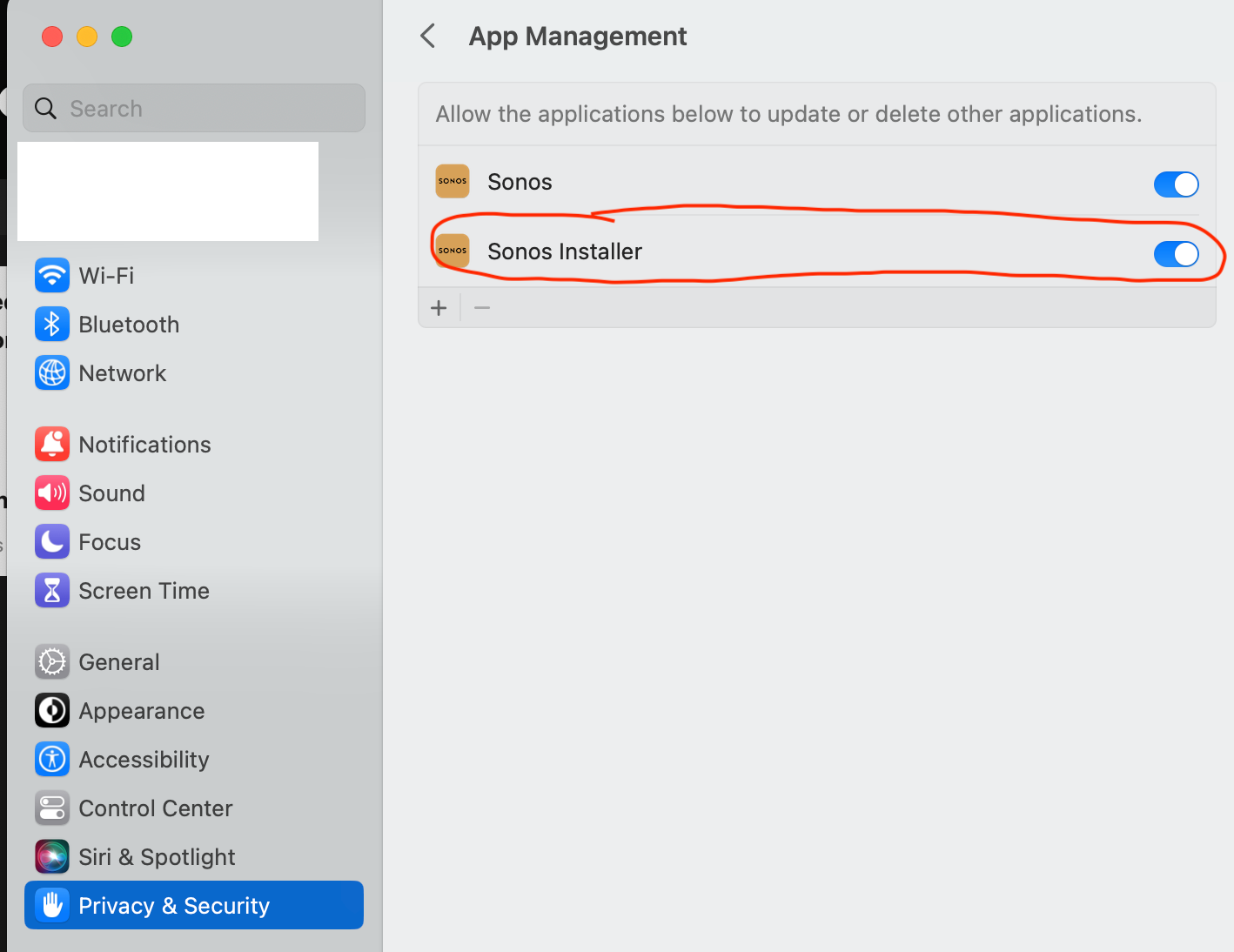
I was having the same issue, and determined it was a Privacy & Security setting issue.

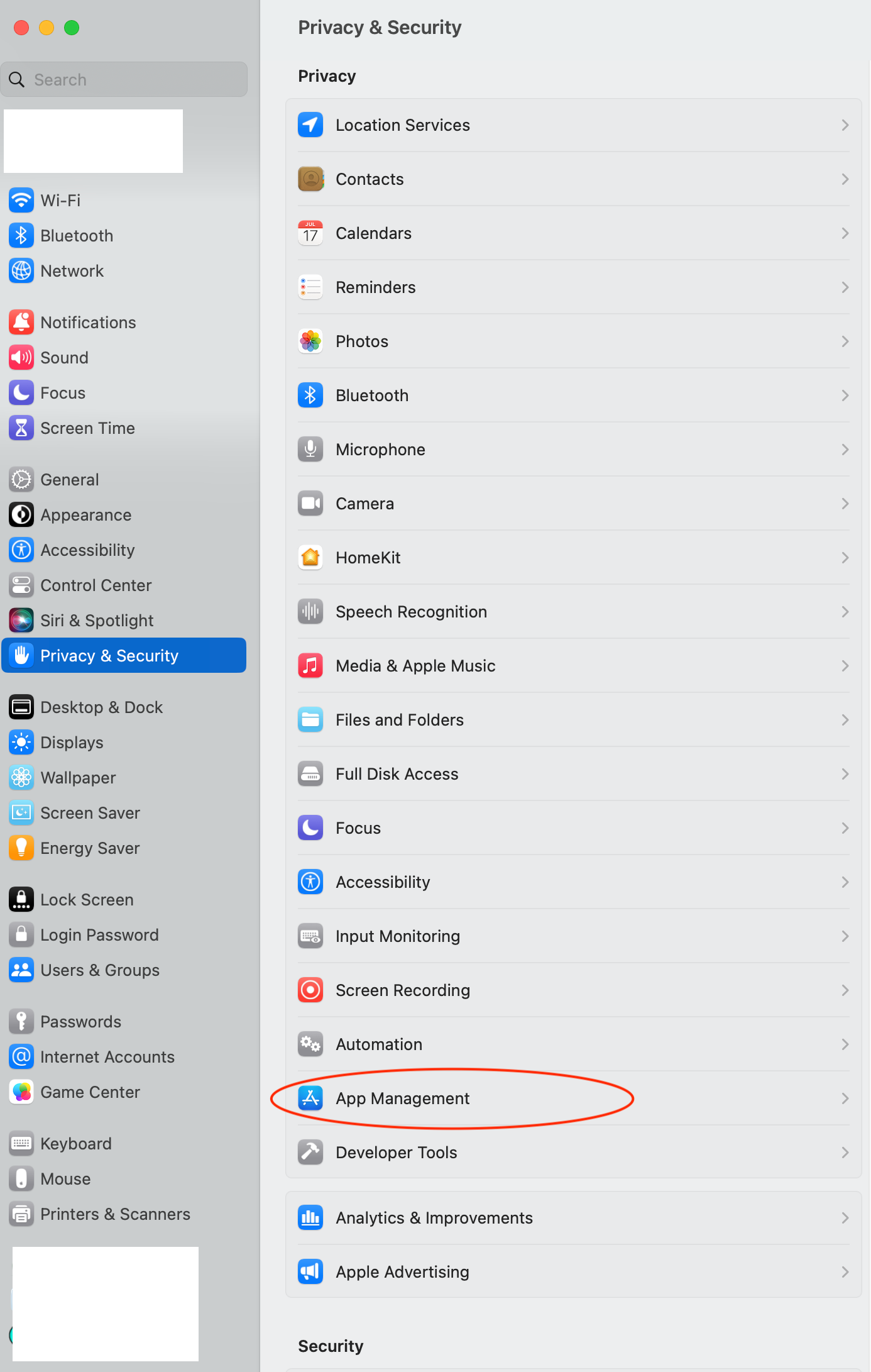
Here’s how I was able to fix it: Settings > Privacy & Security > App Management then make sure the Sonos Installer is toggled on


13 replies

Trending Lyricist I
March 18, 2023

Thanks for this.  Cured my most recent issues with the installer.  Nice to have this information somewhere “up front” or maybe the error message you get when this happens could be more descriptive about things to try.

I get why the installer might need the rights to update/delete but any thoughts about why the Sonos app itself would need those rights? I try to change as few settings as possible cause Apple updates come through and seem to mess with stuff that I had set instead of preserving my settings. I haven’t had any other issues except for the last two Sonos installer “fails”.


Thanks!!


Lyricist I
April 22, 2023

Worked GREAT! Remove the prior control app, restarted to clear all and downloaded the update. No issues. Thanks!!

Trending Lyricist I
May 24, 2023

I was having the same issue, and determined it was a Privacy & Security setting issue.

This is the correct answer @Jamie A 

Cheers!