Trending Lyricist I
Jun 6, 2024 4:18 AM UTC

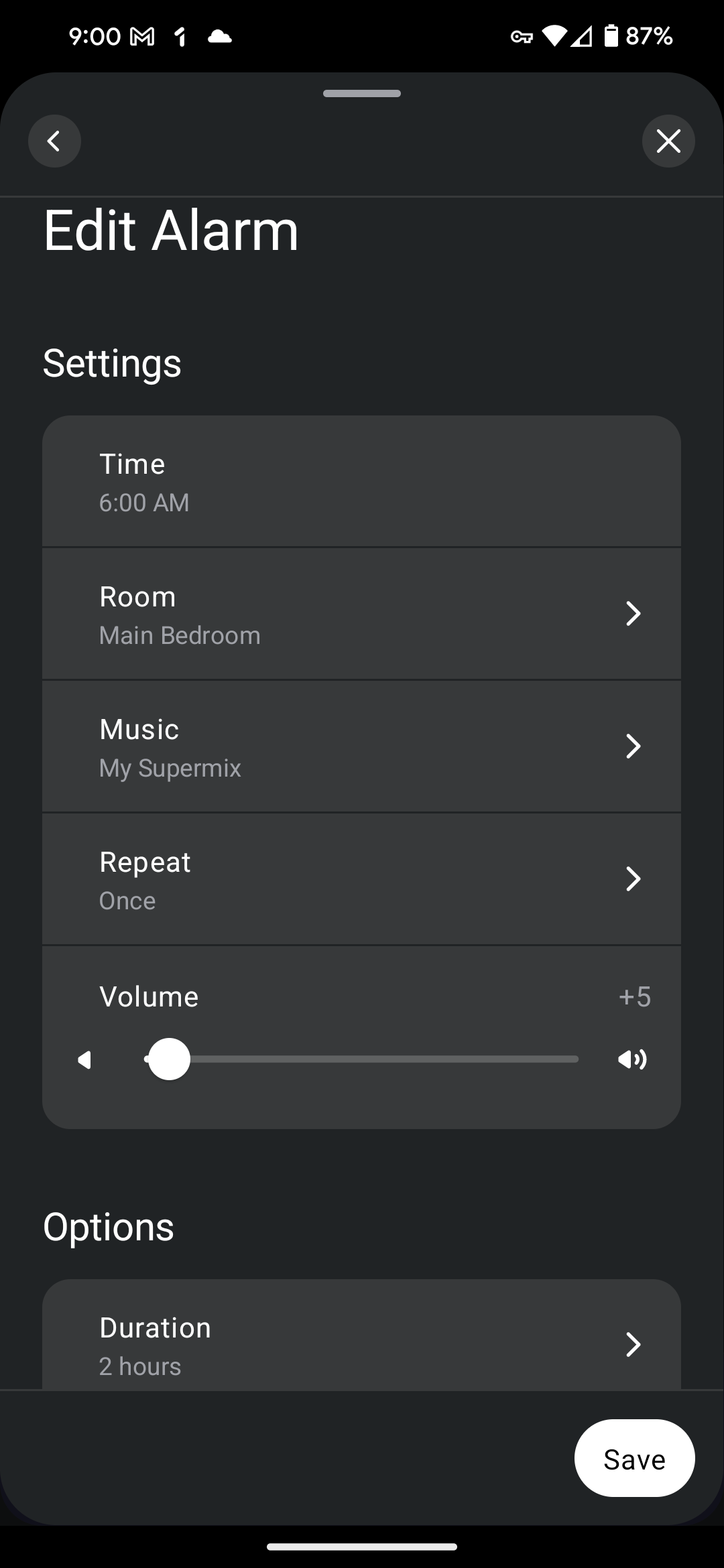
update 80.02.05 cannot update nor create nor save new alarms

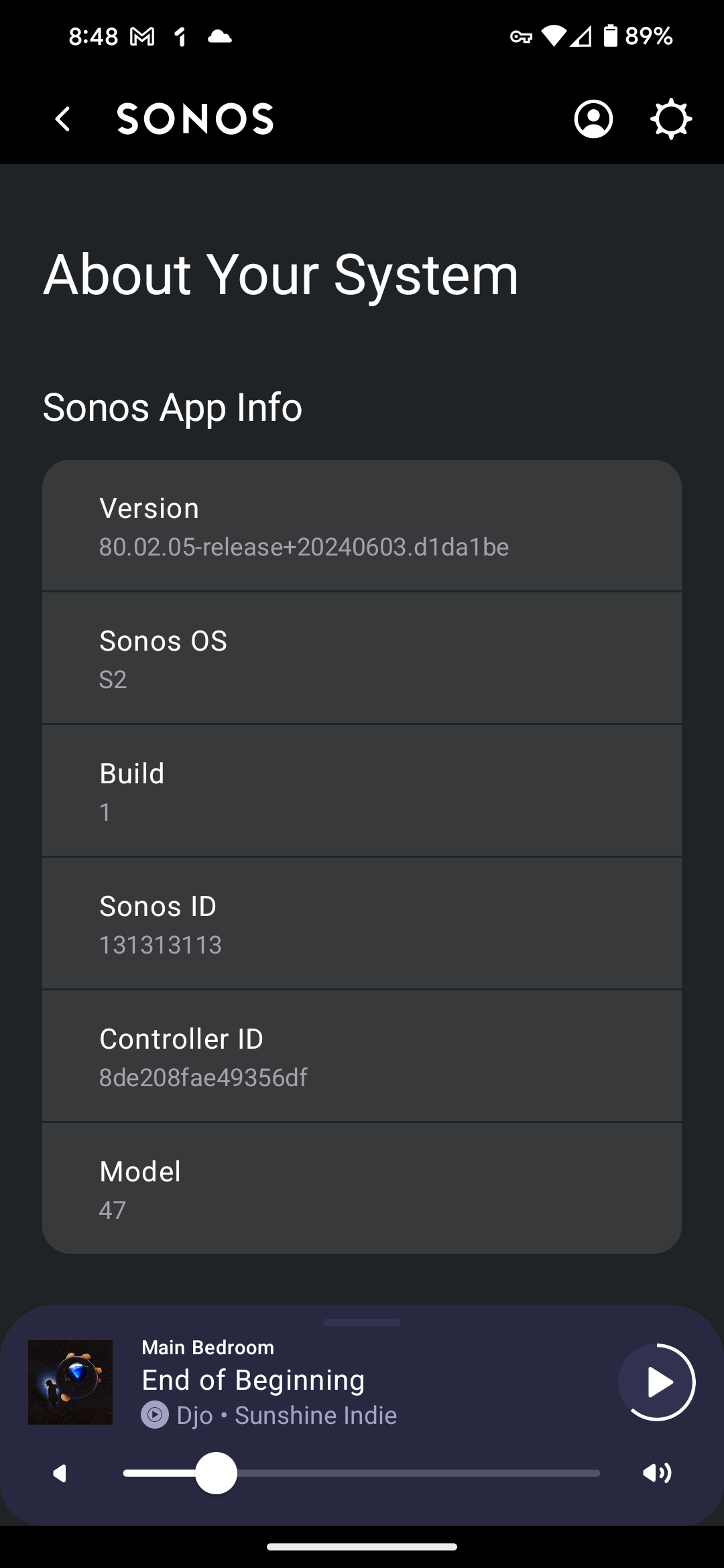
Since the last update 80.02.05 which happened 6/24 I can no longer update nor create or save any old or new alarms. I thought everything was fixed until they messed everything up again with the latest update. Does anybody else have this problem? This is extremely frustrating seeing how Sonos could be so incompetent...
these updates.

This topic has been closed for further comments. You can use the search bar to find a similar topic, or create a new one by clicking Create Topic at the top of the page.

12 replies

Contributor I
Jun 25, 2024 9:48 PM UTC

I have the same issue, can this be fixed please as one of the main reasons I use the product and can’t change or save the alarm through my mobile. 

Translate
Lyricist III
Sep 8, 2024 9:33 PM UTC

I still have this problem ever since the major app update a few months ago. Extremely frustrating as I’ve spent hrs trying to resolve. A lengthy phonecall to Sonos help did not resolve. Please sort this out! 

Translate
Ken_Griffiths
Sep 8, 2024 10:19 PM UTC

I still have this problem ever since the major app update a few months ago. Extremely frustrating as I’ve spent hrs trying to resolve. A lengthy phonecall to Sonos help did not resolve. Please sort this out! 

Perhaps it’s something local blocking connection between the controller and Sonos product(s). I don’t use Sonos Alarms normally, as I tend to use Alexa Alarms built into Sonos instead, but just tried creating/saving two Alarms here quickly and both saved fine using the latest Sonos App.

See attached screen recording made a few moments ago. 

Translate
almazri
Prodigy I
Sep 8, 2024 11:26 PM UTC

I still have this problem ever since the major app update a few months ago. Extremely frustrating as I’ve spent hrs trying to resolve. A lengthy phonecall to Sonos help did not resolve. Please sort this out! 

Damn that sucks. The app is still stupid buggy four months later so who knows what the problem could be.
 

But a possible fix. Double check that *.cdn.optimizely.com isn’t blocked on your device or network. Your controller needs to connect to this to enable missing features. If it is, delete the app and reinstall. You can block it again this after the reinstall. 

Translate
Lyricist III
Sep 9, 2024 10:46 PM UTC

Thanks - I’m unsure how to check it’d that it is blocked, but I’ve deleted the app and reinstalled it several times from Apple App Store. The issue remains.

Translate
Ken_Griffiths
Sep 9, 2024 10:59 PM UTC

Thanks - I’m unsure how to check it’d that it is blocked, but I’ve deleted the app and reinstalled it several times from Apple App Store. The issue remains.

If perhaps not done already, it maybe best/simpler to reproduce the problem (with screenshots) and then immediately submit a Sonos system diagnostic report from within the App, note it’s reference and contact/chat with Sonos Support Staff via this LINK and see what the Staff can perhaps suggest to help you to resolve the matter.

Translate
Trending Lyricist II
Nov 19, 2024 9:06 AM UTC

I have the same issue with my Sonos system. Alarms will not save

Translate
Ken_Griffiths
Nov 19, 2024 12:11 PM UTC

I have the same issue with my Sonos system. Alarms will not save

Will it perhaps work if you power off your older products and just leave your newer Sonos One SL up and running - I’m just wondering if you’re perhaps running out of storage space on one of your older units - some memory might have been tagged as being defective by the OS if they units are getting old.

Translate
Trending Lyricist II
Dec 1, 2024 11:12 PM UTC

I have the same issue with my Sonos system. Alarms will not save

Will it perhaps work if you power off your older products and just leave your newer Sonos One SL up and running - I’m just wondering if you’re perhaps running out of storage space on one of your older units - some memory might have been tagged as being defective by the OS if they units are getting old.

This doesn’t fix the issue, but even so, just because my Play 1 might be classified as “old” doesn’t mean the functionality I used to have should be taken away. It’s quite unfair if Sonos are tagging devices as “defective”, as you say, if they are older, even if they are on the latest SW updates

Translate
Ken_Griffiths
Dec 1, 2024 11:28 PM UTC

I have the same issue with my Sonos system. Alarms will not save

Will it perhaps work if you power off your older products and just leave your newer Sonos One SL up and running - I’m just wondering if you’re perhaps running out of storage space on one of your older units - some memory might have been tagged as being defective by the OS if they units are getting old.

This doesn’t fix the issue, but even so, just because my Play 1 might be classified as “old” doesn’t mean the functionality I used to have should be taken away. It’s quite unfair if Sonos are tagging devices as “defective”, as you say, if they are older, even if they are on the latest SW updates

That wasn’t really the point I was hinting at - if a device is old and regularly used, then it’s storage can degrade over time through repeated use and the Linux OS may mark sectors as ‘bad’ and unusable - older devices have much less storage anyway than the more modern Sonos products and if the hardware is really poor, perhaps, it may be limiting the capabilities of the entire system (as a copy of the Household setup is held on each Sonos device). Removing the device might have improved the situation was my thinking, but clearly that’s not the case. I assume your alarms still did not save after the removed device dropped off your system (after 72 hours, or full system reboot). Oh well it was just a suggestion.

Translate