Avid Contributor I
August 31, 2024
Answered

Sync Music Library with Sonos- Where did it go?

  • August 31, 2024
  • 13 replies
  • 341 views

I see nowhere to update Music Library in any of update apps or web server.

This topic has been closed for further comments. You can use the search bar to find a similar topic, or create a new one by clicking Create Topic at the top of the page.
Best answer by Iain59

Select Manage, then Music Library, then Scan for New Content:
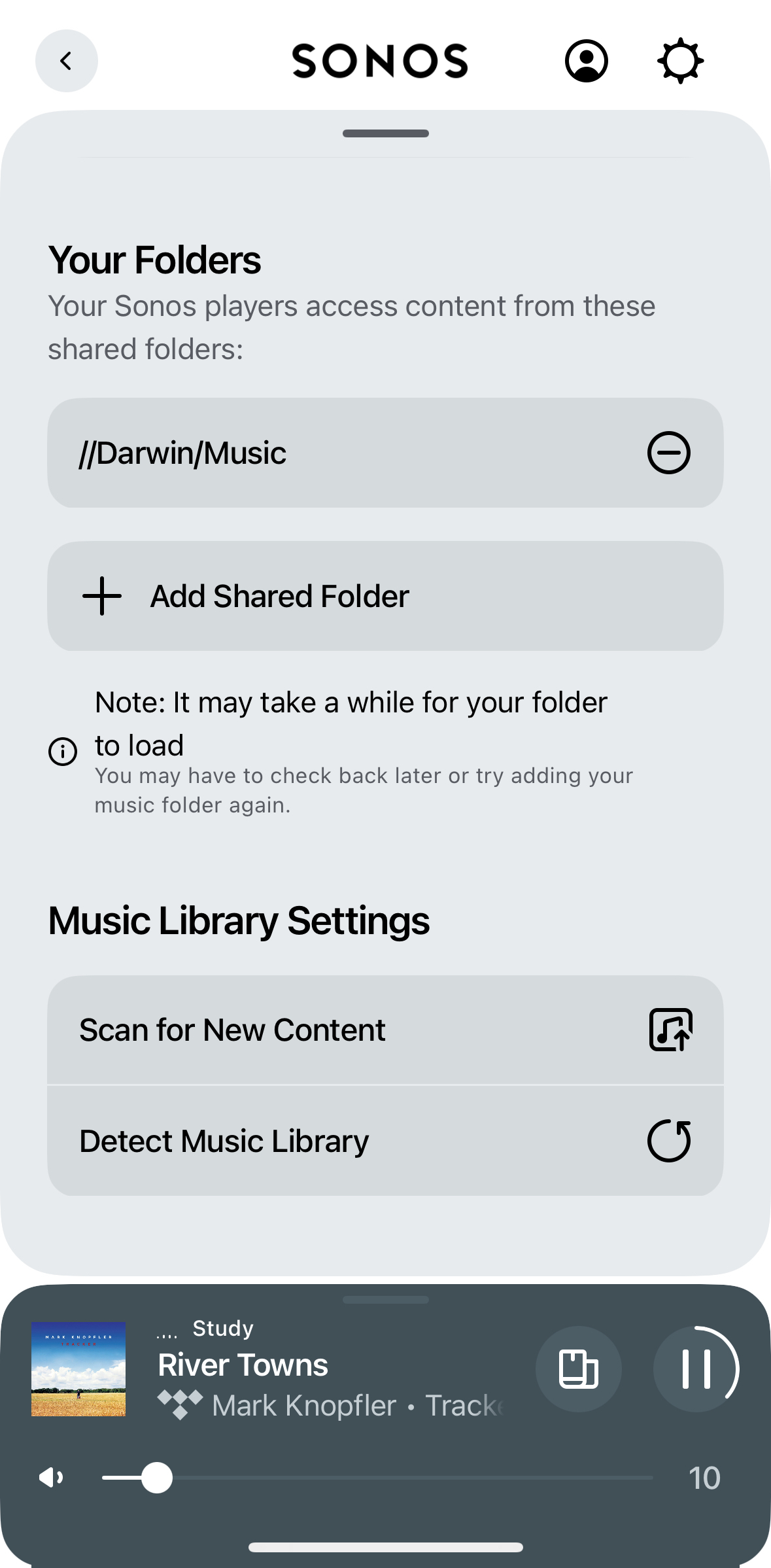


Music Library Album Art is there, but it seems to take a while to load for me. My library is encoded in Flac and while previously Art loaded fine from folder.jpg since the update if I want it reliably on a track being played then it helps if it’s embedded for each track which I’ve yet to find a usable way of doing in bulk, otherwise sometimes it’s there sometimes not!


13 replies

pwalsh2Author
Avid Contributor I
August 31, 2024

Also when in Music Library there are no Album Covers included!!

Iain59
Iain59Answer
Collaborator II
August 31, 2024

Select Manage, then Music Library, then Scan for New Content:


Music Library Album Art is there, but it seems to take a while to load for me. My library is encoded in Flac and while previously Art loaded fine from folder.jpg since the update if I want it reliably on a track being played then it helps if it’s embedded for each track which I’ve yet to find a usable way of doing in bulk, otherwise sometimes it’s there sometimes not!


pwalsh2Author
Avid Contributor I
August 31, 2024

Select Manage, then Music Library, then Scan for New Content:


Music Library Album Art is there, but it seems to take a while to load for me. My library is encoded in Flac and while previously Art loaded fine from folder.jpg since the update if I want it reliably on a track being played then it helps if it’s embedded for each track which I’ve yet to find a usable way of doing in bulk, otherwise sometimes it’s there sometimes not!


Well -- My iPhone does not have a “YOUR FOLDER” that I can find, nether does the Web App.

pwalsh2Author
Avid Contributor I
August 31, 2024

I only have access thru old MacBook Air with S2 version 16.3.

Iain59
Collaborator II
August 31, 2024

Might be worth deleting and reinstalling the App. What do you see when you select Music Library under Manage?

Chromatic Producer I
August 31, 2024

You can scan for new content but it does not appear to do anything - at least there is no indication that it is doing anything. Music Library seems to be neglected at the moment with a half hearted attempt at access with loads of issues and little if any of the original S2 or S1 features implemented. Nothing on the to-do list either.

busy trying to edit the queue
pwalsh2Author
Avid Contributor I
September 1, 2024

Delete and reinstall on iPhone--under Manage only services are there, No Music Library😟

Can’t add source music location. Or Update Music Library with iPhone or Web App.

Found MacOS App at Sonos downloads, which by the way I thought got retired. Version 16.3 and I have something now to make changes, access Music Library.

Airgetlam
September 1, 2024

Not retired, just in maintenance mode, along with the Windows app (not the web app). Only receiving bug fixes at this point. 

Bruce
Iain59
Collaborator II
September 1, 2024

Delete and reinstall on iPhone--under Manage only services are there, No Music Library😟

Can’t add source music location. Or Update Music Library with iPhone or Web App.

Found MacOS App at Sonos downloads, which by the way I thought got retired. Version 16.3 and I have something now to make changes, access Music Library.

This may be a long shot, but there are two ´Manage’ buttons, one by Services on the main page and one accessed by clicking the ´Gear’ icon top right of the main page.


pwalsh2Author
Avid Contributor I
September 2, 2024

Yes-found Manage in Sonos  IOS  

but NOT in browser app 

https://play.sonos.com/en-us/web-app