
Avid Contributor I
Jul 7, 2024 1:23 AM UTC
Question

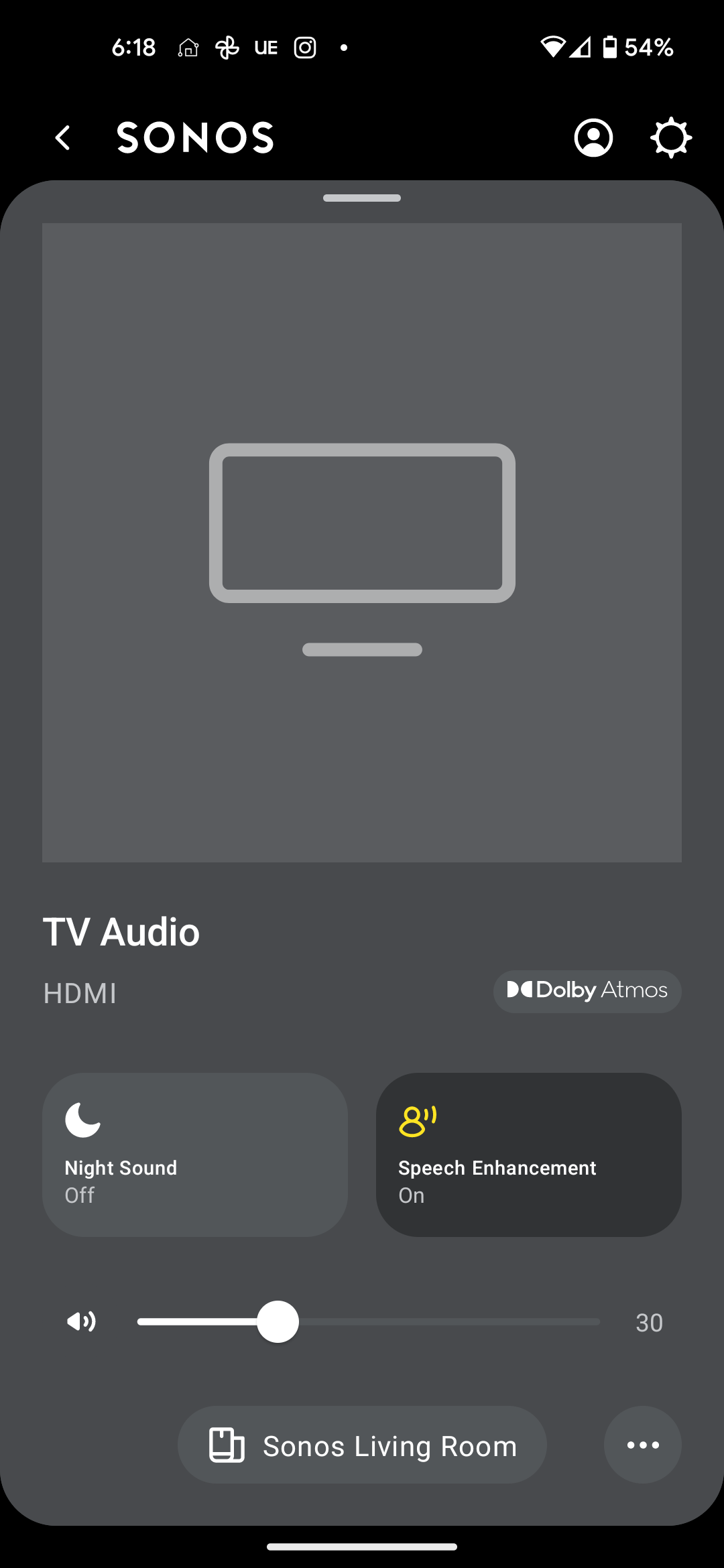
Switching inputs on new app?

In the old app, I could manually switch inputs. For example, say I am watching TV like normal (which is my HDMI input). But while the TV is still on, I'd like Sonos to play something on Pandora.

In the old app, it was straight forward to switch inputs. I cannot find this in the new app. 

Is this feature gone, hidden, or will it come back in an app update?


This topic has been closed for further comments. You can use the search bar to find a similar topic, or create a new one by clicking Create Topic at the top of the page.

4 replies

Bumper
Jul 7, 2024 3:54 AM UTC

Here’s how I do it. Select the room you want to play the line in on. Scroll to sources on the main page and tap line in. Tap on the line in you want to hear. 

Translate
senderAuthor
Avid Contributor I
Jul 7, 2024 5:37 AM UTC

Here’s how I do it. Select the room you want to play the line in on. Scroll to sources on the main page and tap line in. Tap on the line in you want to hear. 

How about switching back to HDMI? 

Translate
senderAuthor
Avid Contributor I
Jul 14, 2024 12:35 AM UTC

I don't see any "line in" button. I don't see anything resembling it either. Are you using the newest app? 

Translate
Ken_Griffiths
Jul 14, 2024 12:59 AM UTC

I don't see any "line in" button. I don't see anything resembling it either. Are you using the newest app? 

See attached from my controller App…

Translate