Contributor I
August 13, 2023
Answered

Spotify names for different accounts not showing in music browse screen

Ive added my Spotify account and my Wife’s Spotify account, and the identifying names are showing in the Services & Voice screen to differentiate between them.


However in the Browse screen it just shows the name ‘Spotify’ twice so its hard to know which account you are browsing from.


Is there any way to show the nominated account names in the browse screen?

This topic has been closed for further comments. You can use the search bar to find a similar topic, or create a new one by clicking Create Topic at the top of the page.
Corry P
Corry PAnswer
Sonos Staff
August 15, 2023

Hi @krokun 

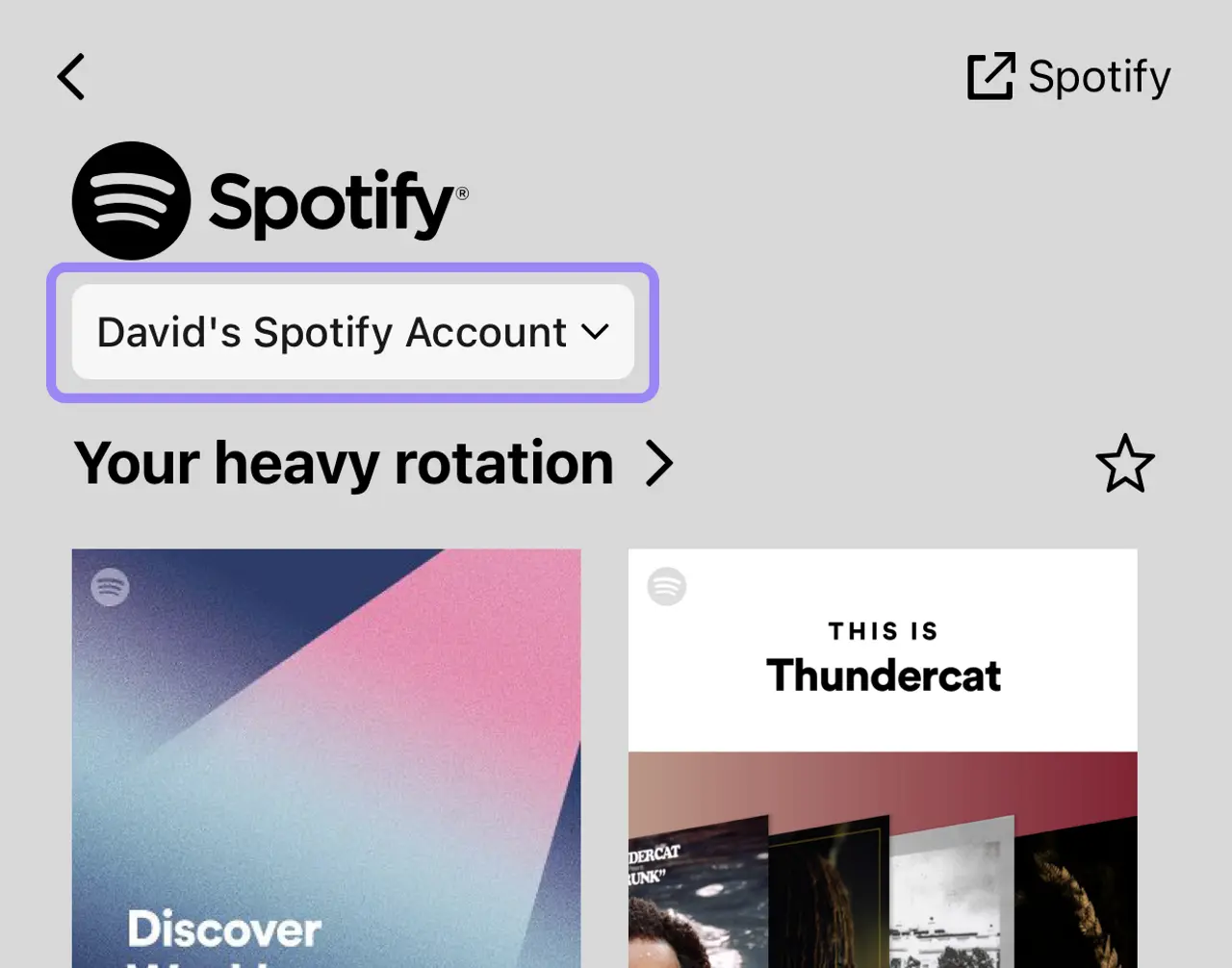
My colleague (I only have one Spotify account, so need someone else to test for me) was unable to reproduce what you see - he only sees one Spotify entry in the Browse screen, and can select which account to use in the next screen, as shown:

I would ask, therefore, that you ensure that both your Sonos system and your Sonos app are fully up to date (do Settings » System » System Updates » Check for updates once, and if it does need to update, repeat this step after the update is complete)

Next, if things are still the same, please try removing both accounts from Sonos and adding them again:


Remove a music service account from Sonos
Add a music service to Sonos

If that still does not help, please submit a support diagnostic and reply here with the number given. Thanks.

I hope this helps.

"Common sense is the collection of prejudices acquired by age eighteen." - Albert Einstein

10 replies

Corry P
Sonos Staff
August 14, 2023

Hi @krokun 

Welcome to the Sonos Community!

I recommend a read of our Use multiple accounts for the same music service help page - it explains it there, along with providing a couple of screenshots.

I hope this helps.

"Common sense is the collection of prejudices acquired by age eighteen." - Albert Einstein
krokunAuthor
Contributor I
August 14, 2023

Hi @Corry P 


That didn't work for me unfortunately.


I've attached screenshots of what I am seeing in the android app.


There's nothing showing the nominated name outside of the settings screen

controlav
Lead Maestro
August 14, 2023

That is quite different to the iOS app. On there the main Browse list shows one entry for Spotify, with a subtitle of the nickname. Once tapped on, the Spotify page has a popup menu showing all Spotify accounts.

Looks like an Android-specific issue.

Author of the leading independent Sonos apps for Android, MacOS, iOS, Windows and Xbox.
krokunAuthor
Contributor I
August 15, 2023

I previously had Deezer connected with different accounts and those different names showed up. Unfortunately I don't have any screen shots of that setup

Corry P
Sonos Staff
August 15, 2023

Hi @krokun 

Understood. Thank you for the screenshots - I’ve flagged this with an engineer for investigation.

In direct answer to your initial question, there isn’t a way to do this as it should be happening already. Thanks for flagging!

"Common sense is the collection of prejudices acquired by age eighteen." - Albert Einstein
Corry P
Corry PAnswer
Sonos Staff
August 15, 2023

Hi @krokun 

My colleague (I only have one Spotify account, so need someone else to test for me) was unable to reproduce what you see - he only sees one Spotify entry in the Browse screen, and can select which account to use in the next screen, as shown:

I would ask, therefore, that you ensure that both your Sonos system and your Sonos app are fully up to date (do Settings » System » System Updates » Check for updates once, and if it does need to update, repeat this step after the update is complete)

Next, if things are still the same, please try removing both accounts from Sonos and adding them again:
Remove a music service account from Sonos
Add a music service to Sonos

If that still does not help, please submit a support diagnostic and reply here with the number given. Thanks.

I hope this helps.

"Common sense is the collection of prejudices acquired by age eighteen." - Albert Einstein
krokunAuthor
Contributor I
August 15, 2023

Thanks @Corry P  I will try that.


Are you testing the above on Android or iPhone?

Corry P
Sonos Staff
August 15, 2023

It was Android, @krokun 

We’re not new to this troubleshooting malarkey. 😁

"Common sense is the collection of prejudices acquired by age eighteen." - Albert Einstein
krokunAuthor
Contributor I
August 15, 2023

Thanks @Corry P , after removing the accounts I was only able to add one from my phone, had to add my Wife's from her phone.


It's all resolved and acting as expected now. Thanks for your help.

Corry P
Sonos Staff
August 15, 2023

Hi @krokun 

Fantastic! Thanks for updating the thread, and happy listening!

"Common sense is the collection of prejudices acquired by age eighteen." - Albert Einstein