
Contributor I
December 5, 2020
Answered

Sonos won't or can't add my NAS music library (WD MyCloud)

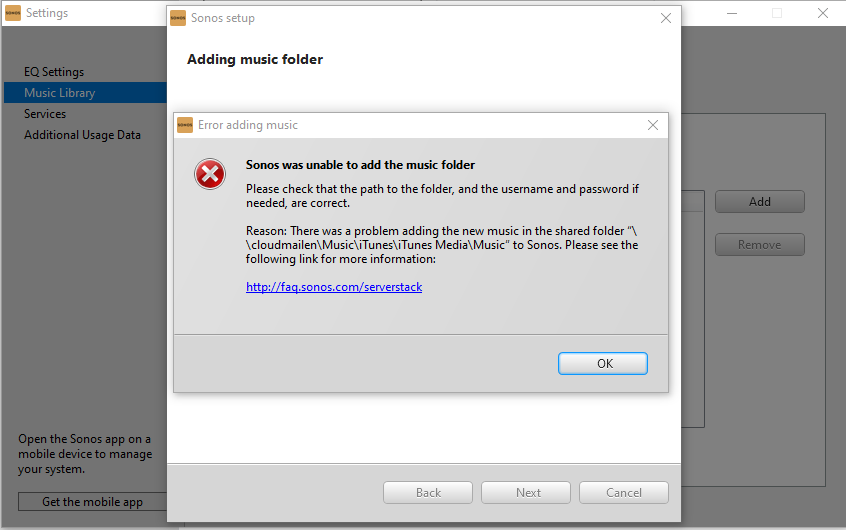
Sonos had my Music Library added for years off my WD MyCloud NAS drive and now (either after the Sonos update or an update to MyCloud; they both happened at the same time) Sonos won’t add the library. it gives me an error.

I’ve tried following instructions on the link but it has no impact.


This was working and now it isn't with no affect from me
 

This topic has been closed for further comments. You can use the search bar to find a similar topic, or create a new one by clicking Create Topic at the top of the page.
Airgetlam
AirgetlamAnswer
December 13, 2020

In the new interface, choose settings. Then, choose network on the left, and scroll down to Windows Services, and use the SMB protocol to pull down and choose SMB 1 SMB 2 SMB 3. 

I’ve attached pictures to show my settings. They work for me, I continue to have access to the music files stored on my WD NAS. 

Bruce

14 replies

Airgetlam
March 22, 2021

Heh. It’s not something I’d expect a minimum wage person on the phone to get, since it really isn’t their software, but from a user perspective, it’s frustrating, and difficult to explain intelligently, if you’re not sure what the issue is.

Certainly happy to have been able to help!

Bruce
Lyricist II
March 22, 2021

Totally understand that, I work in IT!


Lyricist I
April 17, 2021

Brilliant, it’s worked for me to. Thank you for solving this!!  

DW

Lyricist III
June 6, 2021

At last I’ve got my WD Cloud connected! Thank you!