
Contributor II
Apr 8, 2025 8:14 PM UTC
Answered

Sleep timers no longer available for Audible

I just updated to the latest app (80.18.27) and I’m no longer able to set a sleep timer when listening to content from Audible. 
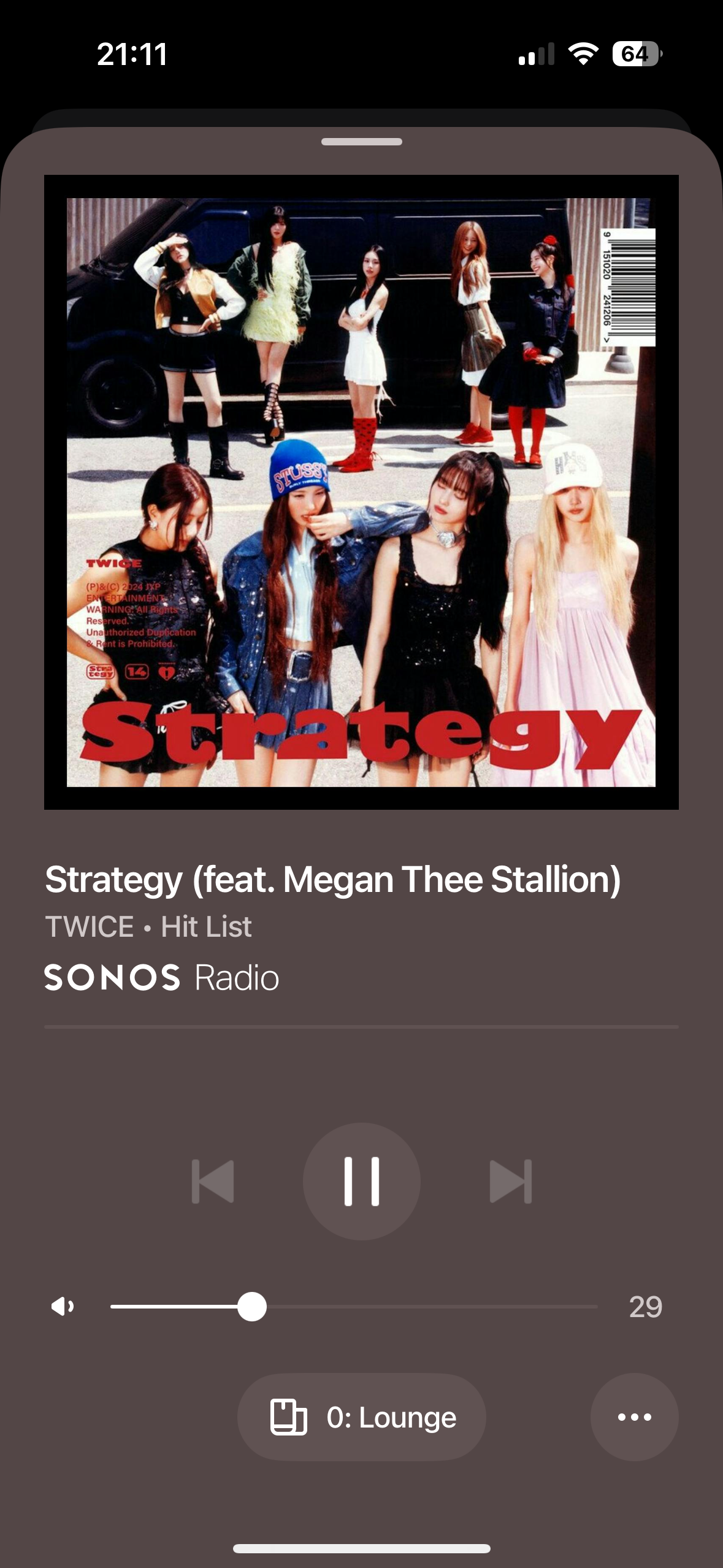
The … button in the bottom right of the player screen is no longer showing. 
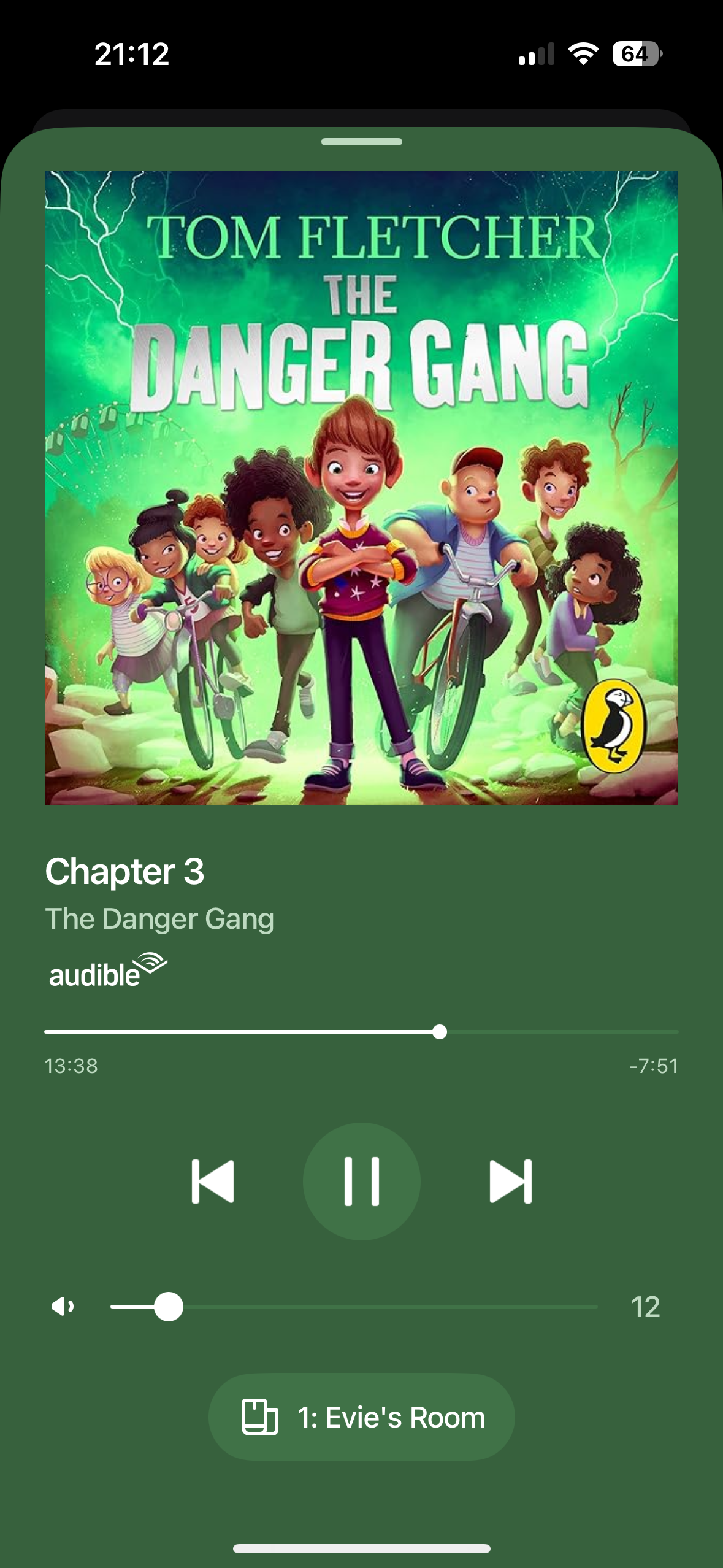

Listening to local library content, or other services (tested with BBC Sounds and Sonos Radio) the … button is shown on the player screen and it is possible to set a sleep timer. 
 

This topic has been closed for further comments. You can use the search bar to find a similar topic, or create a new one by clicking Create Topic at the top of the page.
tyersAnswer
Contributor II
Apr 16, 2025 8:11 PM UTC

Good news everyone. Latest system app update (both released yesterday) look to have resolved this issue. 
I had to force check for updates for the app on iOS to get the update The system had updated automatically, so looks like both need to be updated to latest. 

12 replies

Airgetlam
Apr 8, 2025 9:42 PM UTC

That’s odd. Have you reset the app, by force closing it, then opening it again?

I’m also wondering if Sonos changed the system function, and Audible hasn’t yet applied the API update, but I think I would recommend that you submit a system diagnostic within 10 minutes of experiencing this problem, and call Sonos Support to discuss it. Don’t post the resulting diagnostic number here, they get sensitive about GDPR.

There may be information included in the diagnostic that will help Sonos pinpoint the issue and help you find a solution.

When you speak directly to the Support staff, they have tools at their disposal that will allow them to give you advice specific to your network and Sonos system.

Translate
Bruce
Lyricist I
Apr 9, 2025 9:13 PM UTC

Just wanting to add that I’ve also experienced this exact same behaviour to hopefully bump it up a priority list somewhere. Audible menu with the sleep timer is missing, but it’s still present in other streaming services. In my case, Spotify and BBC Sounds.
 

If you get any decent feedback from the support team then let us know! Good luck!


Translate
tyersAuthor
Contributor II
Apr 9, 2025 9:24 PM UTC

Had a chat with Sonos support today and they confirmed it was a known issue in the Sonos firmware (so not an app update as I suspected). 
they suggested it would likely be fixed in the next release, but guess we’ll have to wait and see on that!

Translate
Airgetlam
Apr 9, 2025 9:55 PM UTC

Seems odd that it is affecting one service, when all services use the same API. Unless the issue is on the Audible team not using the interface properly…whatever that means. But if it was affecting one streamer, why isn’t it affecting all streams?

Translate
Bruce
Lyricist I
Apr 9, 2025 10:32 PM UTC

Have this exact issue.


Translate
Lyricist I
Apr 10, 2025 12:25 PM UTC

Same ol problemo here... if the info provided by tyers above happens to somehow not be correct...then this is a ridiculously foolish decision to remove a specific feature that I imagine a significant amount of customers along with myself benefit from daily

Translate
Airgetlam
Apr 10, 2025 4:26 PM UTC

It looks like, reading various threads, this may not be just with Audible, and I would expect not intentionally done. I would be looking for a release coming soon that fixes this, as suggested by ​@tyers .

Translate
Bruce
andyprubin
Lyricist I
Apr 11, 2025 11:07 AM UTC

.

Translate
AR
Lyricist I
Apr 12, 2025 12:44 PM UTC

Found this thread because I’m also having the same issue.

My last Sonos speaker is in my daughters room and will be rapidly replaced as soon as some new HomePod models drop. I’ve never experienced such a respected brand turn to water relatively overnight, like I have with Sonos. 

Translate
Contributor II
Apr 13, 2025 6:23 AM UTC

Painful bug.  We used this feature every day.  
 

It’s been so sad to see this brand drive into a ditch. 

Translate