
Contributor I
January 22, 2022
Answered

SiriusXM - Unable to browse Music Favorites

I have been unable to browse my SiriusXM favorites for at least 3 days now. When i enter Sirius favorites there is a message: Unable to browse music.

This error was noted on the Sonos Status web yesterday (January 21). Today it says all systems are operational… they are not. It’s till down for me.
This topic has been closed for further comments. You can use the search bar to find a similar topic, or create a new one by clicking Create Topic at the top of the page.
Lead Maestro
January 24, 2022

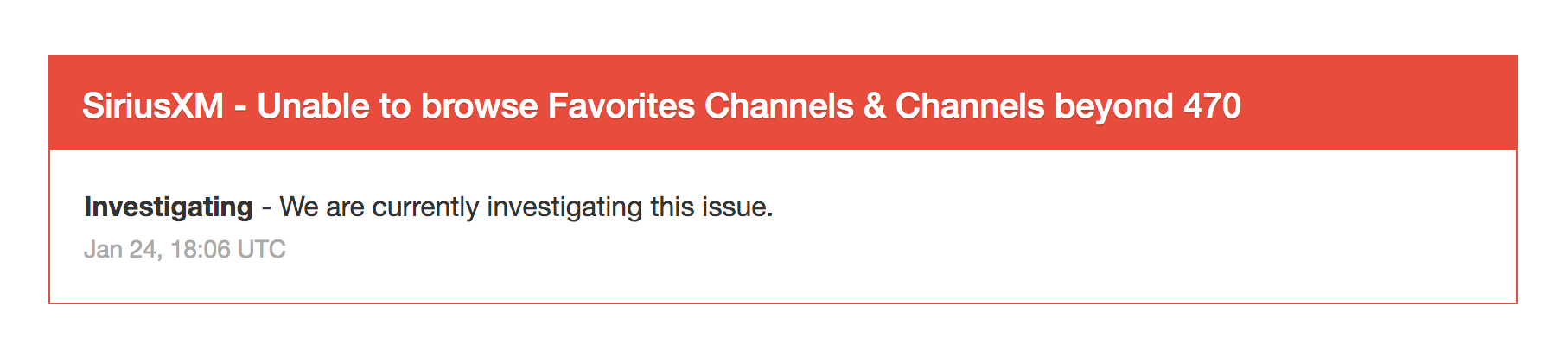
Sonos is aware of the problem and is currently investigating it:

https://status.sonos.com/

"Receive with simplicity everything that happens to you." - Rashi

12 replies

Airgetlam
January 22, 2022

Might be worth a reboot of your router, followed by your speakers. Since any supposed fix would have been done by SiriusXM, it may be worth checking directly with them. 

Bruce
Lyricist III
January 22, 2022

Rebooted router, unplugged and re-plugged Sonos. Still receive the error message “Unable to browse music” from the Favorites button. If I go into “Recently Played” I am able to access a station that I played several days ago.

Airgetlam
January 22, 2022

Then I’d certainly check with SiriusXM, who own the servers that feed your stream. 

Bruce
Lyricist I
January 23, 2022

This is not a SiriusXM issue. The same thing started happening with me today after installing the Sonos software update. All my favorites appear fine on the SiriusXM site. I’ve also tried rebooting the router and removing SiriusXM from Sonos and reinstalling it. Nothing.

steff97Author
Contributor I
January 23, 2022

Thanks everybody for the input. i agree with Brutz:

This is not a SiriusXM issue. The same thing started happening with me today after installing the Sonos software update. All my favorites appear fine on the SiriusXM site. I’ve also tried rebooting the router and removing SiriusXM from Sonos and reinstalling it. Nothing.


I’ve rebooted my router etc. My Favorites are showing up in SiriusXM app but not Sonos, and since Sonos posted this as a problem on their status page a few days ago I am guessing it never really got fixed, or at the very least the problem is back. If i have time today i will contact Sonos support.

Lyricist I
January 23, 2022

This is still broken. And it’s not just Favorites. 

All of the Streaming channels (the numbers above 450-ish) are missing. For example, in the Sonos app, when hitting Browse → SiriusXM → Live Channels, the listing jumps from “SportsTalk” to “OtherPlayByPlay”. There should be a bunch of other categories (all the NHL, NFL, etc play-by-play categories, which are channels numbered in the 800’s and 900’s)

Lyricist III
January 23, 2022

Still cannot browse music on my iPhone or iPad. I am having the same issue with anything above channel 470 as IndyVis has experienced.  Very frustrating! Not sure why we cannot access Sonos support on weekends.

Contributor I
January 24, 2022

I am only having the issue with Favorites in SiriusXM.  If I go to all Channels I can see everything.  So why can’t Favorites be read?

I have restarted my cable router, eero and still cannot read Favorites on PC controller, IPhone app or Android app.

Lead Maestro
January 24, 2022

Sonos is aware of the problem and is currently investigating it:

https://status.sonos.com/

"Receive with simplicity everything that happens to you." - Rashi
Contributor I
January 24, 2022

And is now fixed.