wyk126
Contributor I
May 5, 2023
Answered

Search not showing all results in Youtube Music

Hi

I noticed recently some changes in the Search

Some results won’t be showing in Sonos search, such as Youtube Music.

How to reproduce:

  • Use old (classic) Search “frozen” in the Sonos App, in section Youtube Music
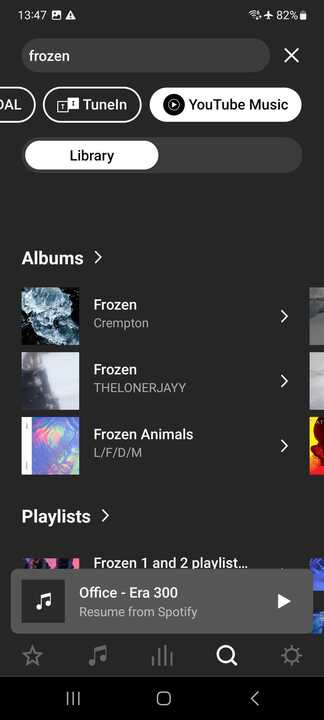
  • “Frozen(Original Motion Picture Sountrack” and among others cannot be found at all in the “Album” section
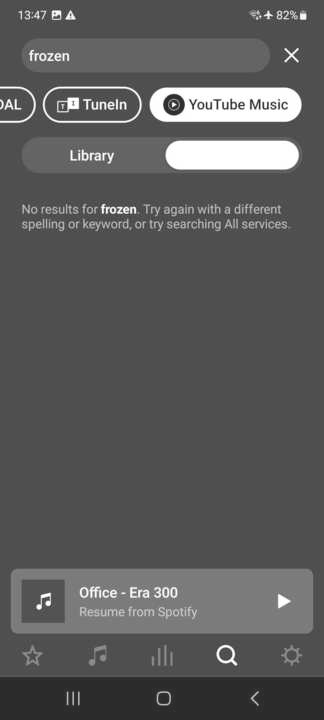
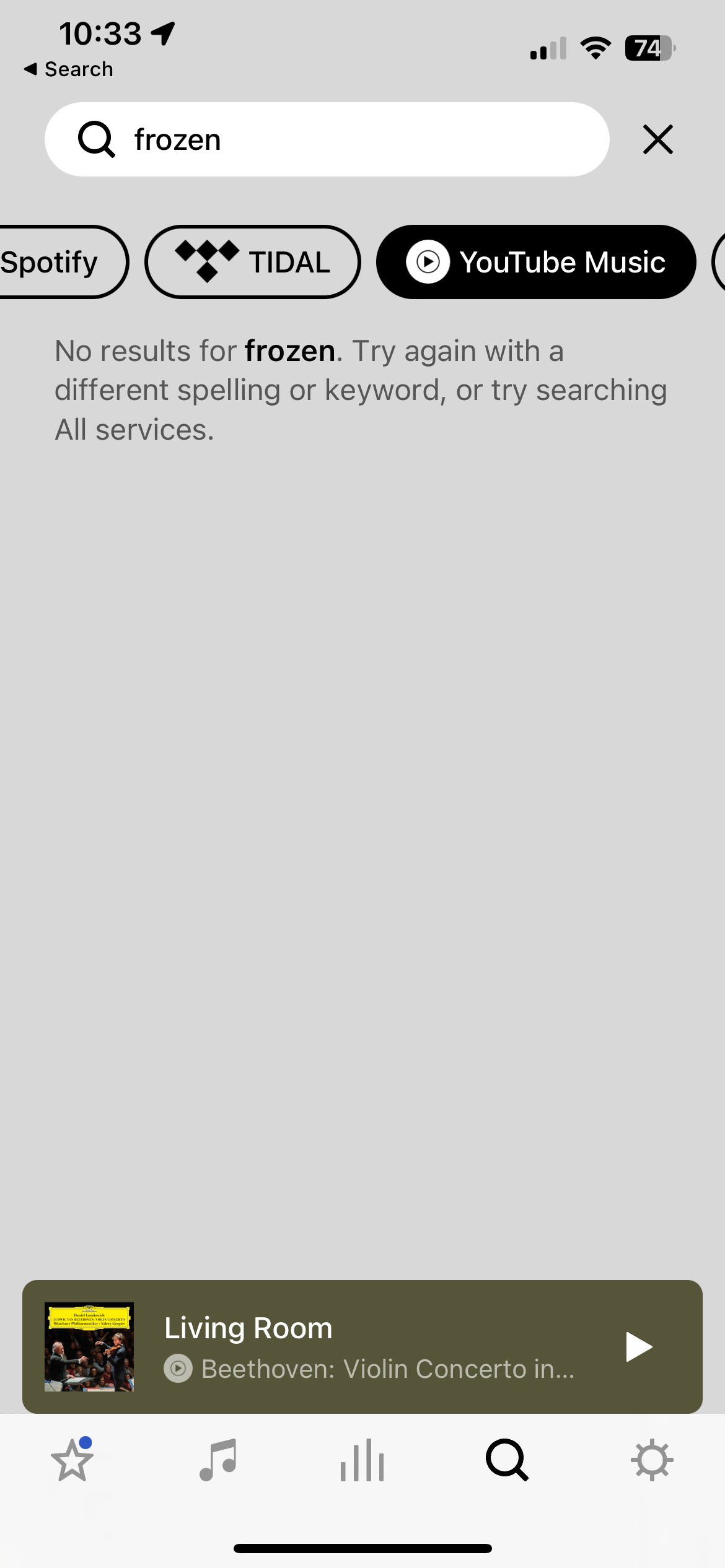
  • If use the new Search feature, the result won’t show up at all, it says “no result”
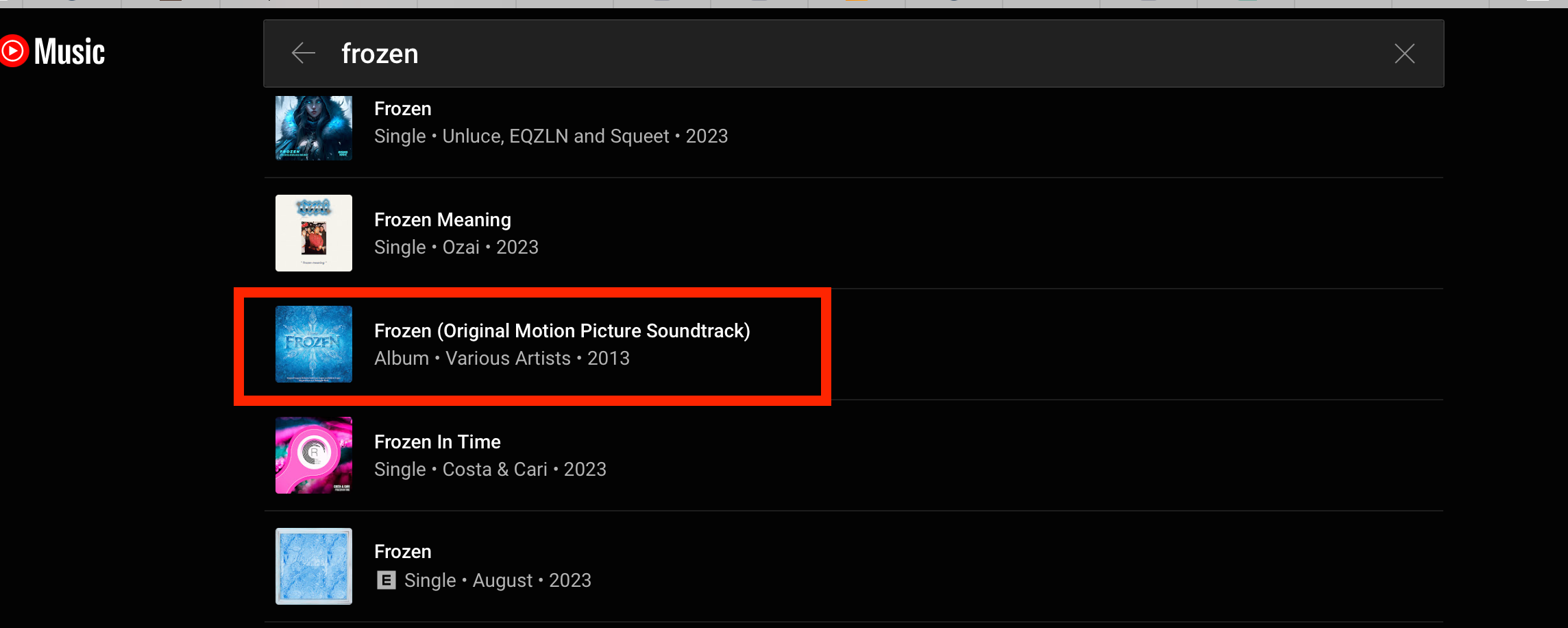
  • I’ve also attached the search result on Youtube Music official website (for comparison reference)

Please find all screenshots attached.

Youtube music search result shows Frozen (Original Motion Picture Sountrack)
 

New Search won’t show any results for “frozen”
 

Old(Classic) Search only shows partial result  

Moderator edit - picture removed due to bad language. It showed results for Frozen from YTM

Same goes for the desktop version

Moderator edit - picture removed due to bad language. It showed results for Frozen from YTM

This topic has been closed for further comments. You can use the search bar to find a similar topic, or create a new one by clicking Create Topic at the top of the page.
Corry P
Corry PAnswer
Sonos Staff
May 8, 2023

Hi @wyk126 

I just tried searching for “frozen ost” and “frozen original soundtrack”, it does give better result, actually I’m able to find the whole ost , please find the screenshot attached.  However, do you think it’s a bit weird that searching “frozen” doesn’t give you the soundtrack at all? 


Ah good - in that case, I would just put it down to the Frozen movie being less popular in Turkey - certainly, the results appear on my phone with a UK based account, and that seems to be the main difference here. I think it’s entirely likely that there are quite a lot of tracks and albums with “frozen” in the title, and the results you get back are likely influenced heavily by the location that YouTube thinks you are in.

On the other hand. the New search won’t come back any result at all, this must be a bug, does the New search using a different search engine?

It appears there’s something missing from the iOS New Search results page that is present on Android systems, namely a switch that changes the search from being of YouTube Music’s own library of tracks, versus the tracks you have uploaded to YouTube Music yourself. On Android, there is an issue with the labelling on the switch (the word “uploaded” is missing). On iOS, the switch is missing altogether and the functionality seems to be stuck on Uploaded, and therefore will only show search results if they match tracks uploaded by you. I have flagged this behaviour for investigation, thanks to your report. In the meantime, I recommend using Classic/Old Search if seeking results from YouTube Music.

I hope this helps.

"Common sense is the collection of prejudices acquired by age eighteen." - Albert Einstein

12 replies

Corry P
Corry PAnswer
Sonos Staff
May 8, 2023

Hi @wyk126 

I just tried searching for “frozen ost” and “frozen original soundtrack”, it does give better result, actually I’m able to find the whole ost , please find the screenshot attached.  However, do you think it’s a bit weird that searching “frozen” doesn’t give you the soundtrack at all? 


Ah good - in that case, I would just put it down to the Frozen movie being less popular in Turkey - certainly, the results appear on my phone with a UK based account, and that seems to be the main difference here. I think it’s entirely likely that there are quite a lot of tracks and albums with “frozen” in the title, and the results you get back are likely influenced heavily by the location that YouTube thinks you are in.

On the other hand. the New search won’t come back any result at all, this must be a bug, does the New search using a different search engine?

It appears there’s something missing from the iOS New Search results page that is present on Android systems, namely a switch that changes the search from being of YouTube Music’s own library of tracks, versus the tracks you have uploaded to YouTube Music yourself. On Android, there is an issue with the labelling on the switch (the word “uploaded” is missing). On iOS, the switch is missing altogether and the functionality seems to be stuck on Uploaded, and therefore will only show search results if they match tracks uploaded by you. I have flagged this behaviour for investigation, thanks to your report. In the meantime, I recommend using Classic/Old Search if seeking results from YouTube Music.

I hope this helps.

"Common sense is the collection of prejudices acquired by age eighteen." - Albert Einstein
Contributor II
May 14, 2023

Hi there,

I have had the same problem with the SonosApp as previously reported in other post. Please read the full post.

I get a further issue.

I have a bunch of albums uploaded on YouTube Music. Until a few days ago, when I searched for an album by typing the artist's name under 'Album' and tap the YouTube Music Library, I was able to find all grouped albums by that artist. I think that this issue has arise maybe since the last release of the SonosApp.

Did some of you get the same problem?