It’s a couple months that I can’t use Sonos on my iPhone and my wife’s one. Before I could use the app on my phone, listen to music with Spotify and control the same song on my wife’s phone. My wife could use the same app on her phone, without any problem. Now, if both apps are installed on both phones, I have ‘no connection to Sonos’, then follow the procedure using bluetooth and position, but at last I have no connection at all. If I deinstall the app on one phone, the app on the other one is working again. I hope I explained what happens. Is anybody able to help me? Thanks
This topic has been closed for further comments. You can use the search bar to find a similar topic, or create a new one by clicking Create Topic at the top of the page.
Best answer by AjTrek1
@francic46
Disclaimer:I don’t use Spotify but I do use Apple Music and a few others. Therefore, what I’m posting is somewhat speculation regarding Spotify.
I’ve re-read your posts and now think the issue is not Sonos but possibly a “device authorization” problem with your Spotify account. Let me explain….
Apple will only allow me five (5) devices authorized to download music to. I was able to forego a family plan by providing my credentials to my wife on her iPhone (as one of five devices) for music. Since our music tastes are identical (for Apple Music) she can’t authorize purchases as she doesn’t know the password and of course her FaceID won’t work. That was probably TMI and thankfully my wife doesn’t participate in this community. 😂🤣😂
@Airgetlam is correct in his analysis of the Sonos app behavior. Although IMO contacting Sonos support will not help (although I may be wrong). 🤔
I inquired about your network configuration. You mentioned that your network repeater was installed long before this issue. That makes sense as network issues typically involve Sonos components disappearing from the app and/or the Sonos app not being able to find your system. None of that was mentioned as an issue. There are other possible network concerns but I’ll assume they are null based upon your explanation.
As I mentioned I don’t use Spotify. However, you stated that if you delete the Sonos app from your iPhone everything thing returns to normal (so to speak). You also stated that using the Sonos app with your iPad (and I’ll have t assume the Sonos app is still deleted off your iPhone) everything works as normal. What I’m getting at here is the number of device authorizations allowed to use the Spotify service.
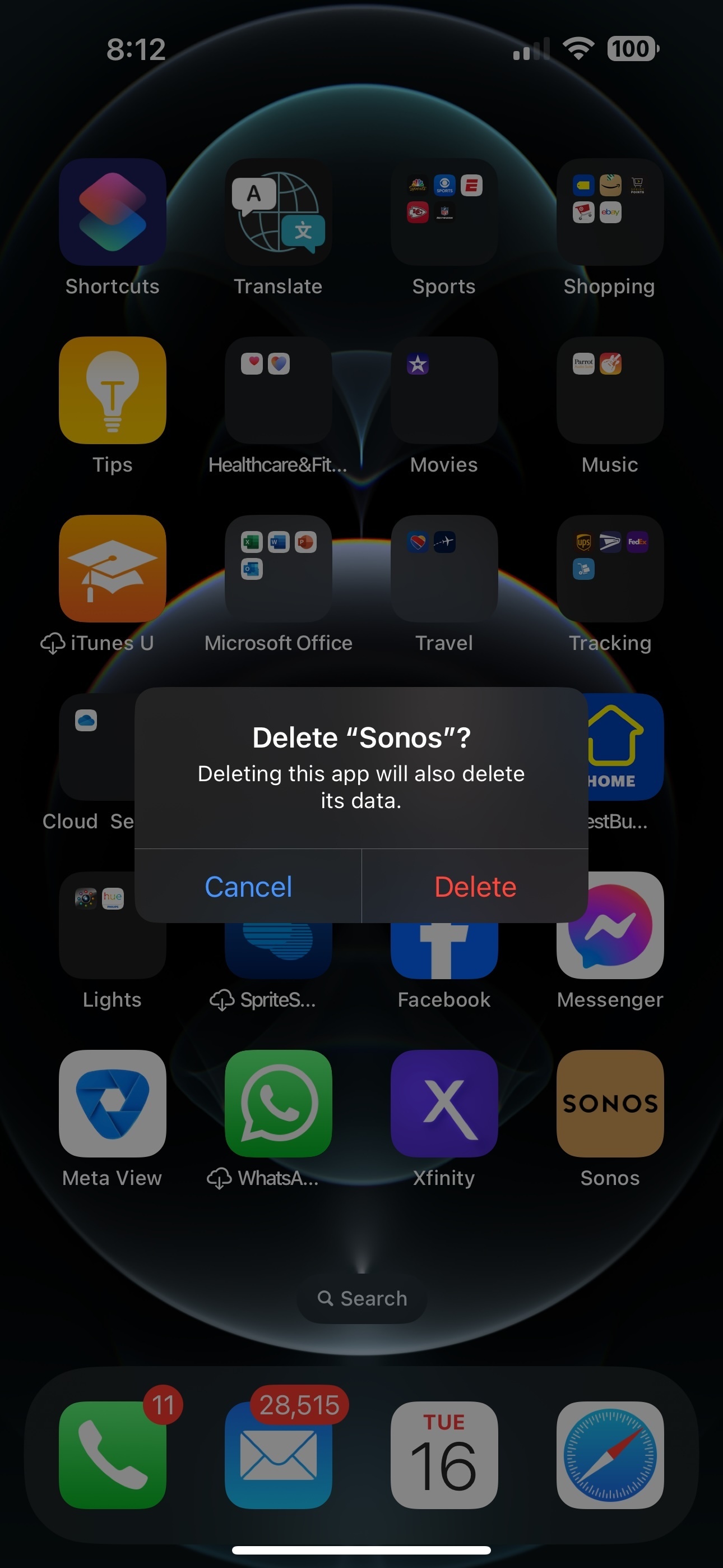
Since you are streaming Spotify through the Sonos app the Spotify server sees it as a device which in reality is your iPhone. When you delete the Sonos app from your iPhone (as shown below) it will delete its data.The Spotify service is part of the deleted Sonos app data which in turn (IMO) no longer registers your iPhone as an authorized device.
I’m suggesting that Spotify may have changed its end-user streaming policy on authorized devices which is no longer three (3) in certain situations/accounts; previously being your iPhone, your wife's and the iPad.
I may be completely wrong in my analysis. However, I recommend contacting Spotify to explain the situation as well. They may have culpability/insight regarding the issue.
BTW: I understand that you are in Italy and I in the US; so Spotify policy may differ by country. HoweverIf what I have presented is not the case please educate me on how Spotify account/device authorization works. Always willing to learn something new. 😊
That really seems odd, since the controller is merely a ‘window’ through which you see the app that is really running on the Sonos devices. Have you called SonosSupport directly to discuss it?
Are there any secondary devices connected to your network such as a “range extender?”
Yes, I have a repeater in a ‘mesh’ connection, but it was installed well before the situation I am describing. I have to add that seemingly the Sonos app installed on my iPad doesn’t interfere with my wife’s one installed on her iPhone. Very strange indeed…
Disclaimer:I don’t use Spotify but I do use Apple Music and a few others. Therefore, what I’m posting is somewhat speculation regarding Spotify.
I’ve re-read your posts and now think the issue is not Sonos but possibly a “device authorization” problem with your Spotify account. Let me explain….
Apple will only allow me five (5) devices authorized to download music to. I was able to forego a family plan by providing my credentials to my wife on her iPhone (as one of five devices) for music. Since our music tastes are identical (for Apple Music) she can’t authorize purchases as she doesn’t know the password and of course her FaceID won’t work. That was probably TMI and thankfully my wife doesn’t participate in this community. 😂🤣😂
@Airgetlam is correct in his analysis of the Sonos app behavior. Although IMO contacting Sonos support will not help (although I may be wrong). 🤔
I inquired about your network configuration. You mentioned that your network repeater was installed long before this issue. That makes sense as network issues typically involve Sonos components disappearing from the app and/or the Sonos app not being able to find your system. None of that was mentioned as an issue. There are other possible network concerns but I’ll assume they are null based upon your explanation.
As I mentioned I don’t use Spotify. However, you stated that if you delete the Sonos app from your iPhone everything thing returns to normal (so to speak). You also stated that using the Sonos app with your iPad (and I’ll have t assume the Sonos app is still deleted off your iPhone) everything works as normal. What I’m getting at here is the number of device authorizations allowed to use the Spotify service.
Since you are streaming Spotify through the Sonos app the Spotify server sees it as a device which in reality is your iPhone. When you delete the Sonos app from your iPhone (as shown below) it will delete its data.The Spotify service is part of the deleted Sonos app data which in turn (IMO) no longer registers your iPhone as an authorized device.
I’m suggesting that Spotify may have changed its end-user streaming policy on authorized devices which is no longer three (3) in certain situations/accounts; previously being your iPhone, your wife's and the iPad.
I may be completely wrong in my analysis. However, I recommend contacting Spotify to explain the situation as well. They may have culpability/insight regarding the issue.
BTW: I understand that you are in Italy and I in the US; so Spotify policy may differ by country. HoweverIf what I have presented is not the case please educate me on how Spotify account/device authorization works. Always willing to learn something new. 😊
Well, thank you for your complete analysis. Maybe you’re right, but until I don’t use Spotify on Sonos app, it should not notice that I’m connected, does it? If I choose other music sources as Radio or Apple Music (which I don’t have), Sonos should let me choose and not say ‘you’re not connected to Sonos speaker’ or the like. Anyway, Spotify allows up to 5 devices; here we have 3 of them. Thank you again very much for caring!
So it appears we’re back to square one. Sonos really doesn’t care about how many devices you have its app on. It’s just an app used as a gateway to your Sonos system. There’s definitely something else going on.
I can use the Apple Music app natively and direct the stream to my Sonos via Airplay. Sonos still doesn’t care from whence the stream is coming from. You also mentioned and I quote..
“Now, if both apps are installed on both phones, I have ‘no connection to Sonos’, then follow the procedure using bluetooth and position, but at last I have no connection at all.”
I’m not understanding what Bluetooth (BT) has to do with Sonos unless you are streaming to a Sonos Roam, Move, Era 300 or Era 100. Those are the only speakers that will natively accept a music stream sent via BT. But here again I can’t see how that would cause the situation you describe 🤔
Having exhausted all my knowledge then go ahead and contact Sonos support as suggested by @Airgetlam. However you need to do so in the following manner:
Recreate the issue.
Within 10 minutes run a diagnostic and post the reference ID in your next post.
Call Sonos tech support to discuss the diagnostic findings
Good luck to resolve your issue and please keep us posted on the resolution. I still think it may be related to Spotify 🤔😊.
Most probably you were right: I forgot that I had installed Spotify on my Bravia TV and on on my Macpro and my son also uses Spotify on his phone. So I deinstalled this app from the TV and the Mac and now Sonos seems to work properly, being I able to hear music and control the volume on both phones. But once the app did no more recognize the connection and asked to connect the Sonos speaker using bluetooth and position. Then, suddenly, everything came to normal. So I remain with my doubts, but the ‘accident’ happened only once.
Thanks for the update. Spotify being the cause of the issue was my suspicion all along. Glad everything is working for yours and your wife’s iPhones as before.
There are still problems with my Sonos app. A few days ago, after the deletion of Spotify add on two devices (TV and MacBook) both my wife and I had the same problem: it was not possible to interrupt a song on both iPhones and the reason was ‘Sonos is not connecting to the same net’, yet the wi-if connection is really the same (I have a fiber connection with nominal down/upload of 1000/300 Mbit/s). Sometimes I see (on Wi-Fi available nets) both 2,4 GHz (my repeater is connected to this one) and 5 GHz (the left devices are connected to 5), but the net is 5 for the phones AND my iPad and Sonos. So I changed my Sonos password, thinking about the possibility that someone was connected to my app (?). Now the system works, but I’m not convinced I found the solution. Should I ripristinate the Sonos and start again installing it? What a mess!