
Avid Contributor I
July 1, 2025
Answered

Removing old system from the web app

  • July 1, 2025
  • 1 reply
  • 92 views

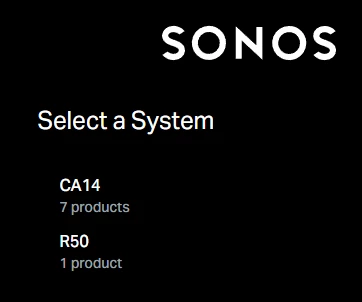
Each time I log on to the Sonos web app, I need to choose between two systems. One is my own (CA14), and the other one is from an old apartment (R50). However I cannot delete the old one - and in the mobile app it does not show up (if it did I could switch to it and then “forget current system”).

Any advice?
 

This topic has been closed for further comments. You can use the search bar to find a similar topic, or create a new one by clicking Create Topic at the top of the page.
Best answer by Mr. T

If you no longer have access to the system at the old apartment and it has not been registered to a different owner, then I think you’re only option would be registered your current system under a different email account. That way, when you sign in on the web interface, only your current system will be available.

1 reply

Mr. T
Mr. TAnswer
July 1, 2025

If you no longer have access to the system at the old apartment and it has not been registered to a different owner, then I think you’re only option would be registered your current system under a different email account. That way, when you sign in on the web interface, only your current system will be available.
