
Contributor I
October 28, 2020
Question

No Airplay option for Apple music

So until a few months ago I was able to connect to my sonos speaker on the Apple Music app and AirPlay straight to my speaker. No there’s no option on the airplay screen. I can play music from the sonos app but would prefer to be able to play from the apple music app like I originally was. Anyone know how to fix this? 
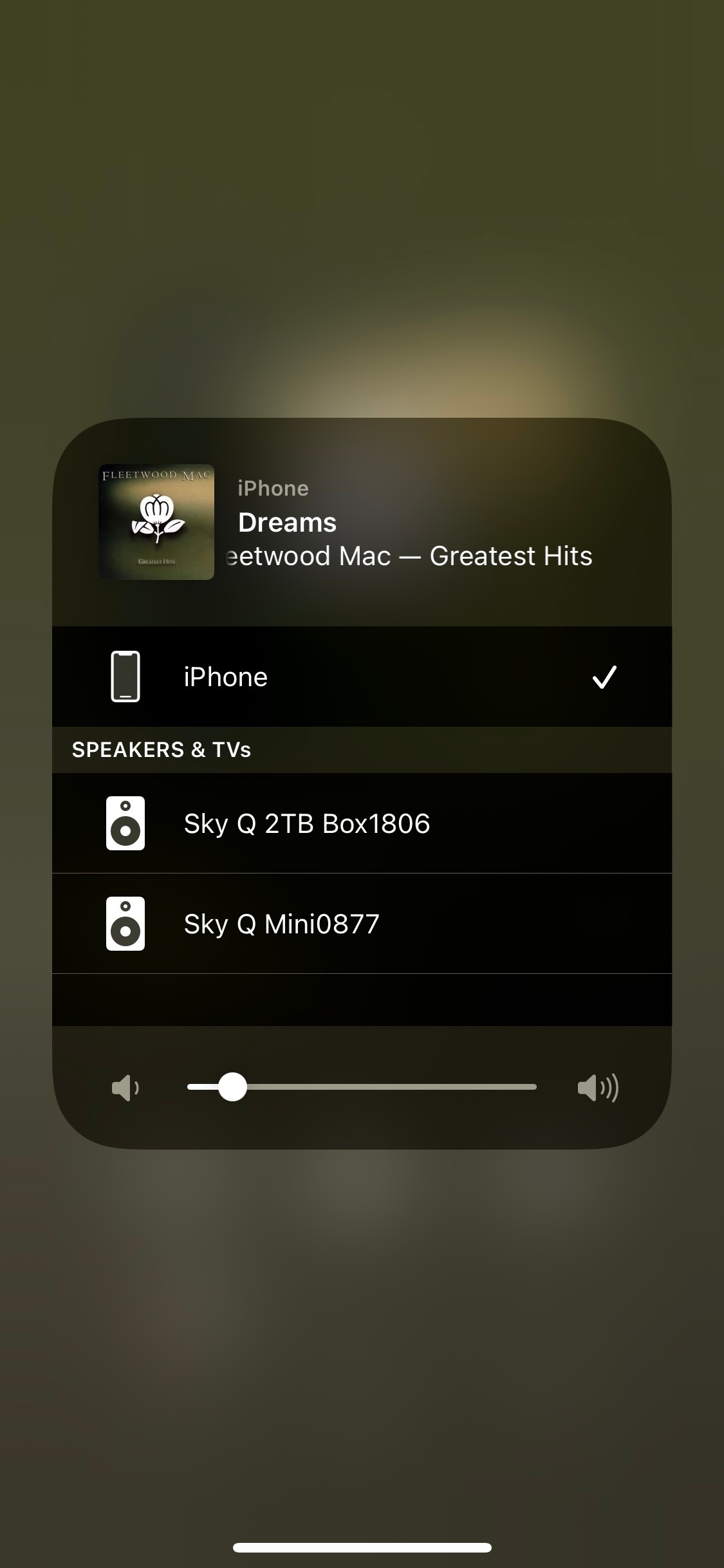


This topic has been closed for further comments. You can use the search bar to find a similar topic, or create a new one by clicking Create Topic at the top of the page.

18 replies

Smilja
October 28, 2020

@Charliemartin389, Reboot your iPhone and the Sonos ONE.

»And the world is like an apple whirling silently in space, Like the circles that you find in the windmills of your mind.« (›Windmills Of Your Mind‹ [1967]. Music by Michel Legrand ; English lyrics written by Alan & Marilyn Bergman)
controlav
Lead Maestro
October 28, 2020

Did you Bind your Airplay-compatible Sonos device with eg a Playbar as a surround? That will disable Airplay. Tell us what Sonos hardware you have.

Author of the leading independent Sonos apps for Android, MacOS, iOS, Windows and Xbox.
Contributor I
October 28, 2020

@Charliemartin389, Reboot your iPhone and the Sonos ONE.


I have tired this, but it has not fixed the problem

Contributor I
October 28, 2020

Did you Bind your Airplay-compatible Sonos device with eg a Playbar as a surround? That will disable Airplay. Tell us what Sonos hardware you have.

No I haven’t binded it with anything, I just use it as a single speaker. How do I check the sonos hardware? 

Smilja
October 28, 2020

@Charliemartin389, According to your profile you have a ONE but perhaps it’s a ONE SL, the one without microphones. Both are Airplay-enabled.

»And the world is like an apple whirling silently in space, Like the circles that you find in the windmills of your mind.« (›Windmills Of Your Mind‹ [1967]. Music by Michel Legrand ; English lyrics written by Alan & Marilyn Bergman)
Contributor I
October 28, 2020

@Charliemartin389, According to your profile you have a ONE but perhaps it’s a ONE SL, the one without microphones. Both are Airplay-enabled.

I’m pretty sure it’s the ONE and has microphones, but still, is there anyway to fix my problem? 

Ken_Griffiths
October 28, 2020

@Charliemartin389, According to your profile you have a ONE but perhaps it’s a ONE SL, the one without microphones. Both are Airplay-enabled.

I’m pretty sure it’s the ONE and has microphones, but still, is there anyway to fix my problem? 

Try resetting the network settings on the iDevice and then setting up the WiFi connection to your router again - also switch off any other WiFi access points/repeaters/hubs and see if doing those things fixes it for you.

Airgetlam
October 28, 2020

The couple of times I have had this issue, the answer provided by Smilja above resolved the issue. In fact, there was no need to reboot the Sonos, it was purely an issue on my iPhone. I needed to do some research in order to actually reboot the phone, as Apple had changed the reboot process from button pushing to a command in the settings area, but once I found the instructions, it was easy to do. 
 

It has been over a year since the last time it occurred for me. 

Bruce
Contributor I
October 28, 2020

@Charliemartin389, According to your profile you have a ONE but perhaps it’s a ONE SL, the one without microphones. Both are Airplay-enabled.

I’m pretty sure it’s the ONE and has microphones, but still, is there anyway to fix my problem? 

Try resetting the network settings on the iDevice and then setting up the WiFi connection to your router again - also switch off any other WiFi access points/repeaters/hubs and see if doing those things fixes it for you.

How do I reset the network settings? 

Contributor I
October 28, 2020

The couple of times I have had this issue, the answer provided by Smilja above resolved the issue. In fact, there was no need to reboot the Sonos, it was purely an issue on my iPhone. I needed to do some research in order to actually reboot the phone, as Apple had changed the reboot process from button pushing to a command in the settings area, but once I found the instructions, it was easy to do. 
 

It has been over a year since the last time it occurred for me. 

Which setting is the reboot function in for the iPhone?