
Avid Contributor III
January 29, 2025
Answered

How to switch to the album related to the current song being played?

  • January 29, 2025
  • 3 replies
  • 131 views

Hi there,

One of the main features I expect when playing music is that I can easily switch to the album related to the song currently being played. How does this work 8n the new app?

When I play music, e.g. see below, and I click the 3 dots at the bottom right of the pop up window (see below) 
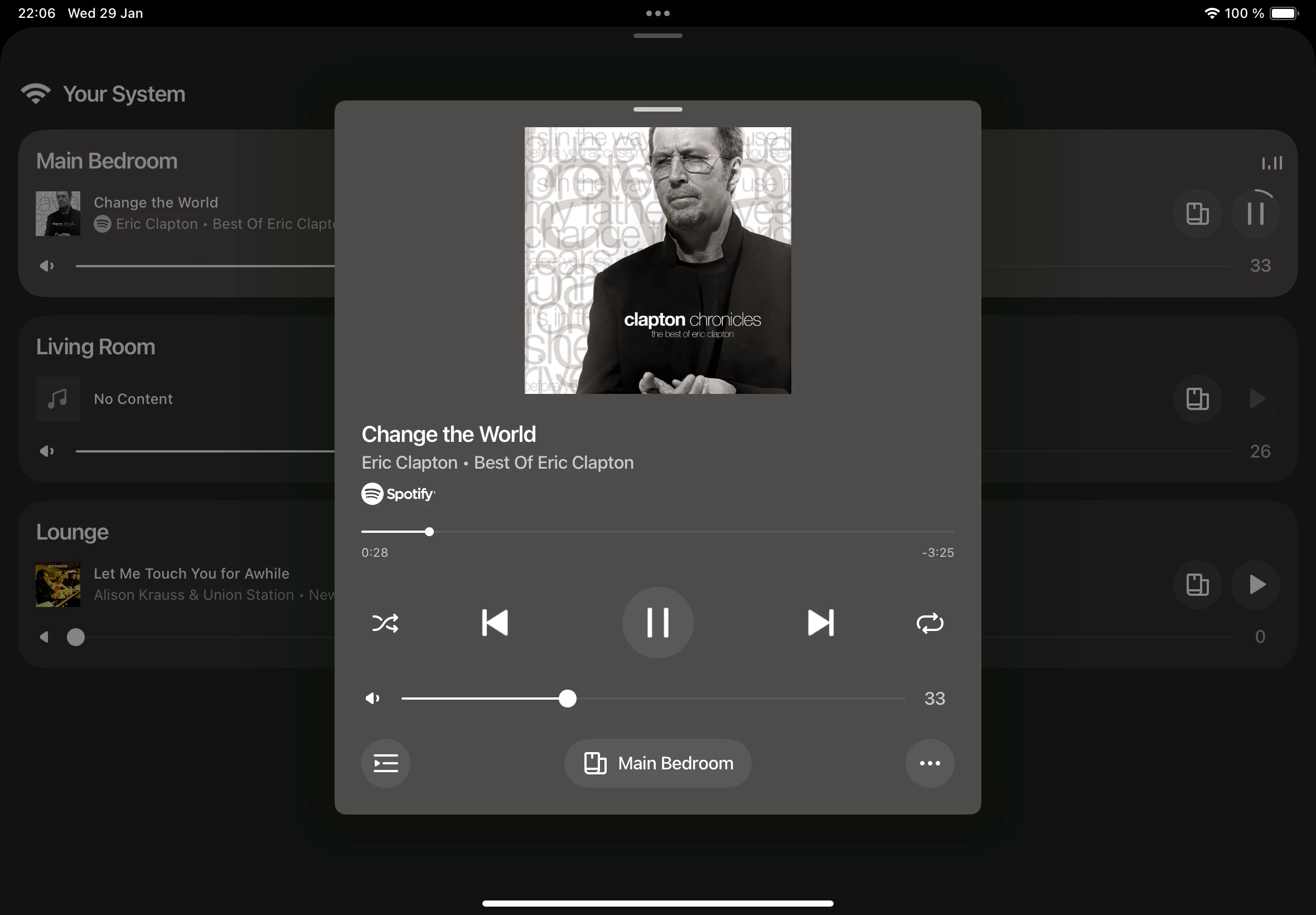

I get this screen
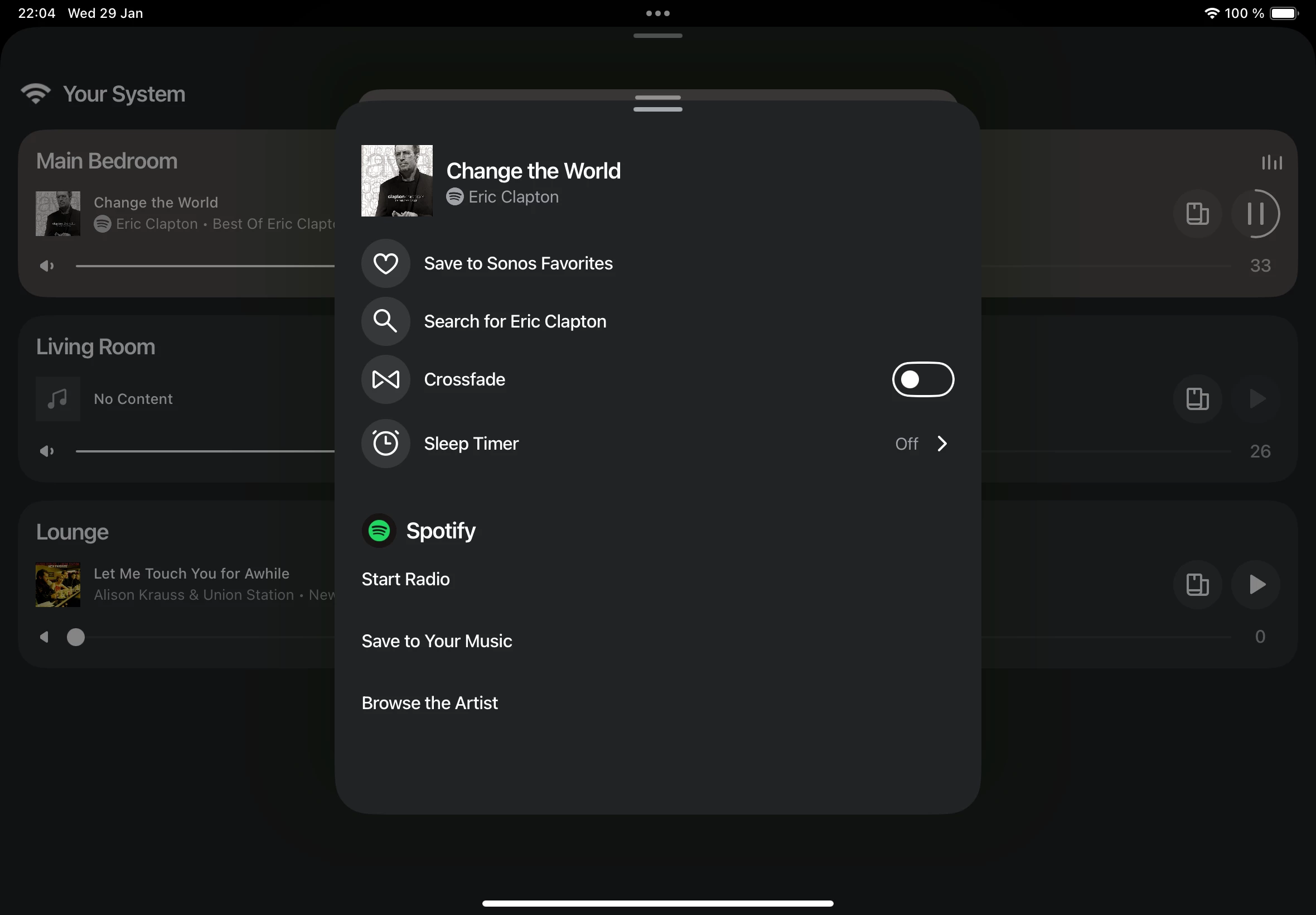


this screen of course completely lacks any functionality related to the album.

any ideas on how to work around this? Or does anyone know if this major feature will be added any time soon to the new app?

This topic has been closed for further comments. You can use the search bar to find a similar topic, or create a new one by clicking Create Topic at the top of the page.
Best answer by MyChrmicalRomance

Hi there,

One of the main features I expect when playing music is that I can easily switch to the album related to the song currently being played. How does this work 8n the new app?


When Sonos updated the app they broke a ton of functionality this is one of many. No idea when or if this will be brought back. 

3 replies

Schlumpf
Virtuoso
January 30, 2025

Take a look over there…


Ralf
Enthusiast II
January 30, 2025

Hi there,

One of the main features I expect when playing music is that I can easily switch to the album related to the song currently being played. How does this work 8n the new app?


When Sonos updated the app they broke a ton of functionality this is one of many. No idea when or if this will be brought back. 

bockersjv
Local Superstar
January 30, 2025

Hi there,

One of the main features I expect when playing music is that I can easily switch to the album related to the song currently being played. How does this work 8n the new app?


When Sonos updated the app they broke a ton of functionality this is one of many. No idea when or if this will be brought back. 

Yes I miss this one a lot!