Avid Contributor III
September 30, 2026
Answered

Cannot use windows desktop app with Spotify family plan

  • September 30, 2026
  • 4 replies
  • 31 views

Desktop OS - Windows 8.1

I am setting this up for someone else (so a different Sonos account to mine), 2any help is appreciated

Spotify connects fine within the app (Android and Apple)

I have made sure the Sonos app and Spotify are pointing to the same region 

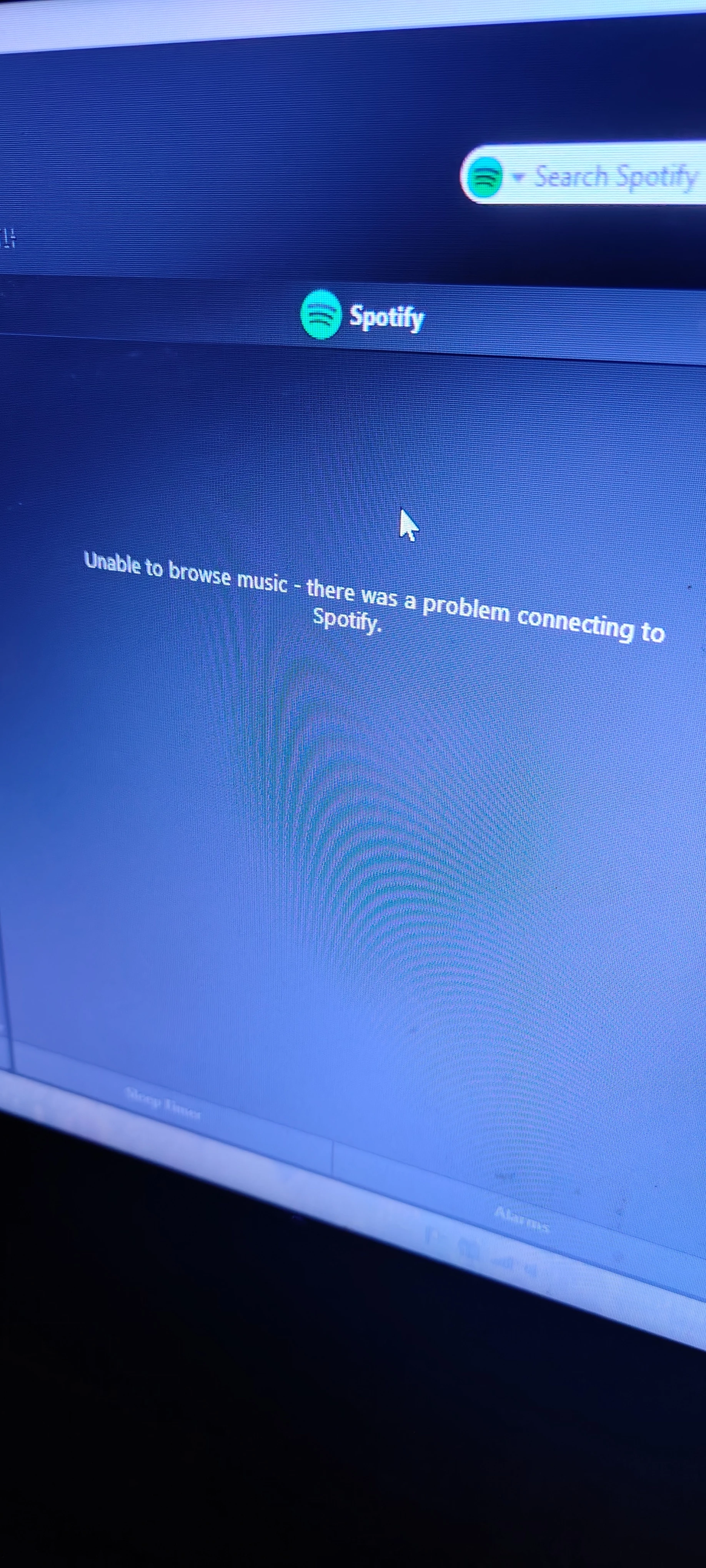
This is the error message


Best answer by Jamie A

Hi ​@jason_a69,

Sorry to hear that you’re having issues playing Spotify through the Desktop app.

The ‘Unable to browse music’ is usually a network or DNS-related connectivity issue. If you use the Sonos Web app, do you still see the ‘Unable to browse music’ error? If so, make sure the desktop’s firewall is set up to allow Sonos and the relevant ports. You can also attempt to change the DNS server on the router to either Google (8.8.8.8) or OpenDNS (1.1.1.1), support can help you adjust this if you aren’t sure how to yourself.

If it’s only occurring on the Desktop controller, and not the other devices you tested plus the web app, I would try the following:

  1. Remove Spotify as a service from the Sonos app and uninstall the Sonos Desktop Controller
  2. Restart the desktop computer
  3. Restart the router and network devices
  4. Temporarily disable any VPN software if you have any running
  5. Reinstall the Desktop app, then re-add Spotify.

If the steps above don’t help, then I would recommend submitting a diagnostics from the desktop controller when you see the ‘Unable to browse music’ error, then contact our support team for further troubleshooting assistance.

I hope this helps!

4 replies

Jamie A
Jamie AAnswer
Sonos Staff
October 1, 2026

Hi ​@jason_a69,

Sorry to hear that you’re having issues playing Spotify through the Desktop app.

The ‘Unable to browse music’ is usually a network or DNS-related connectivity issue. If you use the Sonos Web app, do you still see the ‘Unable to browse music’ error? If so, make sure the desktop’s firewall is set up to allow Sonos and the relevant ports. You can also attempt to change the DNS server on the router to either Google (8.8.8.8) or OpenDNS (1.1.1.1), support can help you adjust this if you aren’t sure how to yourself.

If it’s only occurring on the Desktop controller, and not the other devices you tested plus the web app, I would try the following:

  1. Remove Spotify as a service from the Sonos app and uninstall the Sonos Desktop Controller
  2. Restart the desktop computer
  3. Restart the router and network devices
  4. Temporarily disable any VPN software if you have any running
  5. Reinstall the Desktop app, then re-add Spotify.

If the steps above don’t help, then I would recommend submitting a diagnostics from the desktop controller when you see the ‘Unable to browse music’ error, then contact our support team for further troubleshooting assistance.

I hope this helps!
controlav
Lead Maestro
October 1, 2026

Windows 8.1? That is likely the problem.

That error message is as generic as it gets, its means “it didn’t work” and nothing can be implied from it. The Desktop app does have an error log (on the Help menu) which might contain something more useful.

If the Windows Store was still a thing you could try my app “Phonos”, which shows real error messages. However, that is long gone along with Windows 8.1.

Author of the leading independent Sonos apps for Android, MacOS, iOS, Windows and Xbox.
jason_a69Author
Avid Contributor III
October 1, 2026

Hi ​@jason_a69,

Sorry to hear that you’re having issues playing Spotify through the Desktop app.

The ‘Unable to browse music’ is usually a network or DNS-related connectivity issue. If you use the Sonos Web app, do you still see the ‘Unable to browse music’ error? If so, make sure the desktop’s firewall is set up to allow Sonos and the relevant ports. You can also attempt to change the DNS server on the router to either Google (8.8.8.8) or OpenDNS (1.1.1.1), support can help you adjust this if you aren’t sure how to yourself.

If it’s only occurring on the Desktop controller, and not the other devices you tested plus the web app, I would try the following:

  1. Remove Spotify as a service from the Sonos app and uninstall the Sonos Desktop Controller
  2. Restart the desktop computer
  3. Restart the router and network devices
  4. Temporarily disable any VPN software if you have any running
  5. Reinstall the Desktop app, then re-add Spotify.

If the steps above don’t help, then I would recommend submitting a diagnostics from the desktop controller when you see the ‘Unable to browse music’ error, then contact our support team for further troubleshooting assistance.

I hope this helps!

Hi there,

Unfortunately I cannot uninstall the Spotify app because I cannot find an Windows 8.1 version to reinstall!

I was thinking of installing Linux on the legacy hardware but Sonos do not offer a Linux desktop client at the moment.

I can use the Web player but it is not very responsive, probably something to do with Windows 8.1 again.

Maybe a cheap Android tablet will have to do for now.

Stanley_4
Grand Maestro
October 1, 2026

Windows 8 is so far behind on security fixes I'd be afraid to use it.

While Linux isn't a great match with Sonos the web controller works quite well when using it. The good news is you can install Linux and keep your Windows. I put Linux on a second hard drive, internal or external and then boot to whichever I want to use.

If you try that and the web controler is good enough you can skip the tablet. 

Another possibility is Sonos on your phone, maybe a bit small for daily use but it will  give access to the functions not in the web controller.