
Trending Lyricist I
March 25, 2023

Audible & Sonos Search

  • March 25, 2023
  • 22 replies
  • 1058 views

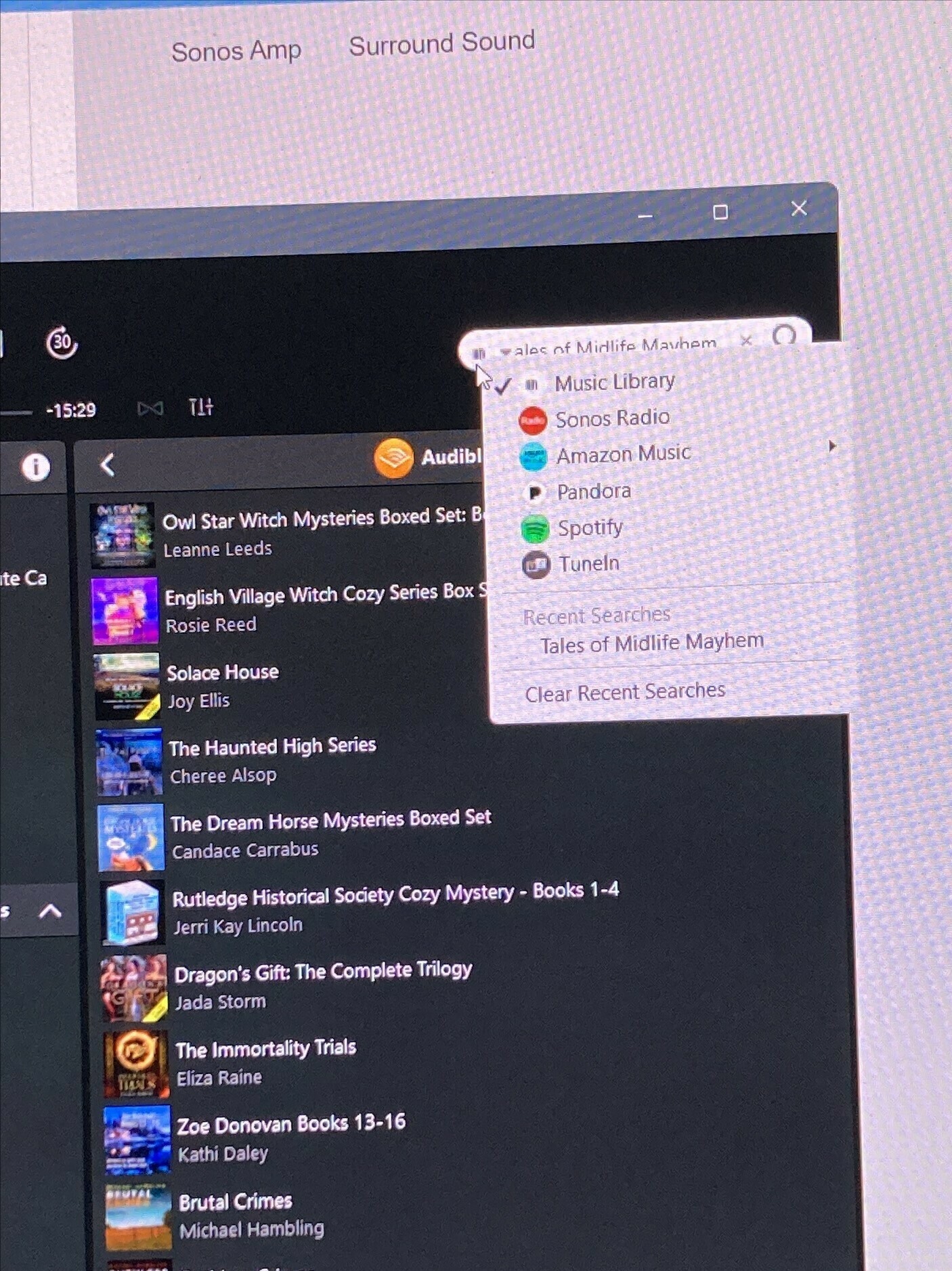
I use my Sonos system to listen to my Audible books.  I have hundreds of books so I use the search extensively, however, today I tried to search for a book while in the Audible list and Audible is not included in the drop down search.  So, it defaults to TuneIn and no results are found.  When did this change?  Is there a setting I am not seeing?  I tried looking under Amazon Music but that is specifically music not Audible.  Any help would be appreciated.
 

This topic has been closed for further comments. You can use the search bar to find a similar topic, or create a new one by clicking Create Topic at the top of the page.

22 replies

Lyricist I
April 11, 2023

I listen via Plaidy, Serial Box, Audible. Try it.

Contributor I
September 4, 2023

Still waiting, still no action, still no information! Please sort this out Sonos/Audible!

NeetjeanAuthor
Trending Lyricist I
September 4, 2023

I agree, Sonos did contact me but said we needed to talk on the phone to get this resolved.  I am not sure why, they have the information, they just need to fix it.


Corry P
Sonos Staff
September 5, 2023

Hi @lornawallace 

Thanks for bringing this back into the spotlight.

At around the time that New Search was introduced, Sonos and Audible decided that Audible books would no longer be included in either New Search or Classic Search. You can no longer search for Audible books you own from within the Sonos app.

To best use Audible with Sonos, we recommend using the Audible app which has a UI (User Interface) designed for browsing books and is able to ‘cast to Sonos speakers on the same network as the device running the Audible app:

Audible Direct Control

Browse

Once the user is signed into the Audible app, a list of free or purchased books will appear. Tapping on the book title will download this book to the Device. To play the book, tap on the book title, then select the Now Playing bar at the bottom of the screen.

IMG_7269.PNG


Control

Upon selection, the book will appear along with controls for starting playback, adjusting volume, scrubbing, and skipping backward and forward 30 seconds. There will also be an option to Connect to a Device.

IMG_7267.PNG


Connect to a Device

Selecting "Connect to a Device" will allow you to choose the Sonos product to play Audible content to. If you wish to play to a group, you will need to click "Edit" at the right. This will direct back to the Sonos app to select groups.

IMG_7263.PNG


Authorize

Selecting a Sonos device will prompt an “Authorization Required” dialog box. Select "Ok" to log in with your Audible credentials to listen on Sonos. You will only need to do this once. image.png


Other Features

When controlling a Sonos device, the Chapters feature is available. Note that Speed, Sleep Timer, and Bookmark features are not available for Sonos systems and owners cannot change playback speed.

IMG_7265.PNG


Select Chapters

Selecting the Chapters icon at the bottom of the app will allow the user to view and select chapters.

IMG_7266.PNG

We realise we have been late in sharing this information and we can only apologise for this oversight.

I hope this helps.

"Common sense is the collection of prejudices acquired by age eighteen." - Albert Einstein
NeetjeanAuthor
Trending Lyricist I
September 6, 2023

Thanks Corry P, it does just not as elegant as using the Sonos search.  But it works so that is all that matters.

John_314
Trending Lyricist I
September 9, 2023

I can't see my sonos devices in audible when I try to connect to a device, so my only option is to use the sonos controller which is increasingly sub optimal (place doesn't sync back to audible after playing, in particular). , Can you please confirm which speakers are compatible? Mine are all s1 devices (amps, sonos ones etc), I'm presuming you've not made them compatible? 

JPM
Contributor I
September 9, 2023

Thanks Corry P. Unfortunately I don’t appear to have the option to connect with any device on the Audible App.

Corry P
Sonos Staff
September 13, 2023

Hi @lornawallace 

I can only recommend you contact Audible/Amazon support for assistance with any aspect of their app.

I hope this helps.

"Common sense is the collection of prejudices acquired by age eighteen." - Albert Einstein
Avid Contributor I
October 22, 2023

i can’t get this to work either on my Sonos desktop (or smartphone/I-pad) apps or via the audible app.  One was able to do a search within the Sonos app easily until about a month ago.  Why Sonos decided to remove this feature is incomprehensible.  I have around 400 audible books, I can’t scroll through them all hunting for one.  How does one contact Sonos anyway?  What a headache this has caused.

Airgetlam
October 22, 2023

Here is the link to call Sonos Support directly. 

Bruce