
Collaborator I
November 30, 2019
Answered

Audible App not showing names of Sonos speakers

Hi. I know this is not a Sonos issue as such but I want to know if anyone else has this problem.


When I am playing an audiobook with the Audible app and want to have it play on a Sonos speaker I see a list of devices but no device name.
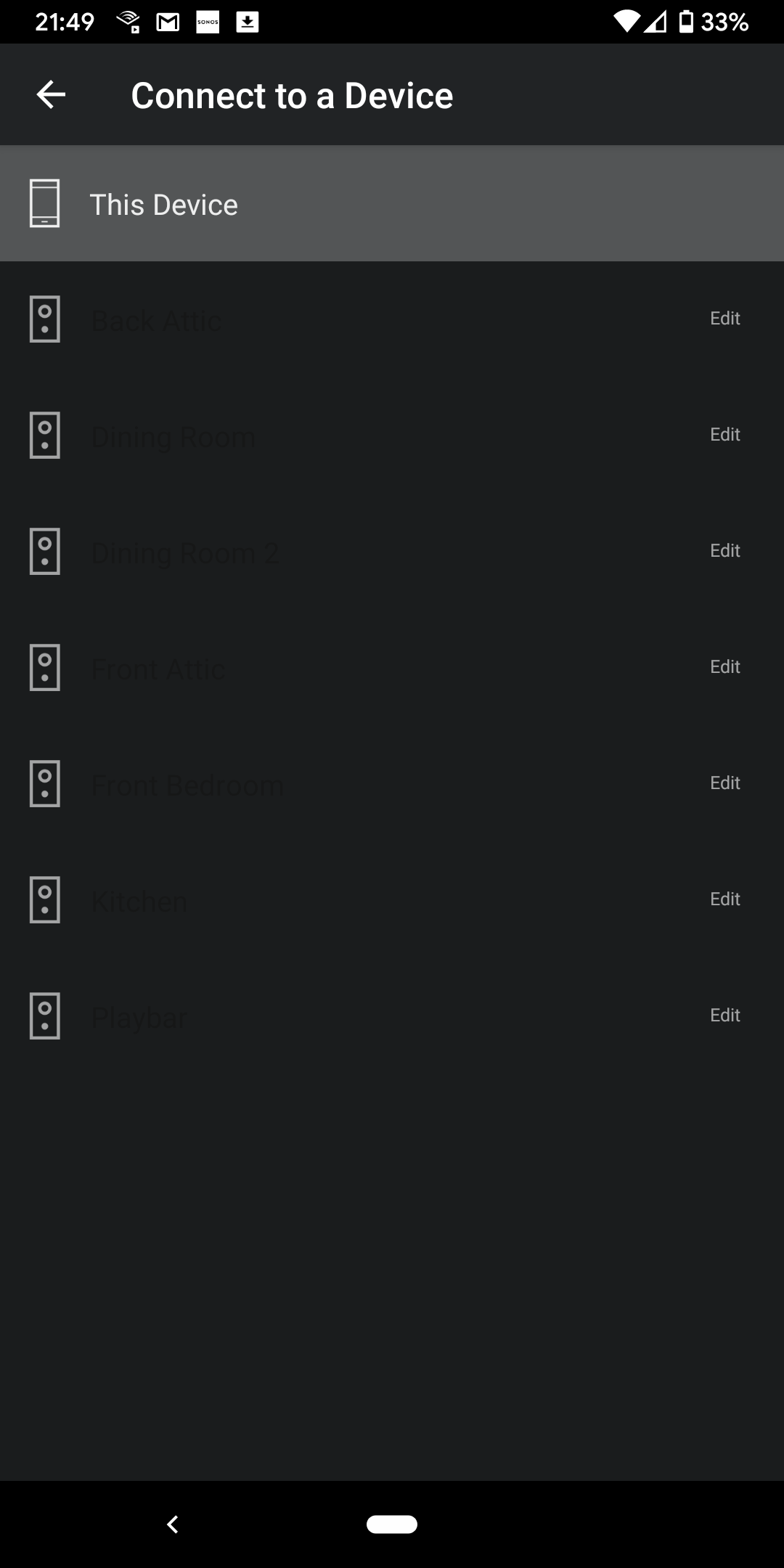
 

If I put my finger on the picture of the speaker the name appears for a moment and it does select the device to play on but I am working blind from the list.

I have this problem on both android pixel 3a phones I own.

Everything else works fine..Spotify and the Sonos App find the speakers and names with no problems and I can play Audible via the Sonos app. 

I asked Audible support and they did not understand the issue.

Is anyone else having this problem?


    This topic has been closed for further comments. You can use the search bar to find a similar topic, or create a new one by clicking Create Topic at the top of the page.
    tjtAnswer
    Collaborator I
    February 17, 2020

    I reset my broadband and all my Sonos speakers several times, uninstalled and reinstalled audible app several times and the problem was still there.

    Finally I factory reset my phone and reinstalled all my apps and the connect to device option was gone completely.

    Then, a few days later, the option reappeared in the audible app and it all works with Sonos again. 

    I  am just happy it works again.

    3 replies

    Ken_Griffiths
    November 30, 2019

    Is it perhaps some kind of ‘Dark Mode’ setting issue, either in the App, or your phone settings?

    November 30, 2019

    I would try turning your phone off and on again.

    tjtAuthorAnswer
    Collaborator I
    February 17, 2020

    I reset my broadband and all my Sonos speakers several times, uninstalled and reinstalled audible app several times and the problem was still there.

    Finally I factory reset my phone and reinstalled all my apps and the connect to device option was gone completely.

    Then, a few days later, the option reappeared in the audible app and it all works with Sonos again. 

    I  am just happy it works again.