
Trending Lyricist I
December 13, 2025

App volume sliders missing

  • December 13, 2025
  • 22 replies
  • 715 views

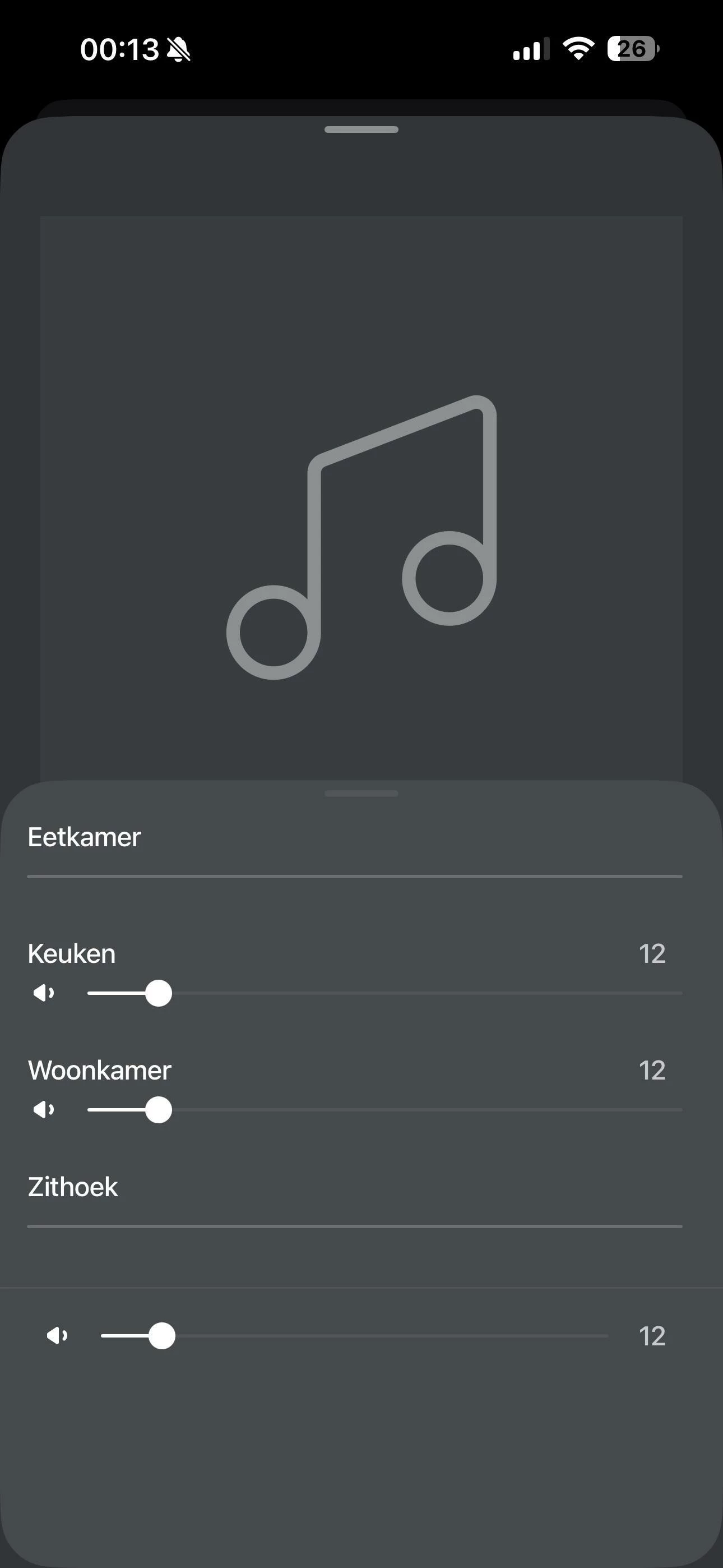
Some of my Sonos speakers don’t show volume sliders in the app and it’s driving me crazy. Audio plays fine and grouping works, but I can’t control volume for some of my speakers. It always ends up that one volume slider remains, while the rest disappear. And this on al my devices, they even show the same volume sliders grayed out.

What I’ve already tried:

  • All speakers are on the same 5GHz network, same AP

  • Disabled AP isolation, client isolation - no change

  • Turned off WiFi band steering - no change

  • Played with IGMP snooping settings on my switches - still broken

  • No multicast rate limiting configured

  • Speakers have static IPs assigned

Wireshark shows that all speakers are communicating, on both IGMP and SSDP. Even the ones that don’t show the volume sliders. The only thing that works is restarting my router, but even then the problem always returns. Running TP-Link Omada AP, Router and Switches.

Anything else that i could try to resolve this issue? Talked to support on the phone aswell but, they couldn’t help me unfortunatly
 

This topic has been closed for further comments. You can use the search bar to find a similar topic, or create a new one by clicking Create Topic at the top of the page.

22 replies

Lyricist I
February 28, 2026

I have had a similar problem with the missing volume sliders on 2 out of my 5 Sonos speakers. After a lot of time, I found that these 2 devices were on my 2.4GHz SSID when they all used to run on my 5GHz SSID.


i had to switch them off then remove the 2.4 SSID from the Sonos Wireless Networks menu. I then re-started the affected speakers with a factory reset and added them back in. 
 

This got them back onto the 5GHz SSID and the volume sliders re-appeared. 
 

I’ve no idea how these speakers moved from the 2.4 to the 5GHz. It would also be great if just turning off the 2.4 in the app settings kicked the affected speakers onto the 5 GHz without all of the faff, but the app is deeply flawed so I can only hope for that to be addressed at some time if we’re lucky…

AjTrek1
February 28, 2026

I’ve said this more times than I can count in this community. 

  1. Stop naming your Wi-Fi bands with different SSID’s.
  2. Don’t use “Band Steering”
  3. Turn off “Airtime Fairness”
  4. Stop factory resetting speakers unless instructed to by Sonos Tech support

Of course regarding the post above I believe that not adhering to #1 is the culprit.

Sonos in a wireless environment is smart enough to pick the Wi-Fi band that it needs. Especially so as most units can use the 2.4Ghz and 5Ghz bands when needed. Your device will move freely between the bands making the app visible and features at all times (barring internal or outside interference).

As a word of caution to do any of the above follow the steps below (in order presented):

  1. Unplug all Sonos
  2. Make adjustments in routers admin and reboot  *
  3. Delete the Sonos app from your device 
  4. Reboot your device and connect to Wi-Fi
  5. Plug in all Sonos and let them comeback
  6. Reinstall the Sonos app
  7. Select Join an Existing System and follow prompts
  8. Accept all Options during app setup
  9. Sign in with Sonos credentials 
  10. Start enjoying Sonos

 * Use the SSID for the band your Sonos is currently using for all bands. That will allow Sonos to recognize it quickly.


Together Everyone Achieves More = T.E.A.M.