
Trending Lyricist I
December 13, 2025

App volume sliders missing

  • December 13, 2025
  • 22 replies
  • 716 views

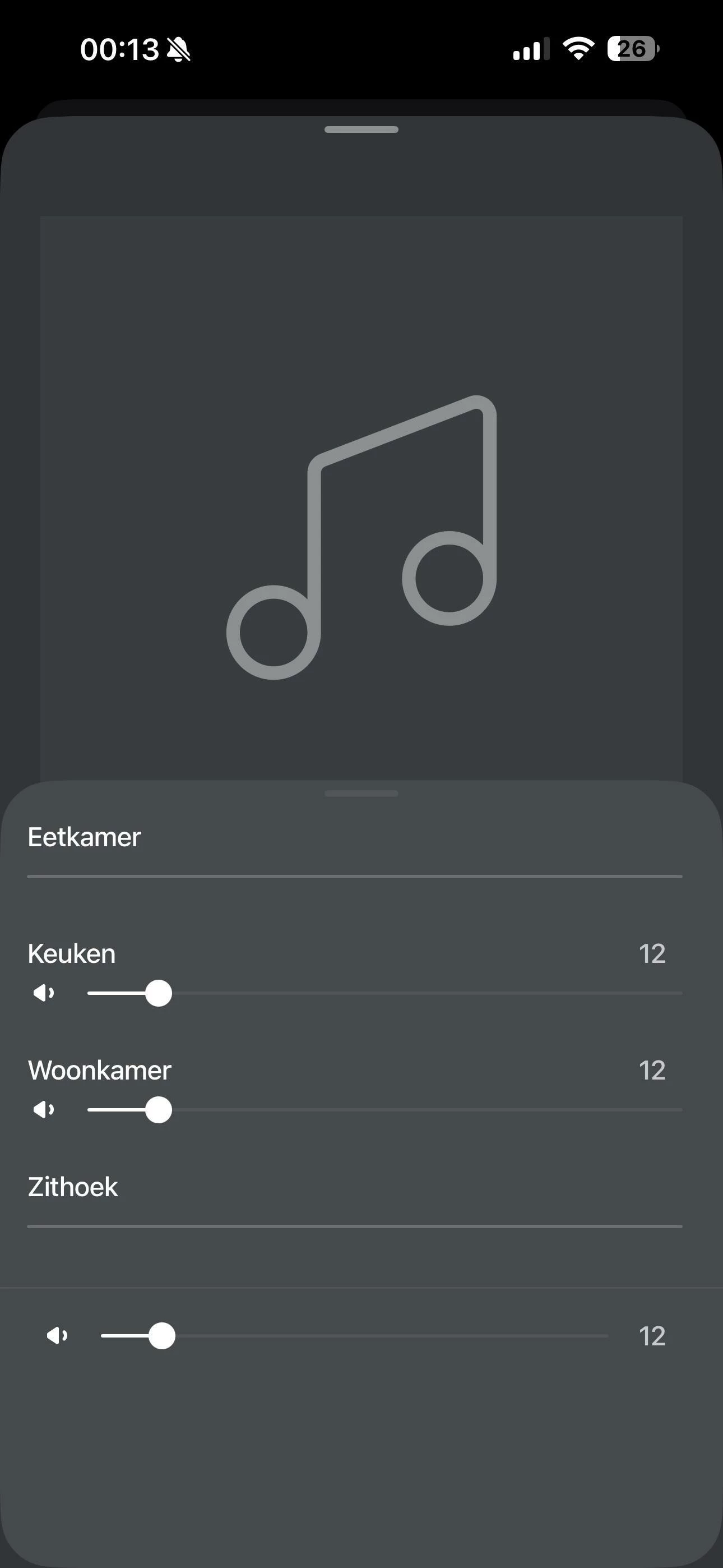
Some of my Sonos speakers don’t show volume sliders in the app and it’s driving me crazy. Audio plays fine and grouping works, but I can’t control volume for some of my speakers. It always ends up that one volume slider remains, while the rest disappear. And this on al my devices, they even show the same volume sliders grayed out.

What I’ve already tried:

  • All speakers are on the same 5GHz network, same AP

  • Disabled AP isolation, client isolation - no change

  • Turned off WiFi band steering - no change

  • Played with IGMP snooping settings on my switches - still broken

  • No multicast rate limiting configured

  • Speakers have static IPs assigned

Wireshark shows that all speakers are communicating, on both IGMP and SSDP. Even the ones that don’t show the volume sliders. The only thing that works is restarting my router, but even then the problem always returns. Running TP-Link Omada AP, Router and Switches.

Anything else that i could try to resolve this issue? Talked to support on the phone aswell but, they couldn’t help me unfortunatly
 

This topic has been closed for further comments. You can use the search bar to find a similar topic, or create a new one by clicking Create Topic at the top of the page.

22 replies

dwfflsAuthor
Trending Lyricist I
December 13, 2025

I’ve wired one of my 100’s (the zithoek one that keeps losing the volume slider) up to Ethernet and turned off WiFi on the device to force it to use the Ethernet. Ive restarted the device and checked that it does indeed connect over Ethernet in the omada controller. 
 

The volume slider worked again for about 15 minutes but has now returned to being unavailable again….

dwfflsAuthor
Trending Lyricist I
December 13, 2025

​@AjTrek1 So I’ve tried unplugging and rebooting everything as you’ve suggested. I even restarted my APs and switches aswel as the router. This all with upnp on, I’ve experimented before with turning this off, also without succes. 
 

Everything worked, for about 15 minutes and then one of the speakers (woonkamer this time) wouldn’t allow me to adjust the volume again…


Just to clarify all speakers are visible in the app, they can be grouped, can be muted, and play music just fine. It’s only the volume control that keeps going away. 

AjTrek1
December 14, 2025

Ok…

What AP’s and switches are involved? Are the AP’s actually satellites for a mesh network or 3rd party devices that you added? Are the switches dumb or managed?

Sonos doesn’t play well with 3rd party AP’s nor managed switches unless you are well versed in networking. Even then Sonos may be problematic.

Together Everyone Achieves More = T.E.A.M.
dwfflsAuthor
Trending Lyricist I
December 14, 2025

So I have Two EAP650 acces points. One is directly connected to my ER605 router. Also connected to this router is a SG2008P managed switch, from which my second EAP650 acces point is connected. All network gear is from TP-Link.  
 

Both acces points are connected with Ethernet cables and no mesh network is used. 
I use only a single VLAN and have no ACL rules setup. So everything should act as “normal” unmanaged network. 
 

I can see my home network is a bit more complex than a standard one, however I also believe it’s not that dissimilar for Sonos to not work. 

AjTrek1
December 14, 2025

Just a guess but I think the access point connected to the managed switch may be the problem. I would suggest unplugging all Sonos and removing the switch. Connect the access point to your router (using a dumb switch if necessary). Reboot your router let it come back. Make sure your device is connected to WiFi. Plug in all Sonos and let them come back. Let us know the results.

Together Everyone Achieves More = T.E.A.M.
dwfflsAuthor
Trending Lyricist I
December 14, 2025

So I had a TL-SG108E (semi-managed) switch lying around which I placed between the router and the SG2008P switch already in the system. The AP is now connected to that new switch. 

Everything is now running without problems for the last 6 hours, so that’s good news! One side node is that occasionally the old setup could run for some time without trouble. I’ve had a stints of about 3 days without problems before.

I’ll update if anything changes, for now many thanks for the help!

AjTrek1
December 14, 2025

So if understand correctly the AP is connected to the semi- managed switch (whatever that is 😂) which allows the AP to bypass the managed switch. Correct?

Together Everyone Achieves More = T.E.A.M.
dwfflsAuthor
Trending Lyricist I
December 14, 2025

You are correct, this way the AP bypasses the fully managed switch. 
 
About that semi managed switch, you’ll have to ask TP-Link about that 😂. They call it an Easy Smart switch, which means that it does have a web ui, but lacks the functionality of a fully managed L2 switch. Also see https://www.tp-link.com/us/support/faq/839/

AjTrek1
December 14, 2025

You are correct, this way the AP bypasses the fully managed switch. 
 
About that semi managed switch, you’ll have to ask TP-Link about that 😂. They call it an Easy Smart switch, which means that it does have a web ui, but lacks the functionality of a fully managed L2 switch. Also see https://www.tp-link.com/us/support/faq/839/

Thanks for the info on the semi-managed switch 😂. So if everything holds up for a few weeks or month then we can probably conclude it was the managed switch causing the issues (as I suspected). If not then it’s back to trouble shooting 🤔.  Let us know in a few weeks or a month if everything continues without issue. Good Luck 🤞!

Together Everyone Achieves More = T.E.A.M.
dwfflsAuthor
Trending Lyricist I
December 19, 2025

Allright so I believe I have fixed my issue with the original managed switch!

I had IGMP Fast Leave turned on for the port that the AP was connected to. This will block the multicast messages for that ethernet port when a IGMP leave message is sent. Great idea if only one device is connected to that port, terrible idea if that device is an AP with multiple devices connected to it. Stupid mistake on my end, as it is clearly stated in this TP-Link support article. System is now running for multiple days without any problems.

Thanks for the help, much appreciated!