This topic has been closed for further comments. You can use the search bar to find a similar topic, or create a new one by clicking Create Topic at the top of the page.
Best answer by Corry P

Hi @Sgt832 

Thanks for clarifying that. I happen to have an old tablet with the old Sonos app installed and found exactly what you mean - it used to look like this:
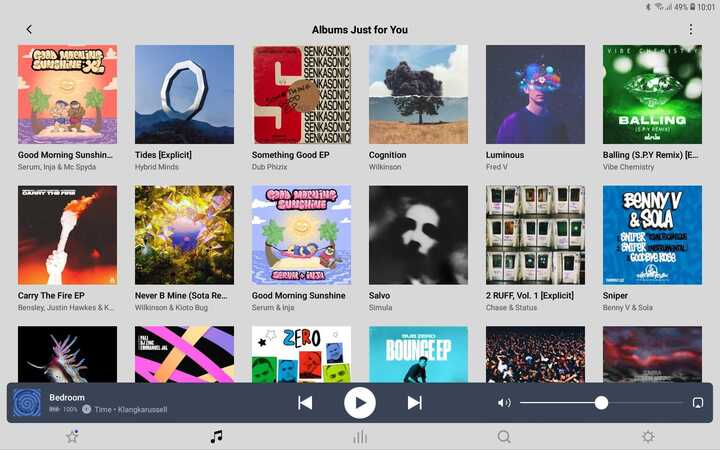
I've marked this thread as a feature request and it will be seen by the relevant teams for consideration. Keep the ideas coming!

13 replies

controlav
Lead Maestro
July 5, 2024

It would appear that the new app has not implemented any support for customized content displays. Amazon asks for its albums to be displayed as a Grid, which you can read about here: https://docs.sonos.com/docs/create-grids

The above screenshot is how my app chooses to display Grids.

Author of the leading independent Sonos apps for Android, MacOS, iOS, Windows and Xbox.
Sgt832Author
Contributor I
July 7, 2024

With the old app I would get the same grid showing my albums in name order, why can’t i get that back?


Bumper
July 7, 2024

With the old app I would get the same grid showing my albums in name order, why can’t i get that back?


The new app is a complete rewrite, totally new code and it doesn’t support this. Can’t do it until Sonos add it. 

Unfortunately Sonos released the new app before it was ready basically an Alpha release. It is missing a ton of features. Sonos lied about it (marketing emails said all features would cary over) and it has a crap ton of bugs.

But if you have an Android tablet (looks like it from your screen shot) you can change back to 16.1 app, just delete the new one and sideload the old one.
