
Contributor I
May 11, 2019
Answered

YouTube Music / Controller Issues

  • May 11, 2019
  • 7 replies
  • 843 views
I have encountered a bug that I assume has something to do with locale/encoding.
I am using the Sonos Controller on an up-to-date Android phone (Samsung Galaxy S7 Edge) on which the phone is currently in Japanese. I have just paid for YouTube Music and have added my account, but when I tap on "YouTube Music" from my list of services, I see this page:
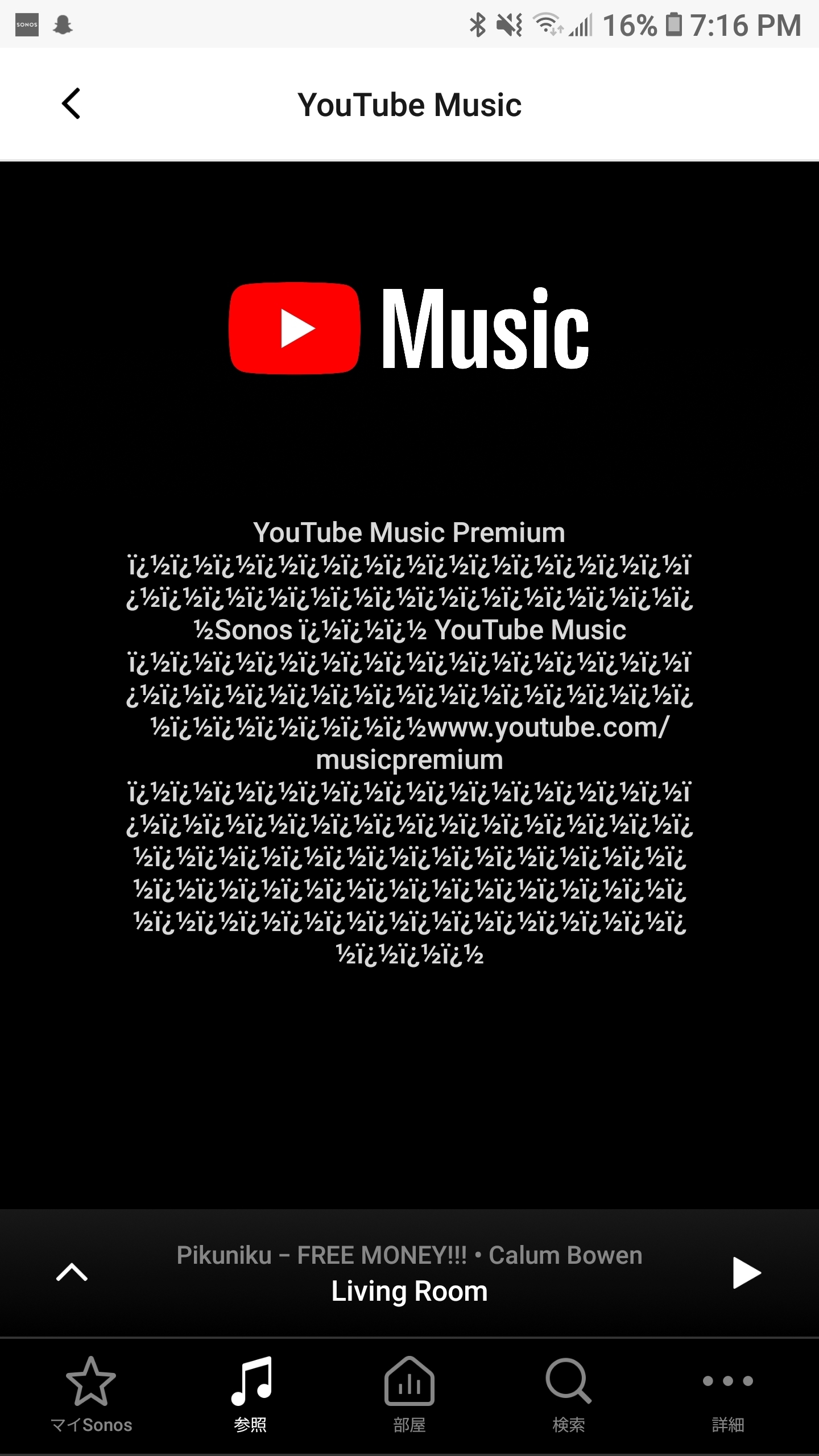


I assume this is an error page of some sort but it isn't being displayed properly. My YouTube Music account settings have my language set to English (UK), and my region set to Canada. I have tried changing the language on YouTube Music to Japanese but this doesn't seem to fix the issue. Any ideas?
    This topic has been closed for further comments. You can use the search bar to find a similar topic, or create a new one by clicking Create Topic at the top of the page.
    Best answer by controlav
    I think it is trying to tell you that you need a Premium YouTube music account for Sonos (I had a similar problem a few months ago, it was very confusing). It is doing this in Japanese, but the Sonos app either lacks a Japanese font or is failing to decode the Japanese error message, so displays the message as mostly garbage.

    7 replies

    controlav
    controlavAnswer
    Lead Maestro
    May 12, 2019
    I think it is trying to tell you that you need a Premium YouTube music account for Sonos (I had a similar problem a few months ago, it was very confusing). It is doing this in Japanese, but the Sonos app either lacks a Japanese font or is failing to decode the Japanese error message, so displays the message as mostly garbage.
    Author of the leading independent Sonos apps for Android, MacOS, iOS, Windows and Xbox.
    Superhero
    Contributor I
    December 22, 2019

    I have similar issues. As using Spotify was like rolling a dice which song played from which speaker at which volume I switched to youtube music. I’m premium but still can not connect.


    On my phone, youtube is logged in and working but not via the sonos app.

    Contributor I
    February 8, 2020

    Same problem. Sonos keep asking me for a You Tube Premium account even I have one. Sonos not answered, as if it would be a problem from You Tube, which is not. In my case, not being able to use You Tube Music makes my Sonos speakers almost useless. 

    Airgetlam
    February 8, 2020

    On other services, forcing a new handshake with the service has often worked. Try removing your YouTube account from Sonos, then shut down your Sonos app. Open the app back up, then add your account back in. 

    Bruce
    Contributor I
    February 9, 2020

    Thanks. Already tried that, but didn't work. 

    Airgetlam
    February 9, 2020

    Then I would recommend that you submit a system diagnostic within 10 minutes of experiencing this issue, and contact Sonos Support to discuss it.

    I usually suggest the phone folks, they have more tools available, but are available Monday through Friday during business hours. Twitter support folks are available 24/7.

    There may be information included in the diagnostic that will help Sonos pinpoint the issue and help you find a solution.  

    Bruce
    Contributor I
    February 9, 2020

    Thanks... I'll do that on Monday. .