Avid Contributor I
November 20, 2020
Answered

Unable to play songs on computer; no way to dismiss endless complaints

  • November 20, 2020
  • 23 replies
  • 584 views

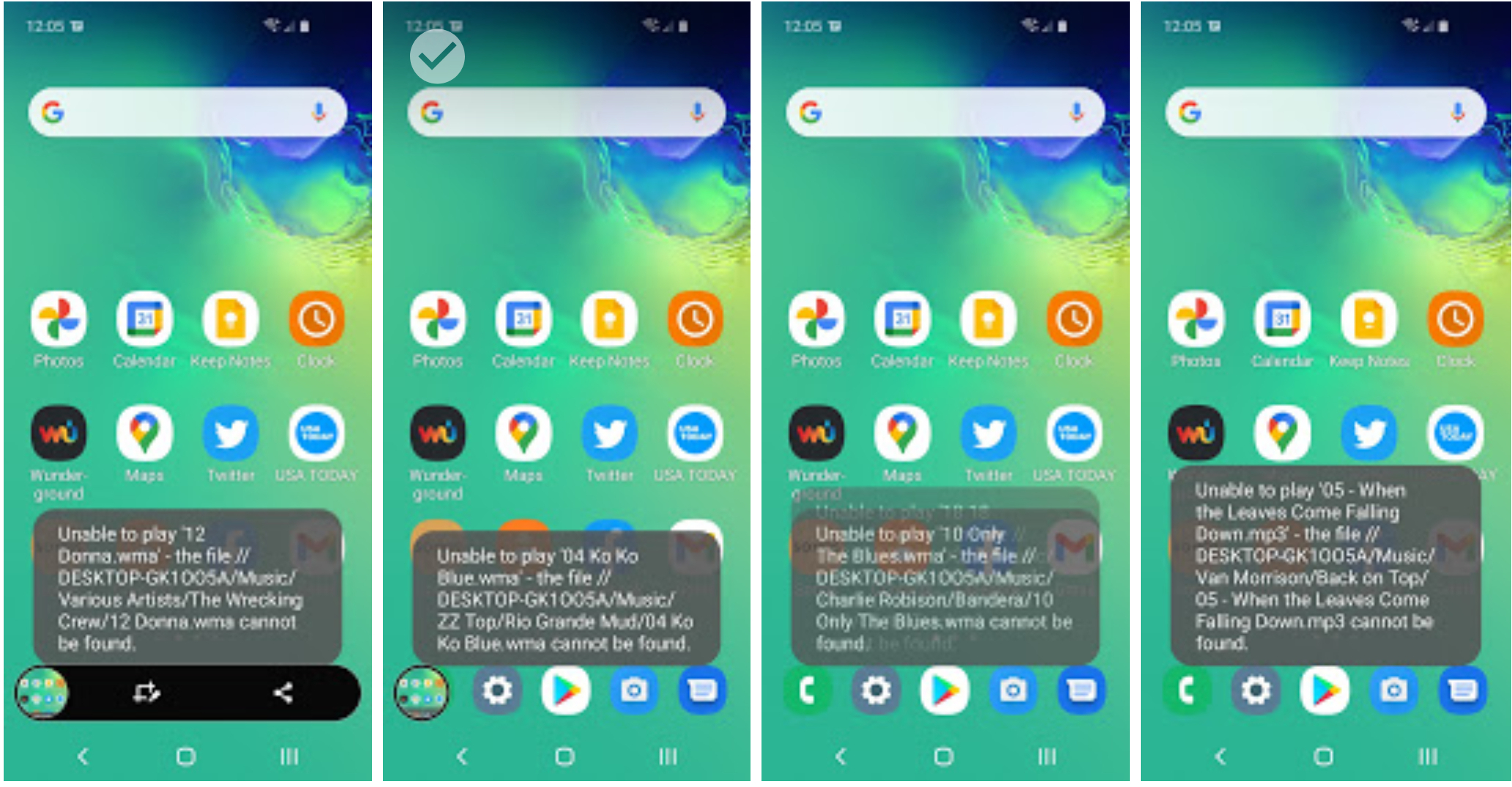
Playing songs on my computer continues to be a really weak spot with SONOS. The issue is compounded in that later -- like today, the next day -- as soon as I open SONOS on my Samsung it starts a string of “I can’t play that” that goes on and on, literally blocking my use of the phone. I wasn’t even going to play songs off the computer when I started this morning! the best I can tell it’s never the same songs .. it’s just like random.


    This topic has been closed for further comments. You can use the search bar to find a similar topic, or create a new one by clicking Create Topic at the top of the page.
    Best answer by amun
     

    However, I do use some quite large queues (currently playing over 3,000 songs) and haven’t found large queue sizes to cause a problem. What happens when you do the same thing to just one device? (i.e. not part of a group)


    Formats are mainly a mix of WMA and MP3

    Today’s experiment

    • done on PC to eliminate phone from the equation
    • again group speakers based on strength of wifi connection.
    • Clear the queue and SHUFFLE over the 2,000+ songs on the PC -- that worked w/o error
    • Now DON’T SKIP just let it play for like over an hour -- again worked without any errors at all

    So as I’ve noted before, the act of skipping songs seems to initiate the problem, i suspect because SONOS starts buffering based on initial queue construction, then when you skip (maybe several songs) you get ahead of what it has buffered and it scrambles to catch up.

    Just tried the same thing with a queue of 3.2k tracks, then skipped multiple tracks many times - worked without a hitch. Then grouped it with the other two devices and it continued to work without a hitch. It therefore seems unlikely to be a Sonos bug.

    If you’re sure that nothing is spinning down or otherwise becoming unavailable, then network issues seem to be the most likely candidate. And before you say that everything else works OK, then yes - it does - but Sonos has greater requirements of the network than most systems.

    23 replies

    November 28, 2020

    re: sleep. Nope. Desktop, high end Dell .. runs continuous. I have experienced the same problem running the controller from the PC. It’s gotten worse. At one point tonight I had different songs playing in different rooms (and not on purpose!). Single story home, about 2300’ feet so not huge.

    @controlav is correct - this has all the symptoms of the PC not being available for some reason. I used to have exactly the same problem when I allowed my NAS devices to spin down to save power. The software on the phone wakes up, starts playing the queue and then fails very quickly on every item in the queue as the files aren’t available. My desktop PC is often on all the time but it powers down the disks after a time, so wouldn’t be available.

    I ended up just setting my Sonos NAS so that it never spins down the disk, and it now works perfectly every time. That, plus reserving IPs for all Sonos kit, plus ignoring Sonos advice re EoP adaptors has left me with a very reliable system.


    rld53Author
    Avid Contributor I
    November 28, 2020

    re: sleep. Nope. Desktop, high end Dell .. runs continuous. I have experienced the same problem running the controller from the PC. It’s gotten worse. At one point tonight I had different songs playing in different rooms (and not on purpose!). Single story home, about 2300’ feet so not huge.

    @controlav is correct - this has all the symptoms of the PC not being available for some reason.


    re: disk asleep .. I’ll give this a try, but the typical scenario is that it starts playing some songs OK from the PC (so the disk is spinning), then goes into this frantic “Unable to play”. This is i believe related to shuffle where it seems to simply overwhelm itself .. SONOS is seeking faster than the PC can respond? .. at some point it gets caught up. It’s not the songs themselves. I can and do play these songs. I’m going to try the disk time-out approach, i don’t think that’s it for the reasons I’ve stated. What I might do is simply avoid use of the shuffle function (which is too bad; I like to shuffle the songs on my computer).

    Anyway thanks for the brainstorming.

    controlav
    Lead Maestro
    November 28, 2020

    So on re-reading this on a larger screen, I find this interesting:

    #1 error:
    Unable to play 'Let Me Be' - the connection to //DESKTOP-GK1OO5A/Music was lost.

    #2 error:

    Unable to play '11 Young At Heart.wma' - the file //DESKTOP-GK1OO5A/Music/Victoria Williams/Water To Drink/11 Young At Heart.wma cannot be found

    And then every other error is “cannot be found”.

    The first error is “connection lost”, which would imply that the PC fell off the network, or the SonosLibraryService process crashed. Do you have another PC on this network? If so when this happens again, from this other PC try ping desktop-gk1oo5a (to see if it is still on the network) and if that works then try net view \\desktop-gk1oo5a to see if the music share is alive. Also use TaskMgr to see if SonosLibraryService.exe is still running on the problem PC.

    Author of the leading independent Sonos apps for Android, MacOS, iOS, Windows and Xbox.
    rld53Author
    Avid Contributor I
    November 30, 2020

    Today’s experiment: on the VERY COMPUTER WHERE THE MUSIC RESIDES, try to shuffle across my library ON THAT COMPUTER. Results … skipped songs, starts and stops, …

    Error log

    Monday, November 30, 2020 - 3:37 PM Central Time
    Unable to browse music

    Monday, November 30, 2020 - 3:38 PM Central Time
    Unable to play '02 Gone Country.wma' - network connection speed insufficient to maintain playback buffer.

    Monday, November 30, 2020 - 3:38 PM Central Time
    Unable to play '02 Gone Country.wma' - network connection speed insufficient to maintain playback buffer.

    Monday, November 30, 2020 - 3:39 PM Central Time
    Unable to play '01 Chattahoochee [Extended Mix].wma' - network connection speed insufficient to maintain playback buffer.


    So one computer on a 5G network at 237 mbps (I just clocked it). The Sonos speakers themselves are on the 2G network .. still .. nothing else is running. One person. One house. One story. And I can’t shuffle over my music library from the very computer the music is on.

    November 30, 2020

    Today’s experiment: on the VERY COMPUTER WHERE THE MUSIC RESIDES, try to shuffle across my library ON THAT COMPUTER. Results … skipped songs, starts and stops, …

    You seem unsure of how it works - the work is done on the player, not the controller - that simply tells the player what to do. The music on the computer is simply a network resource.

    Monday, November 30, 2020 - 3:39 PM Central Time
    Unable to play '01 Chattahoochee [Extended Mix].wma' - network connection speed insufficient to maintain playback buffer.

    This implies that there are network problems (unspecified). Do you have the IP addresses reserved in the router?


    So one computer on a 5G network at 237 mbps (I just clocked it). The Sonos speakers themselves are on the 2G network .. still .. nothing else is running. One person. One house. One story. And I can’t shuffle over my music library from the very computer the music is on.

    See above re the way that it works

    rld53Author
    Avid Contributor I
    December 1, 2020

    re: the work is done on the player, not the controller

    There was discussion that the computer disk was spun down. This eliminated that as a possibility. This also removed one component from the problem, the problem has nothing to do w/ the phone (Samsung Galaxy).

    re: Do you have the IP addresses reserved in the router?

    I just used the vanilla setup procedure .. if it is using dynamic IP address that’s what I’ve got. Normal Pandora play (shuffling over a station) works find w/ the dynamic IP address setup (which I assume is what Sonos setup uses). If it was related to IP issues I would think the same problem would crop up there as well. The error says “network connection speed insufficient to maintain playback buffer” and this only happens when shuffling across a large number of songs on the PC. The IP address may factor into this, but don’t see why, and frankly I shouldn’t have to worry about it as a consumer. That’s the “New Product Development Professional certification” in me.

    Anyway .. just trying to document this for whoever is interested. I’ll give SONOS a call. My current workaround is simply to crank it up on shuffle -- let it sputter it along w/ faults -- and eventually it gets enough music queued up to play. But if you then skip forward to much, it cough and sputters -- again the buffering issue.

    thanks all


    rld53Author
    Avid Contributor I
    December 1, 2020

    Bunches of people report “network connection speed insufficient to maintain playback buffer.”

    One guy suggested this, and some folks are saying it worked:

    “When a Group is built, the first player is elected as the Group’s “coordinator”. All traffic for the Grouped players flows through this unit. If this unit is on the edge with respect to its wireless connectivity, the Group will suffer. Obviously as the Group grows, problems accelerate. Sometimes building the Group in a different order is helpful. For example if one of the players is wired, make this unit the coordinator..”

    This actually makes sense; if the group “coordinator” is located in a distant room w/ poorer connection, that’s going to impact buffering. I don’t have a wired Player, but I do have one very close to the router w/ the best connection. Initial experiment looks promising. I cleared the queue, shuffled over the entire PC w/ no hiccups. I’ll keep this group setup and see what happens.

    December 2, 2020

    “When a Group is built, the first player is elected as the Group’s “coordinator”. All traffic for the Grouped players flows through this unit. If this unit is on the edge with respect to its wireless connectivity, the Group will suffer. Obviously as the Group grows, problems accelerate. Sometimes building the Group in a different order is helpful. For example if one of the players is wired, make this unit the coordinator..”

    This did seem to help some .. it gets the queue setup w/o complaints, but as soon as i start SKIPPING AHEAD a couple of times .. issues.


    I’m afraid that I rarely group kit, so I can’t really comment - but on the few instances that I have, I’ve never had a problem


    My library on my PC is 2,000+ songs. Have noticed that manually building smaller queues seems to work better.

    However, I do use some quite large queues (currently playing over 3,000 songs) and haven’t found large queue sizes to cause a problem. What happens when you do the same thing to just one device? (i.e. not part of a group) 


    The errors today are not “buffering” errors, just can’t find songs. And again I can play these songs. SONOS eventually quits complaining about songs, then starts playing.

    This is ONLY related to playing songs on my PC. I personally think the buffering and “can’t find” song are related…

    If you can play the same songs without error, then it comes back to network errors or the resources simply not being available for some reason.

    Are all of your files .wma? Is there a reason why you’re using this format? 


    rld53Author
    Avid Contributor I
    December 2, 2020
     

    However, I do use some quite large queues (currently playing over 3,000 songs) and haven’t found large queue sizes to cause a problem. What happens when you do the same thing to just one device? (i.e. not part of a group)


    Formats are mainly a mix of WMA and MP3

    Today’s experiment

    • done on PC to eliminate phone from the equation
    • again group speakers based on strength of wifi connection.
    • Clear the queue and SHUFFLE over the 2,000+ songs on the PC -- that worked w/o error
    • Now DON’T SKIP just let it play for like over an hour -- again worked without any errors at all

    So as I’ve noted before, the act of skipping songs seems to initiate the problem, i suspect because SONOS starts buffering based on initial queue construction, then when you skip (maybe several songs) you get ahead of what it has buffered and it scrambles to catch up.

    amunAnswer
    December 2, 2020
     

    However, I do use some quite large queues (currently playing over 3,000 songs) and haven’t found large queue sizes to cause a problem. What happens when you do the same thing to just one device? (i.e. not part of a group)


    Formats are mainly a mix of WMA and MP3

    Today’s experiment

    • done on PC to eliminate phone from the equation
    • again group speakers based on strength of wifi connection.
    • Clear the queue and SHUFFLE over the 2,000+ songs on the PC -- that worked w/o error
    • Now DON’T SKIP just let it play for like over an hour -- again worked without any errors at all

    So as I’ve noted before, the act of skipping songs seems to initiate the problem, i suspect because SONOS starts buffering based on initial queue construction, then when you skip (maybe several songs) you get ahead of what it has buffered and it scrambles to catch up.

    Just tried the same thing with a queue of 3.2k tracks, then skipped multiple tracks many times - worked without a hitch. Then grouped it with the other two devices and it continued to work without a hitch. It therefore seems unlikely to be a Sonos bug.

    If you’re sure that nothing is spinning down or otherwise becoming unavailable, then network issues seem to be the most likely candidate. And before you say that everything else works OK, then yes - it does - but Sonos has greater requirements of the network than most systems.