

el rubio
November 27, 2021

Sonos SMBv2 support on Synology NAS DSM7 is here

  • November 27, 2021
  • 14 replies
  • 4332 views

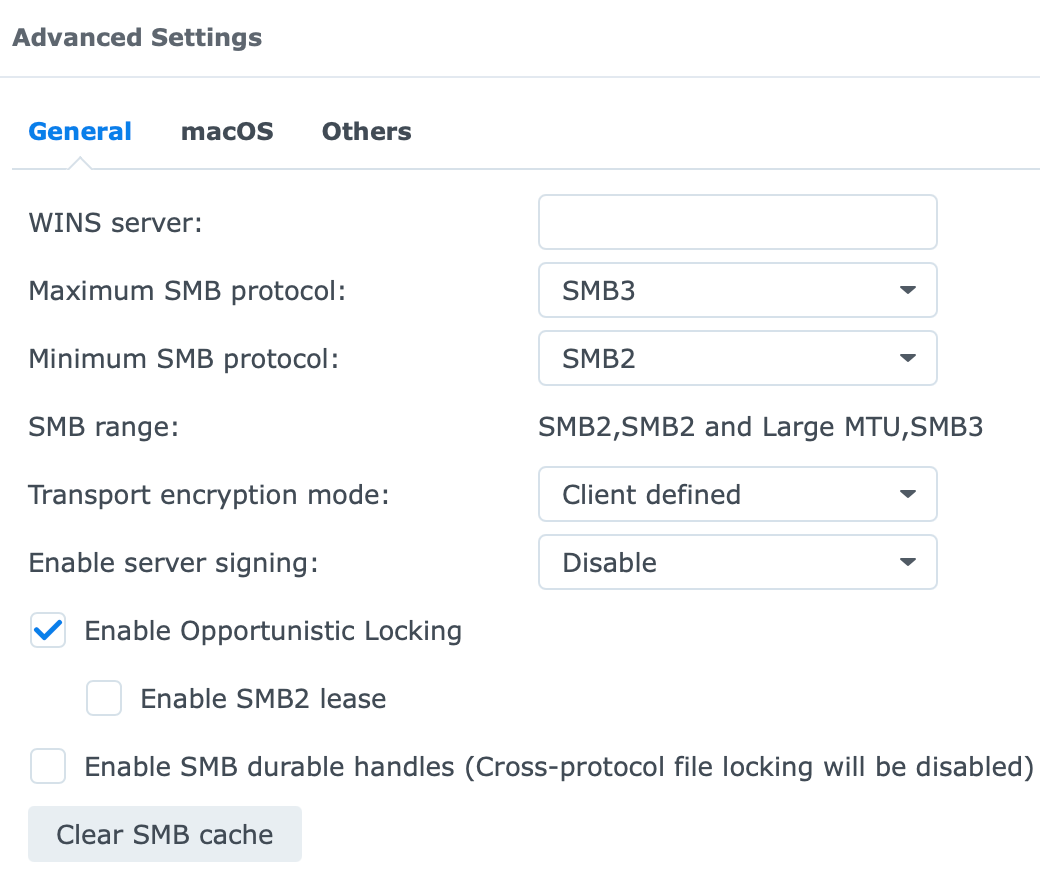
Just wanted to share the good news that I am successfully deploying the SMBv2 protocol on my Synology NAS (DSM 7.0.1-42218) with the Sonos App (version 13.4). Moreover, the NTLMv1 authentication is no longer needed.
 
This topic has been closed for further comments. You can use the search bar to find a similar topic, or create a new one by clicking Create Topic at the top of the page.

14 replies

Stanley_4
Grand Maestro
December 1, 2021

S1 folks are probably best served by using SMB3 or NFS on their NAS and a SMB v1 gateway to access the NAS, that removes the exposure of your NAS data to the SMB v1 security issues.

Guide for a PI but will work on any SMBv1 capable system: SMB v1 Gateway

Renowned Enthusiast I
December 9, 2021

I have enabled SMB2 and SMB3 and have found that once they are running the time taken to display album art becomes very slow indeed. 

When running SMB1 the display keeps up with scrolling through 300+ Albums by using the side bar slider thing pretty well instantaneously. When I use SMB2 and/or 3 it takes 8 to 10 seconds to refresh after the same process. Running SMB1 as well as one or more of the later versions is a bit quicker than without it but still much slower than when running SMB1 on its own.  

Has anyone else noticed this performance hit? It's so bad in my system that I have reverted to just using SMB1. Perhaps Sonos need to do a bit more tuning here, or would it be NAS-related?

BTW when testing this I have cleared the controller cache and reindexed the library after each change on the NAS, and made sure the same Associated Product is being used. The performance difference is very consistent

Stanley_4
Grand Maestro
December 9, 2021

There is a cover art topic here:


Ken_Griffiths
December 9, 2021

I have enabled SMB2 and SMB3 and have found that once they are running the time taken to display album art becomes very slow indeed. 

When running SMB1 the display keeps up with scrolling through 300+ Albums by using the side bar slider thing pretty well instantaneously. When I use SMB2 and/or 3 it takes 8 to 10 seconds to refresh after the same process. Running SMB1 as well as one or more of the later versions is a bit quicker than without it but still much slower than when running SMB1 on its own.  

Has anyone else noticed this performance hit? It's so bad in my system that I have reverted to just using SMB1. Perhaps Sonos need to do a bit more tuning here, or would it be NAS-related?

BTW when testing this I have cleared the controller cache and reindexed the library after each change on the NAS, and made sure the same Associated Product is being used. The performance difference is very consistent

Yes, I’ve noticed the Sonos App Library Art is slower loading from my NAS too when the share is using SMB v2 or higher, compared to SMB v1