
Contributor I
July 25, 2018

Sonos Controller Has Stopped Working

  • July 25, 2018
  • 8 replies
  • 1117 views
hi all
i have 1 problem with the sonos controller
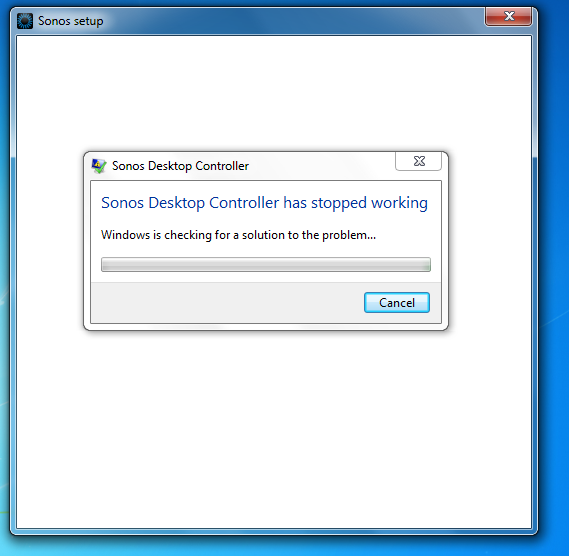
i open it stay on sonos logo and crash at says sonos Desktop controller has stopped working
please help me :(:(:(:(:(:(
This topic has been closed for further comments. You can use the search bar to find a similar topic, or create a new one by clicking Create Topic at the top of the page.

8 replies

ratty
July 25, 2018
Reboot your computer.

If that doesn't help, uninstall the controller and re-install from https://www.sonos.com/redir/controller_software_pc. When it starts, tell it to 'connect to an existing system'.
ArgesiAuthor
Contributor I
July 25, 2018
Reboot your computer.

If that doesn't help, uninstall the controller and re-install from https://www.sonos.com/redir/controller_software_pc. When it starts, tell it to 'connect to an existing system'.
will try
ArgesiAuthor
Contributor I
July 25, 2018
Reboot your computer.

If that doesn't help, uninstall the controller and re-install from https://www.sonos.com/redir/controller_software_pc. When it starts, tell it to 'connect to an existing system'.
will try
nope still again
Ken_Griffiths
July 25, 2018
Uninstall and then try installing again, but this time right mouse click on the installer and choose to 'run as Administrator' and see if that works for you.
ArgesiAuthor
Contributor I
July 25, 2018
Uninstall and then try installing again, but this time right mouse click on the installer and choose to 'run as Administrator' and see if that works for you. does work :(:(:(:(:(:(:(:(
ArgesiAuthor
Contributor I
July 25, 2018
i fix it guys
ArgesiAuthor
Contributor I
July 25, 2018
the problem is on netframe run time
Ken_Griffiths
July 25, 2018
Uninstall and then try installing again, but this time right mouse click on the installer and choose to 'run as Administrator' and see if that works for you. does work :(:(:(:(:(:(:(:(
Glad to hear it, some kind of permissions issue, is my guess. Anyhow glad it’s solved.