Answered
Sonos Controller App for Mac will not install and Procedure Suspicious
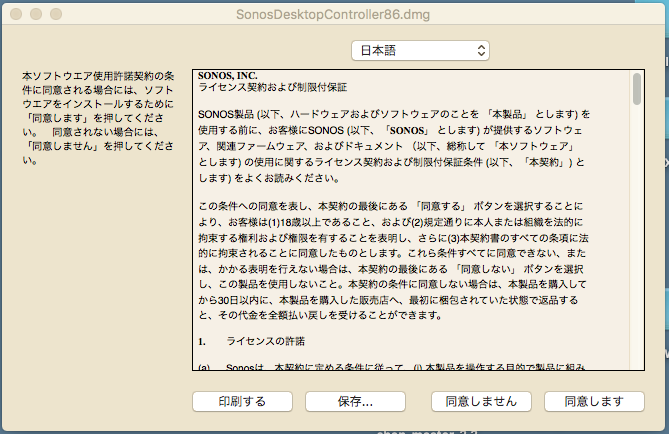
Am not able to install controller on my mac laptop (Sierra 10.12.5). When I click Sonos app link from Safari, nothing happens (I suspect file is being deemed a security risk by OS). When I click app link from Chrome, get warning of risky file. When I confirm to proceed (why wouldn't I trust Sonos??) I get a Chinese install window per image below (all settings english - I checked). Please advise on how to proceed.
For a system that is supposed to be seamless and fool-proof, I am surprised at the number of challenges I have faced at every step. Original wireless setup failed on multiple attempts and required multiple help centre conversations (eventually requiring boost device despite strong 60Mbps signal in every corner of my house), Alexa in Canada is garbage (unless you are willing to conduct major brain surgery through a 100 or so lines of instructions posted by users online) and now the Mac OS app is garbage. Please Sonos - at least try to live up to your promise!!!
For a system that is supposed to be seamless and fool-proof, I am surprised at the number of challenges I have faced at every step. Original wireless setup failed on multiple attempts and required multiple help centre conversations (eventually requiring boost device despite strong 60Mbps signal in every corner of my house), Alexa in Canada is garbage (unless you are willing to conduct major brain surgery through a 100 or so lines of instructions posted by users online) and now the Mac OS app is garbage. Please Sonos - at least try to live up to your promise!!!