Contributor I
August 16, 2019
Answered

sonos app on android
  • August 16, 2019
  • 12 replies
  • 587 views


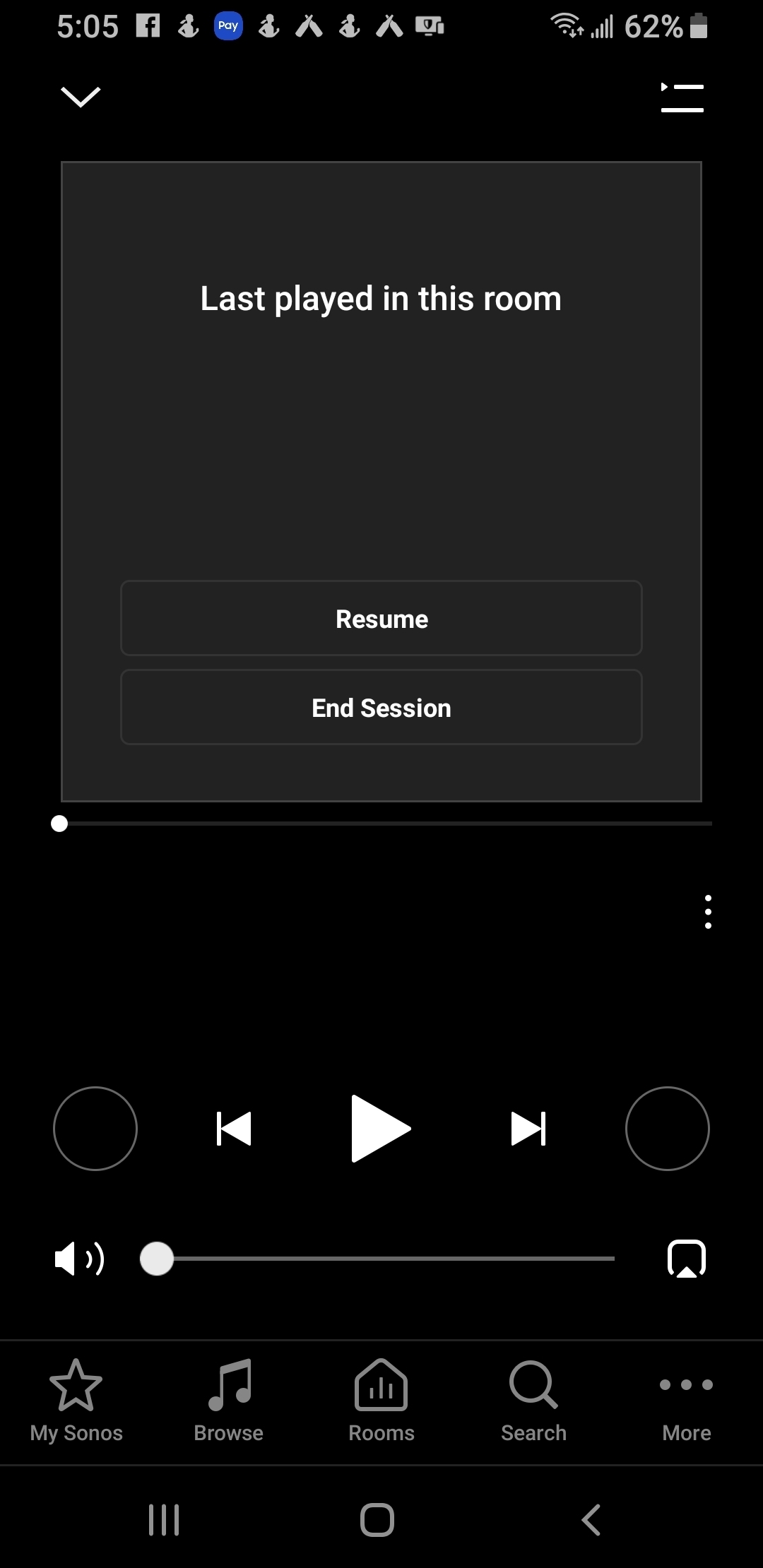
This screen is frozen and wont respond. I can only add songs or albums to my library play function stopped working 2 days ago. Nothing will play through my sonos app.

    This topic has been closed for further comments. You can use the search bar to find a similar topic, or create a new one by clicking Create Topic at the top of the page.
    Best answer by Ryan S
    @Jarobbins007, thanks for the diagnostic. The screen itself is showing that your players are looking for a direct control session, which in your case means the Spotify Connect session you have going when you use the Spotify App. However, as you noted, the End Session button isn't working, and neither is rebooting the player. So it's not a matter of the Android app not behaving, but the players themselves being stuck in this direct control mode, independent of the app.

    I have the team looking into it now, but if you want to try out a few things, make sure you've tried playing music from your music library (if you have one), and a radio station from TuneIn as well. It's possible one of these might end the session.

    Another option would be to separate out your group of speakers, and then recreate the group. This could do the trick too.

    Finally, it's not a great option, but a factory reset of your players should do the same. However, this wipes out all your settings and any Sonos playlists. We generally don't recommend going with this route. Also, your system could potentially get into this state again.

    In the mean time, the team is investigating and I'll let you know when I have an update from them.

    12 replies

    Contributor I
    August 23, 2019

    Ryan S
    Retired Sonos Staff
    August 23, 2019
    Thanks, I'll let them know.
    Mark good posts by pressing the like button, and select the best answer on questions you've asked to help others find solutions.