Contributor I
June 24, 2020
Question

S2 app upgrade stuck at Terms of Service

  • June 24, 2020
  • 29 replies
  • 6186 views

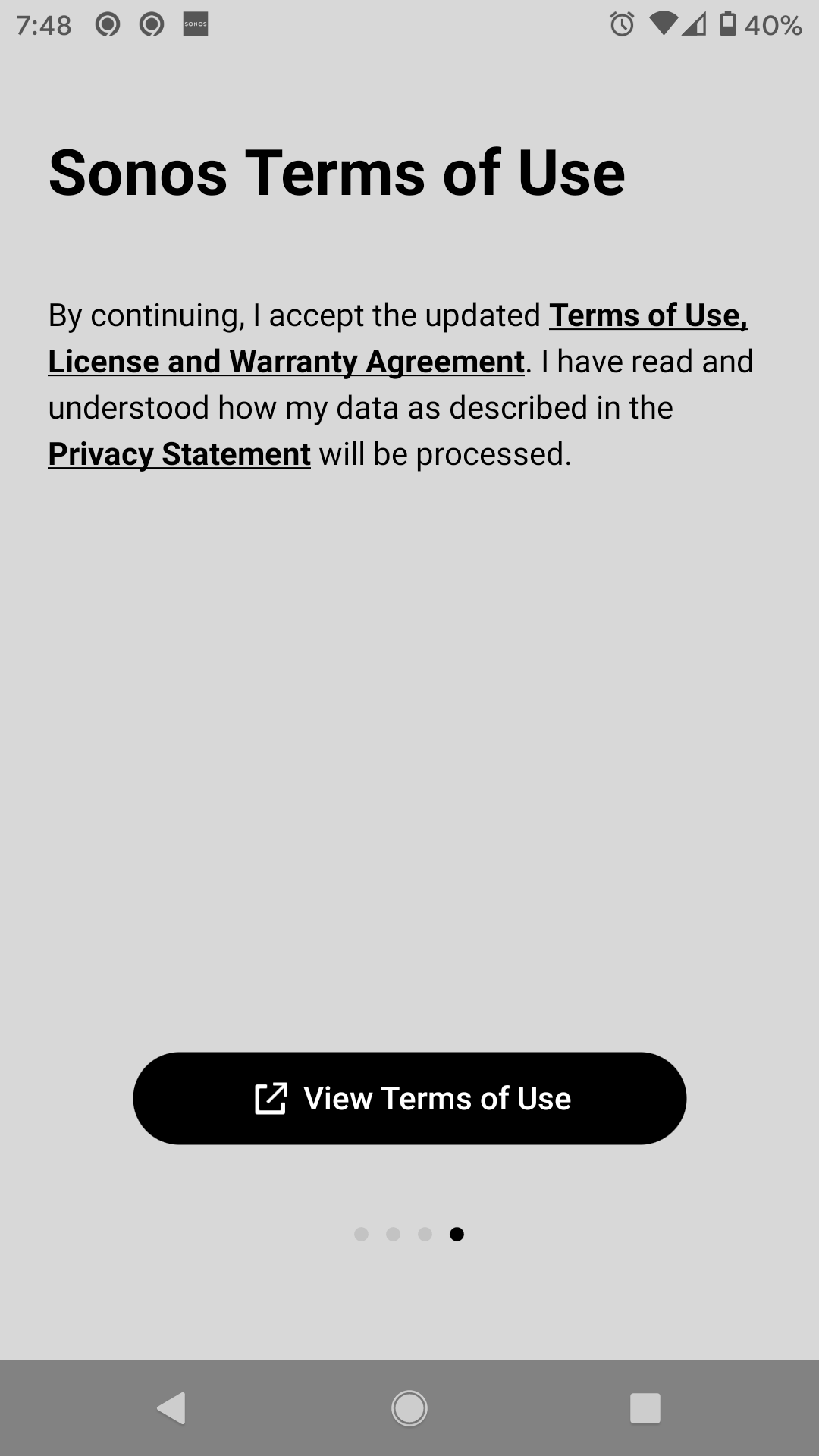
I am trying to upgrade to the S2 app and cannot get past the terms of use. I view and scroll all the way down but there is not accept or way to acknowledge I agree with them.

 

This topic has been closed for further comments. You can use the search bar to find a similar topic, or create a new one by clicking Create Topic at the top of the page.

29 replies

Lyricist II
June 30, 2020

The S1 app offered me a download S2 invite mysteriously for the first time two days ago and after my nth install this one took, so my problem is over.

Simon B
Retired Sonos Staff
June 30, 2020

Hi @pheditor, thanks for the update.

If there's any other issue you're having, feel free to reach out.

Help others find useful content by clicking the like button and selecting the best answer to your question
Lyricist II
June 30, 2020

I figured it out!


I disabled "Don't keep activities" in the developer options.


Worked great for me, S2 installed!

Simon B
Retired Sonos Staff
June 30, 2020

Hi @Mickoloh, Wow, that's great. Thanks for sharing. I’m glad that it worked for you.

You're always welcome here.

Help others find useful content by clicking the like button and selecting the best answer to your question
Lyricist I
June 30, 2020

I had the same problem on my iPhone 6

To get around it:

  1. Click on the terms of use, it will open Safari (read it or not) Leave Safari open!
  2. Double tap the home button on the iPhone 
  3. Swipe back to the Sonos S2 app
  4. Tap on the Accept button while leaving Safari open.
Lyricist II
July 1, 2020

I’m having the same problem. When the ToS is open, it is open in a browser in the S2 app so I can’t switch back to the S2 app. This is frustrating.

Simon B
Retired Sonos Staff
July 2, 2020

Hi @Jefferoo, Thanks for reaching out and welcome to the community. Regarding your concern that when you're trying to upgrade to the S2 App and it is not letting you go through the Sonos terms of use page. I'd like to ask if have you tried to do it on another controller or uninstalling and reinstalling the Sonos S2 App to check if that will work.

Let us know how you get on with the advice above.

If there's any other issue you're having, feel free to reach out.

Help others find useful content by clicking the like button and selecting the best answer to your question
Lyricist I
July 5, 2020

I have tried same and it does not work. How many times do you want me to reinstall the S2 app? Please get me in a position to move forward. Using iOS 12. on iPhone 6.


I have an Android 9….have reinstalled this damn app at LEAST 10 times.  Can not get something that says “Accept terms of use”.  Now I’m even reading the Terms to see if I am missing something.  TOTALLY  frustrated.  The new app works on my PC (windows 10) but not on my phone.


Lyricist I
July 5, 2020

Hi @Mickoloh. Thanks for reaching out and the update. Upon checking, since your device is currently on an Android 11 beta version on your Pixel 2. I'd like to ask if you can try another controller which is on Android 7 to 10. So we can check for compatibility issues. If you're still having issues, kindly contact our phone support team.
They’re open Monday to Friday, from 9 am to 10 pm EST. Our phone support number: 1-800-680-2345.

Let us know how you get on with the advice above.

If there's any other issue you're having, feel free to reach out.

I am having the same problem.  I have Android 9.  On the Terms of Use page, the black bar at bottom says View Terms of Use.  I have reinstalled at least 10 times.  The new Sonos 2 updated perfectly on my Windows 10 PC. PLEASE help!

Contributor I
July 6, 2020

Hello I cant get passed the terms and conditions on my iPhone app 

and struggling to set up sonos with new wifi