
Avid Contributor I
June 6, 2022
Answered

S1 iOS Bug to bottom bar

  • June 6, 2022
  • 2 replies
  • 163 views

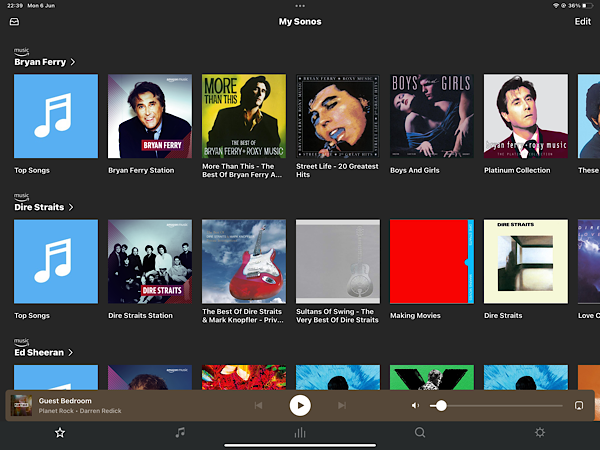
Think it’s since the last one or two updates but in my case on iPhone & iPad bottom icon bar changes to white with black icons and chosen icon goes blank when selected. 
 

Bottom icon bar should usually be black with white icons. Only occurs when now playing is not displayed. When now playing screen is displayed, everything is as normal.


Tried old iOS version of the Sonos app and issue is not present. Tried deleting and redownloading app but makes no difference. 
This topic has been closed for further comments. You can use the search bar to find a similar topic, or create a new one by clicking Create Topic at the top of the page.
Best answer by Ken_Griffiths

I’m using iPadOS v15.5 and same on my iPhone too and I only see these colours…

My thoughts are to perhaps try a reset of the Sonos App from the ‘App Preferences’ area in ’Settings’ and reconnect it back to your ‘existing’ system and see if that resolves the issue.

2 replies

Airgetlam
June 6, 2022

Might be worth submitting a diagnostic, and contacting them with the number, so they can pass along the data. It might be variable, for instance, based on the particular device, which version of iOS, or which version of S1, all pieces of data that would be in the diagnostic. 

Bruce
Ken_Griffiths
June 6, 2022

I’m using iPadOS v15.5 and same on my iPhone too and I only see these colours…

My thoughts are to perhaps try a reset of the Sonos App from the ‘App Preferences’ area in ’Settings’ and reconnect it back to your ‘existing’ system and see if that resolves the issue.