Enthusiast II
August 10, 2024
Question

Music Library Compilations not playable in new app

  • August 10, 2024
  • 48 replies
  • 1442 views

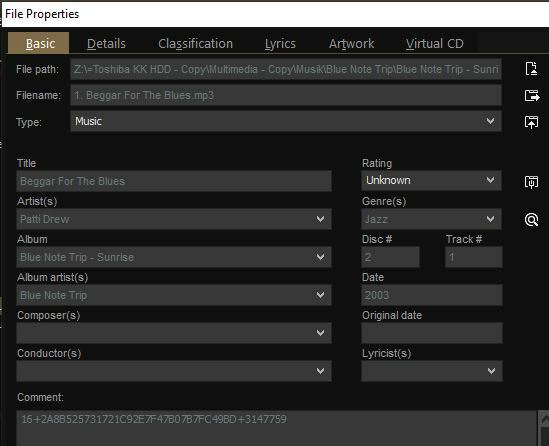
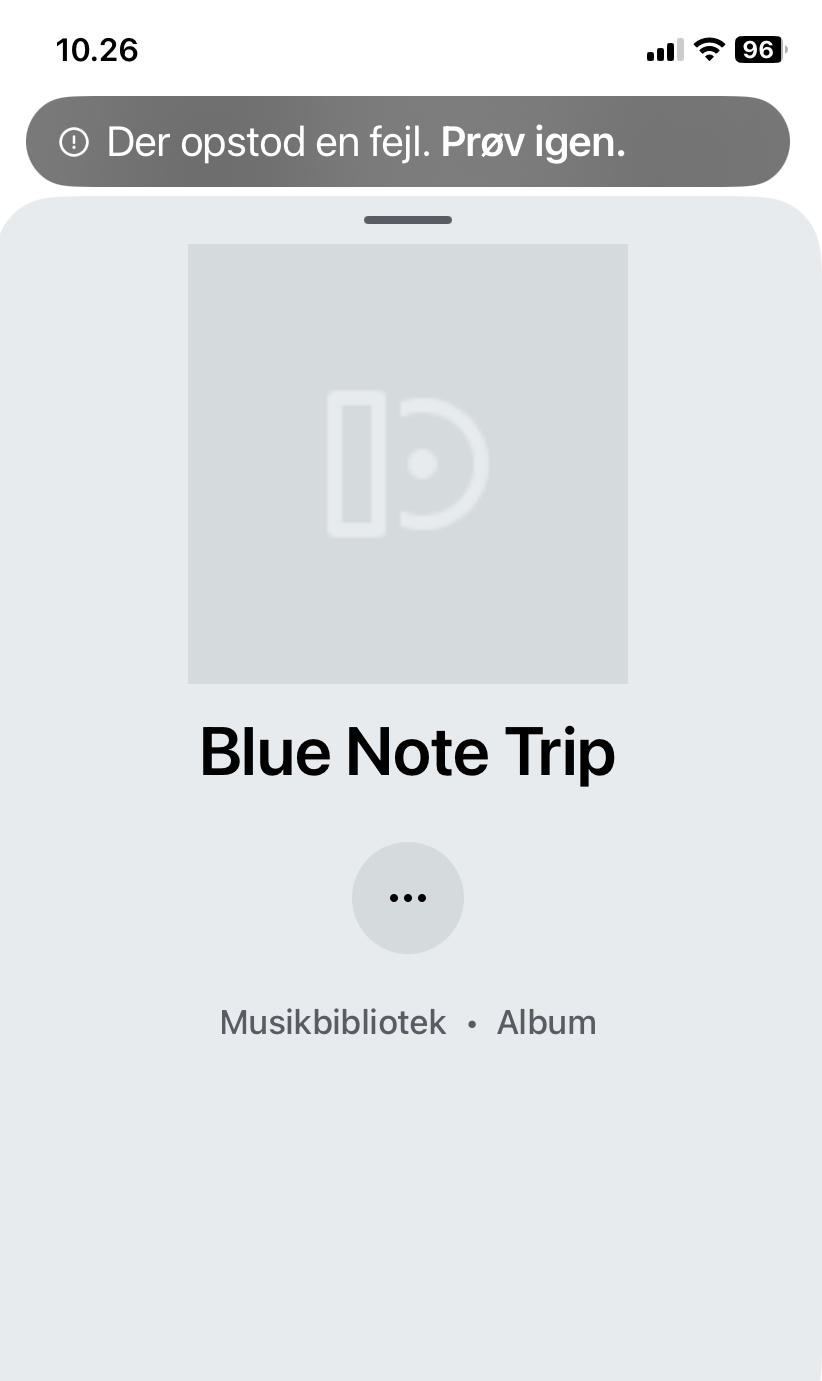
Several of my compilations (stored for many years on a NAS) now show up ‘empty’ like this in the new app (also missing album art)… I am not able to play them thru the app. However, with the pc controller I can play them normally (even though the order of songs is random). (With SonoPhone I can play the whole compilation but not the songs individually?). What is going on… miss the old app so much. (‘Error - try again’ it says in Danish). I enclose tags from Mediamonkey.


This topic has been closed for further comments. You can use the search bar to find a similar topic, or create a new one by clicking Create Topic at the top of the page.

48 replies

Lyricist III
October 11, 2024

Same problem here. All compilation albums or albums featuring “various artists” from my Music Library display as one “album” per song, where none of them are playable.

The folks at Sonos must have a very narrow set of use-cases for those who use the Music Library.

controlav
Lead Maestro
October 13, 2024

There have been many threads on this already. A firmware update ages ago broke the indexer, and Sonos have no apparent plan to fix that.

Author of the leading independent Sonos apps for Android, MacOS, iOS, Windows and Xbox.
Schlumpf
Virtuoso
October 16, 2024

Today Firmware 16.4.2 was released and the album compilation bug has been fixed. 😎

Ralf
Lyricist I
October 17, 2024

And yet, it isnt - a discrete part of the puzzle was tidied up if you have your music sorted by itunes. 

and a second part Album art seems to have reappeared (for myself at least)

Album artists is not 


Belly M
October 17, 2024

Yes, sorting by the iTunes compilation method is not working, this option still appears in the desktop app but not iOS / Android. I had about 200 CD compilations that were ripped by iTunes many years ago and the album Artist tags were blank. Took a short while to propagate “Various Artists” into those albums and hey presto my local library is fully back.

Lyricist III
October 17, 2024

Belly M, can you provide more information on how you “propogated various artists into the albums.? I see that some of my compilations now appear as only one title. But none of them, or the ones that have the album title repeated for each song, has any underlying song(s) to play. 

MoPac
Headliner III
October 17, 2024

 I use DbPoweramp to tag.  MP3 Tag probably works the same.  For compilations I tag as follows:  Artist - Track Name - Album - Track Number - Date - Genre - Album Artist.  The Artist tag should be the actual performer say for example Bad Company.  Because this compilation has several performers on it the Album Artist tag should be Various Artists.  That Various Artist tag for Album Artist should be for all tracks that way the compilation will show as one album.

Belly M
October 18, 2024

I use a couple of Apps on the Mac, one is called Tag and the other Bliss. Tag is simpler but easy to use.

In Tag… literally open the album (I actually open all the compilations starting with A, then move onto B etc.), select all the tracks and paste Various Artists into the Album Artist tag field and save. I have all my compilations in one folder so did not have to go hunting the albums down.


Added the share back into Sonos and was done, initially I just added the 200 odd albums to double check as adding my main share takes about 30 minutes. 


Collaborator II
October 18, 2024

While I agree that by using Various Artist (should it be Various Artist or Various Artists or doesn’t it matter?) in the Album Artist field does work it has a side effect. You cannot search for a specific artist within a compilation that has Various Artist as its Album Artist field.

As an example, Album = Best Days Of My Life, if I search for James Bay it returns nothing. But if I then search for Various Artist, it returns loads of tracks, one of which is Let It Go, by James Bay.

The only way to find that particular artist is to go through Contributing Artist and scroll through the long list until you find it. There doesn’t seem to be a way of searching on the Contributing Artist field. There is only, a search on Artists, Albums, Composers, Songs & Genres

It always worked correctly before the Courageous Sonos app when the Album Artist field was empty and the compilation box was ticked & the albums were neatly grouped together.

I may be missing something, I stand to be corrected, in fact suggestions are welcome. As a side point I use Tag & Rename for my tags on a Windows PC I’ve used it for years & it seems pretty effective.

Anthony

Anthony
MoPac
Headliner III
October 18, 2024

 Is the Artist tag James Bay for the compilation album Best Days Of My Life?  If it is a search for James Bay in Music Library on Sonos app should return all the albums he has performed on including Best Days Of My Life.

 As an example I have a compilation where Diana Ross is one of the artists.  When I search the Music Library for Diana Ross the compilation album is one of the albums listed.