

controlav
Lead Maestro
November 18, 2020

Downgrading S2 to S1, how exactly?

  • November 18, 2020
  • 12 replies
  • 1733 views

So I thought I understood how to take an S2-updated device back to S1, but it is not working for me.

I am in my vacation home which has a Symfonisk setup on S1 and works fine.

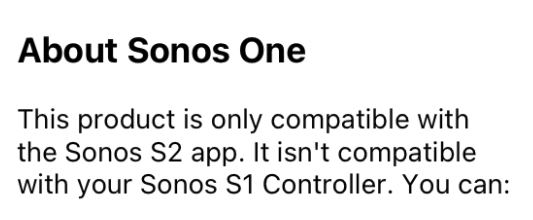
I brought a Sonos One with me, which had been upgraded to S2 at home. I factory reset it, then attempted to Add it to my Symfonisk system here, but the S1 app refuses. I get this screen:
I have done this before, has something changed now and it is no longer possible to go-back, even when you have a working S1 system? (And I am well aware that the One is both S1 and S2 compatible).

I really don’t want to move my vacation system to S2.

This topic has been closed for further comments. You can use the search bar to find a similar topic, or create a new one by clicking Create Topic at the top of the page.

12 replies

Smilja
November 20, 2020

The first unit to be added to a fresh S1 system must be an S1 unit, otherwise it’s doomed to fail.

»And the world is like an apple whirling silently in space, Like the circles that you find in the windmills of your mind.« (›Windmills Of Your Mind‹ [1967]. Music by Michel Legrand ; English lyrics written by Alan & Marilyn Bergman)
controlav
controlavAuthor
Lead Maestro
November 20, 2020

The first unit to be added to a fresh S1 system must be an S1 unit, otherwise it’s doomed to fail.

I know, but I was desperate. Ah well, now at least we can enjoy our music.

Author of the leading independent Sonos apps for Android, MacOS, iOS, Windows and Xbox.