

Asgorath
Chromatic Producer I
December 6, 2020
Answered

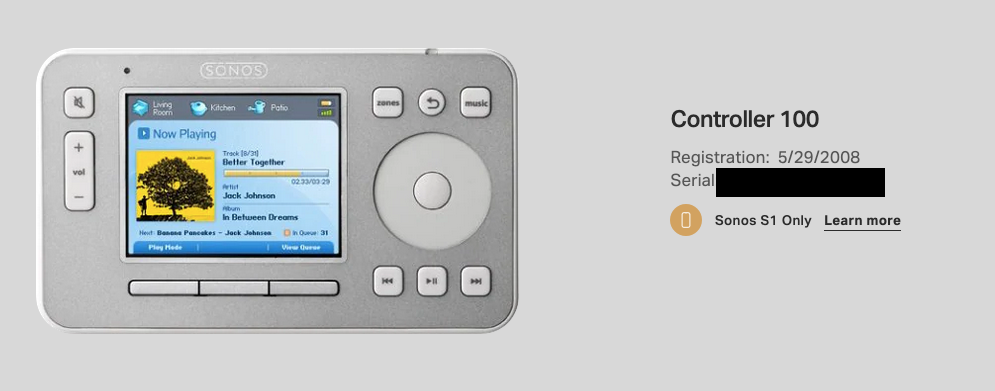
Controller 100 listed as part of my current system

  • December 6, 2020
  • 7 replies
  • 203 views

This is more me being a bit of a neat-freak, but I have been using Sonos for a pretty long time and where I was able to trade in most of my systems my old Controller 100 keeps being listed as being an part of my current setup. I understand I cannot trade it in probably due to it’s age. But is there a way to get it out of ones system (I cannot fire it up anymore, it truly is dead, not even sure where I stored it).

This obviously is something only in my Sonos account on the Sonos website. So it’s like the most minor thing ever. But if I can clean it up :)
 

This topic has been closed for further comments. You can use the search bar to find a similar topic, or create a new one by clicking Create Topic at the top of the page.
Best answer by controlav

Both of my CR100s still show on he account page. I think the only way to clean it up would be to call Support.

7 replies

controlav
controlavAnswer
Lead Maestro
December 6, 2020

Both of my CR100s still show on he account page. I think the only way to clean it up would be to call Support.

Author of the leading independent Sonos apps for Android, MacOS, iOS, Windows and Xbox.
ratty
December 6, 2020

I have numerous expired devices littering the pages of my various accounts. I rarely visit them, so it’s of no consequence.

Airgetlam
December 6, 2020

Note that the data there is more of a ‘this is what has been registered’ than it is a ‘this is what is in active use’ list. 

Bruce
Local Superstar
December 7, 2020

When I occasionally login to Sonos, I quite like being reminded of my old CR100’s and when they were first used.

ratty
December 7, 2020

When I occasionally login to Sonos, I quite like being reminded of my old CR100’s and when they were first used.

Well there you go. A trip down memory lane...

Asgorath
AsgorathAuthor
Chromatic Producer I
December 7, 2020

Yeah, I know it doesn’t impact anything. I also don’t mind a history of what I once owned. But with Sonos having split the systems in new and old ‘deprecated’ S1, it would just be nice to trow this one in with the old stuff :P

Airgetlam
December 8, 2020

It’s the reason I almost never go look there, with all the detritus of BRIDGES, traded in speakers, etc. if I want to see what I’m using, the ‘About My System’ is a much better solution, for me. But I completely understand where you’re coming from. I’d love the ability to edit that data myself. 

Bruce