
Contributor I
October 20, 2020
Answered

Apple Music No Airplay Option.

  • October 20, 2020
  • 3 replies
  • 218 views

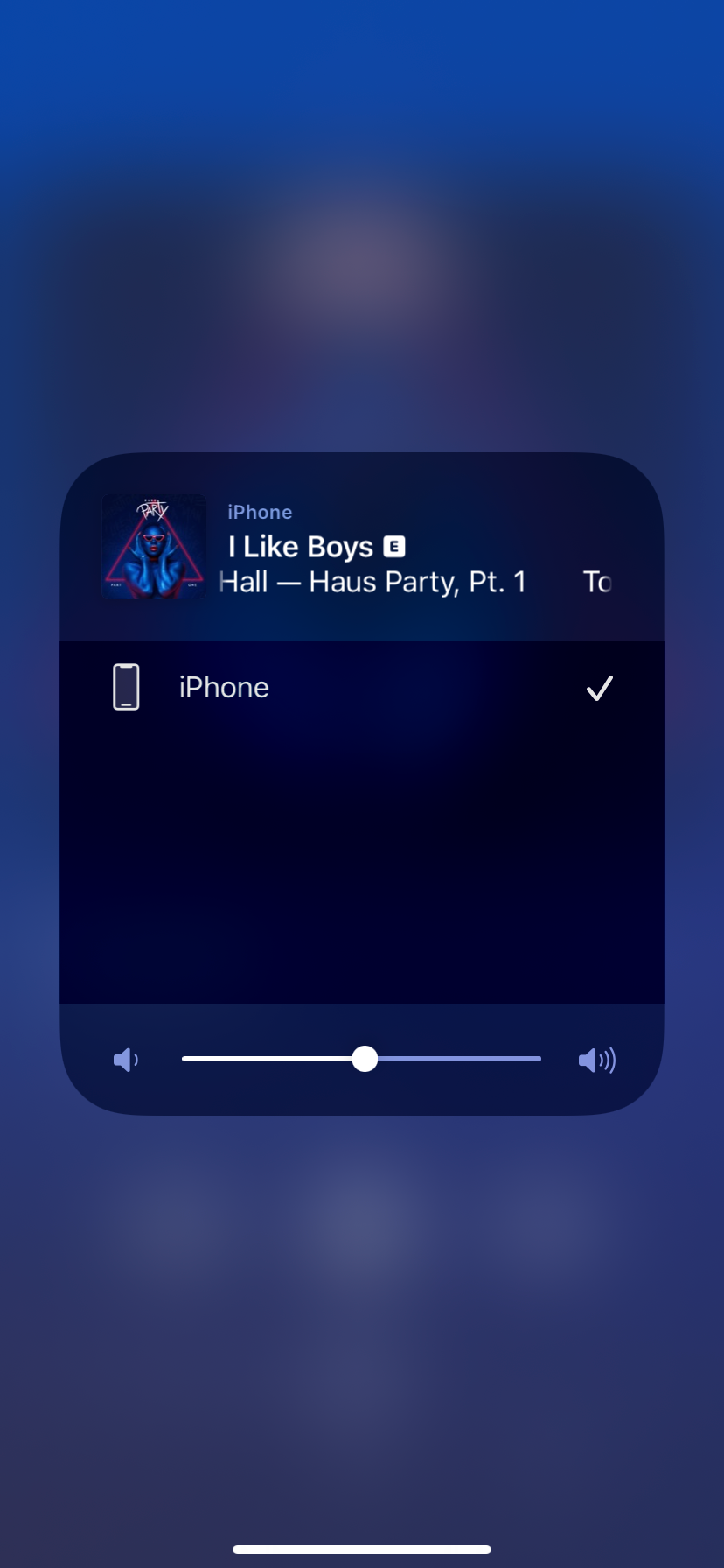
When I play music through my iPhone using the Apple Music app, I’m supposed to click the airplay icon to change over to my sonos speaker. The speaker however doesn’t show as an option. The only way I can do it is by opening the Sonos app and starting my music search again. Any tips on how to make it visible?
 

This topic has been closed for further comments. You can use the search bar to find a similar topic, or create a new one by clicking Create Topic at the top of the page.
Best answer by Smilja

@rannard87, According to your profile you only own a Play:3 which is not Airplay-enabled.

3 replies

Smilja
SmiljaAnswer
October 20, 2020

@rannard87, According to your profile you only own a Play:3 which is not Airplay-enabled.

»And the world is like an apple whirling silently in space, Like the circles that you find in the windmills of your mind.« (›Windmills Of Your Mind‹ [1967]. Music by Michel Legrand ; English lyrics written by Alan & Marilyn Bergman)
rannard87Author
Contributor I
October 20, 2020

Ahhhh, well that would make sense 😂 

I can stop trying to fix it now!

Paul A
Retired Sonos Staff
October 20, 2020

Hi @rannard87.

Welcome to the Sonos community and thanks for reaching out to us. I’m glad that everything is now clear. Thanks @Smilja for the clarification. 

Please let us know or create a topic if you still have further questions or concerns. We are always here to help.

Thanks,

Help others find useful content by clicking the like button and selecting the best answer to your question