Chromatic Producer I
May 22, 2022
Answered

Amazon Music and Sonos app tracks don't match

  • May 22, 2022
  • 11 replies
  • 339 views

Hi. I have been trying to get the tracks on my Amazon Music app and those that I can access via the Sonos app as I have too much 'clutter' on the Sonos version for example track duplicates.


I have tried removing my Amazon account from within the Sonos app and reauthorizing it but no difference.


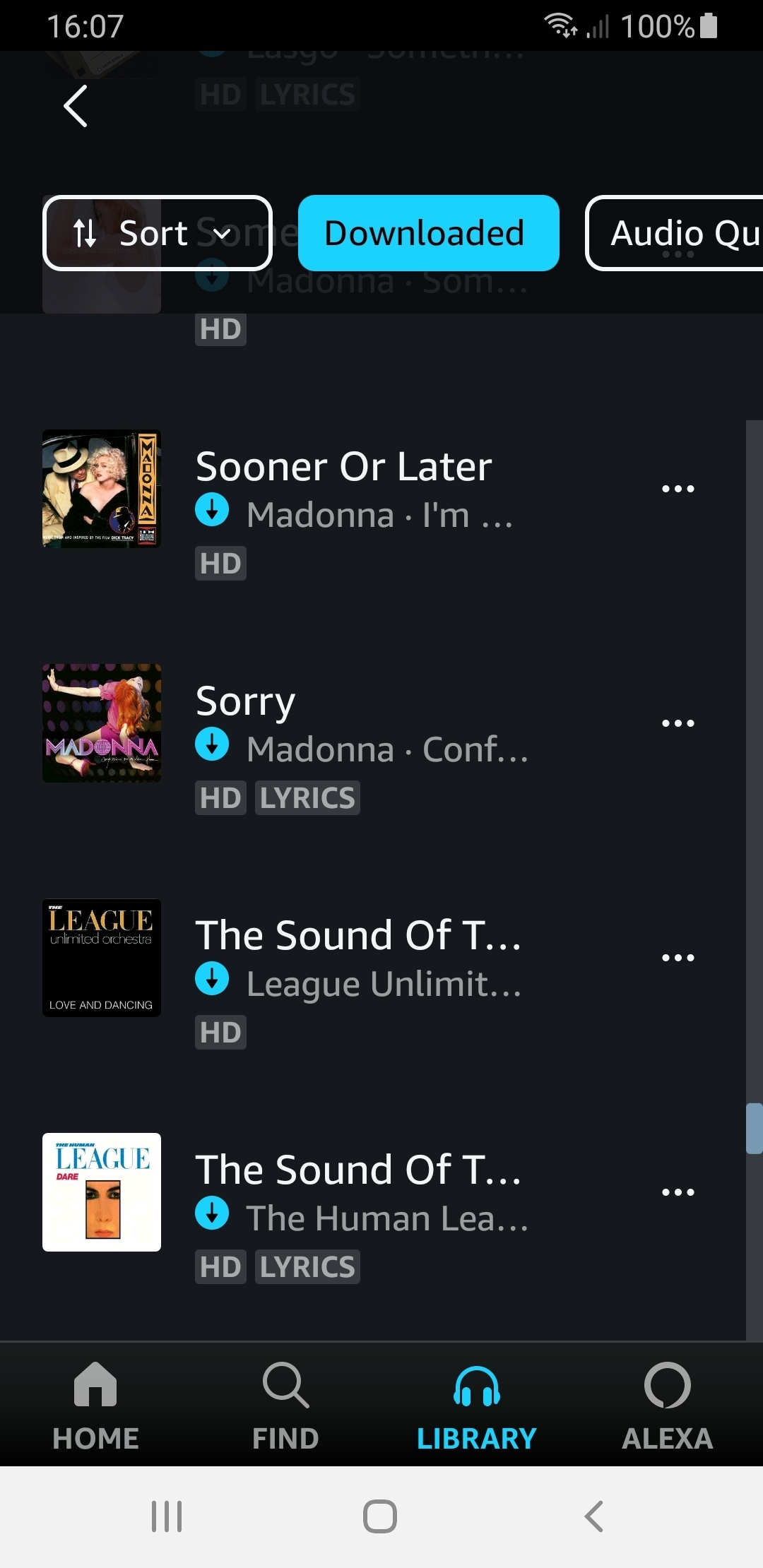
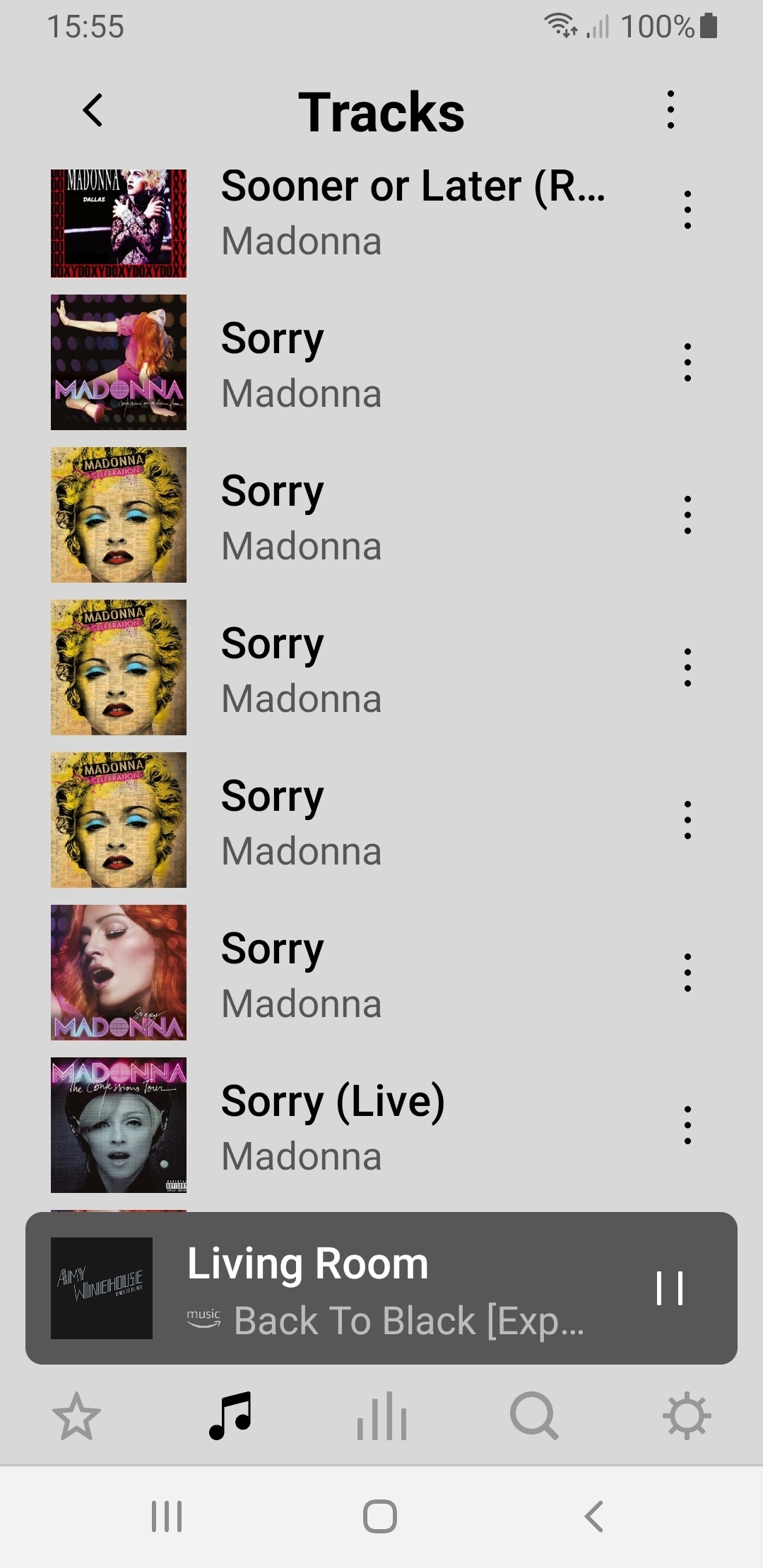
For you to see what I mean I will post 2 screenshots one of the Amazon app (with just one track entry) and on the Sonos app with 6 track entries (one the Live! version which I never play!)

Any ideas anyone?


    This topic has been closed for further comments. You can use the search bar to find a similar topic, or create a new one by clicking Create Topic at the top of the page.
    Best answer by ratty

    The second image shows tracks downloaded by the Amazon app to your mobile (which incidentally Sonos can’t play owing to DRM protection).

    In the first image I’m unsure which function you used but the Amazon search engine often returns multiple entries to Sonos. Sonos has no control over this. In fact a track search in the Amazon app for ‘Madonna sorry’ also displays lots of tracks.  

    11 replies

    MikeE67Author
    Chromatic Producer I
    May 23, 2022

    @ratty - on Sonos, I rarely play music on the Amazon Music app as the music can't be played through my Sonos speakers and the music just doesn't sound the same through my smartphone (tinny) speakers!


    If you create playlists using the Amazon Music app, the playlists will also appear on the Sonos app under Browse > Amazon Music > My Music > Playlists 

    Thanks for that info as I find it easier to compile my playlist using the Amazon Music app than the Sonos app which I find is too cluttered!


    I shall be using the above method in future. Cheers 🍻