
Contributor II
April 25, 2022
Answered

Unable to play M4a files (AAC Audio file), however they play fine in iTunes. Tracks are skipped until MP3 file is found.

  • April 25, 2022
  • 2 replies
  • 177 views

Unable to play M4a files (AAC Audio file), however they play fine in iTunes. Tracks are skipped until MP3 file is found that will then play fine. please help 🙏
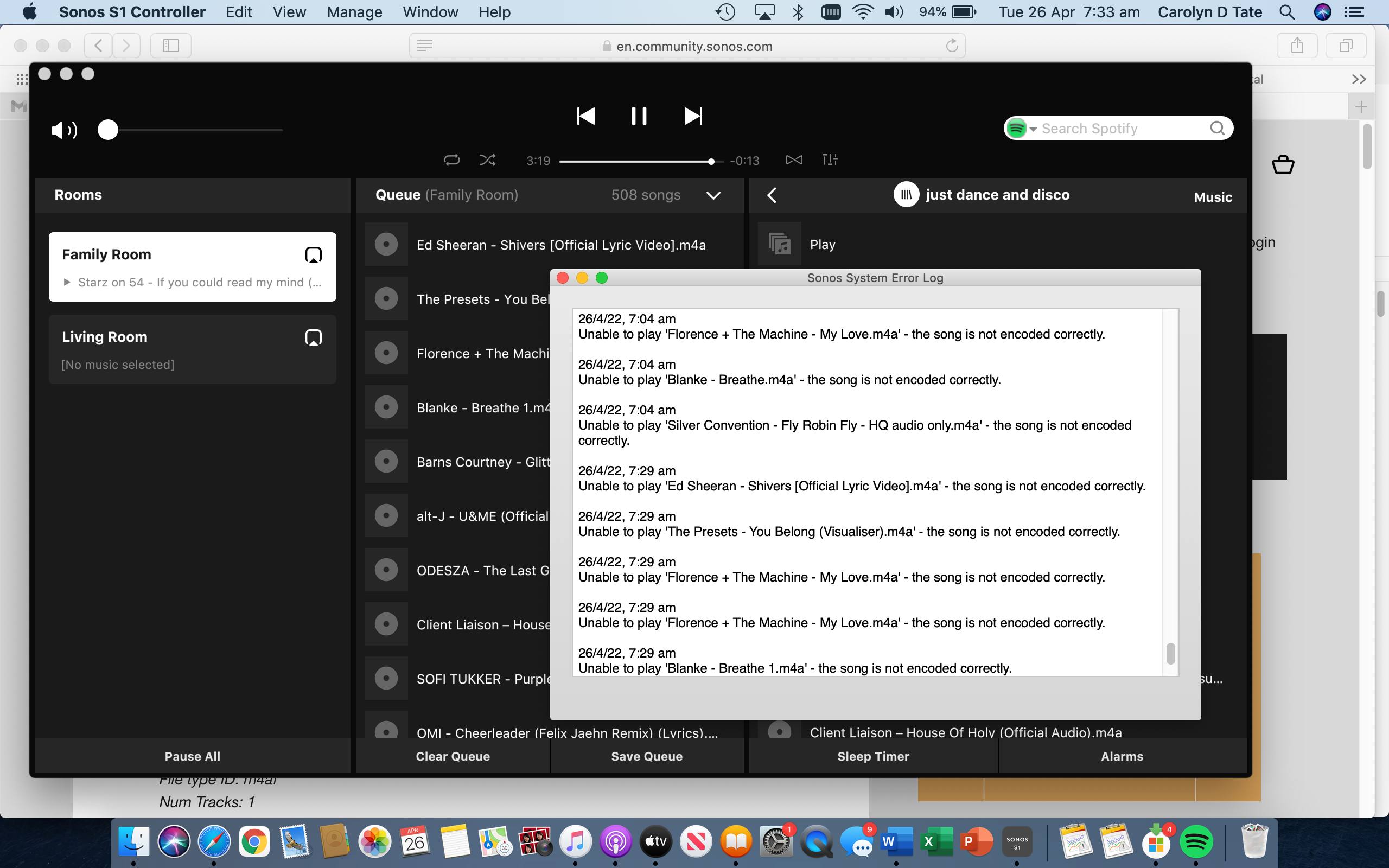
.

This topic has been closed for further comments. You can use the search bar to find a similar topic, or create a new one by clicking Create Topic at the top of the page.
Best answer by Airgetlam

Have you checked the supported audio formats FAQ? More specifically, do you know what bitrate these files are in?

2 replies

Lead Maestro
April 25, 2022

Make sure the audio files have a sample rate of 48kHz or less and a bitrate of 320kbps or less.

"Receive with simplicity everything that happens to you." - Rashi
Airgetlam
AirgetlamAnswer
April 25, 2022

Have you checked the supported audio formats FAQ? More specifically, do you know what bitrate these files are in?

Bruce