
Sonos no longer works if I block their metric tracking DNS
I could use some clarity on what Sonos are doing in regard to gathering metrics and stats on what I use my system for.
Firstly my problem - For some weird reason my Spotify account became completely unlinked from Sonos so nothing would play through my speakers. I went into the app and re-added the account but still, nothing would play.
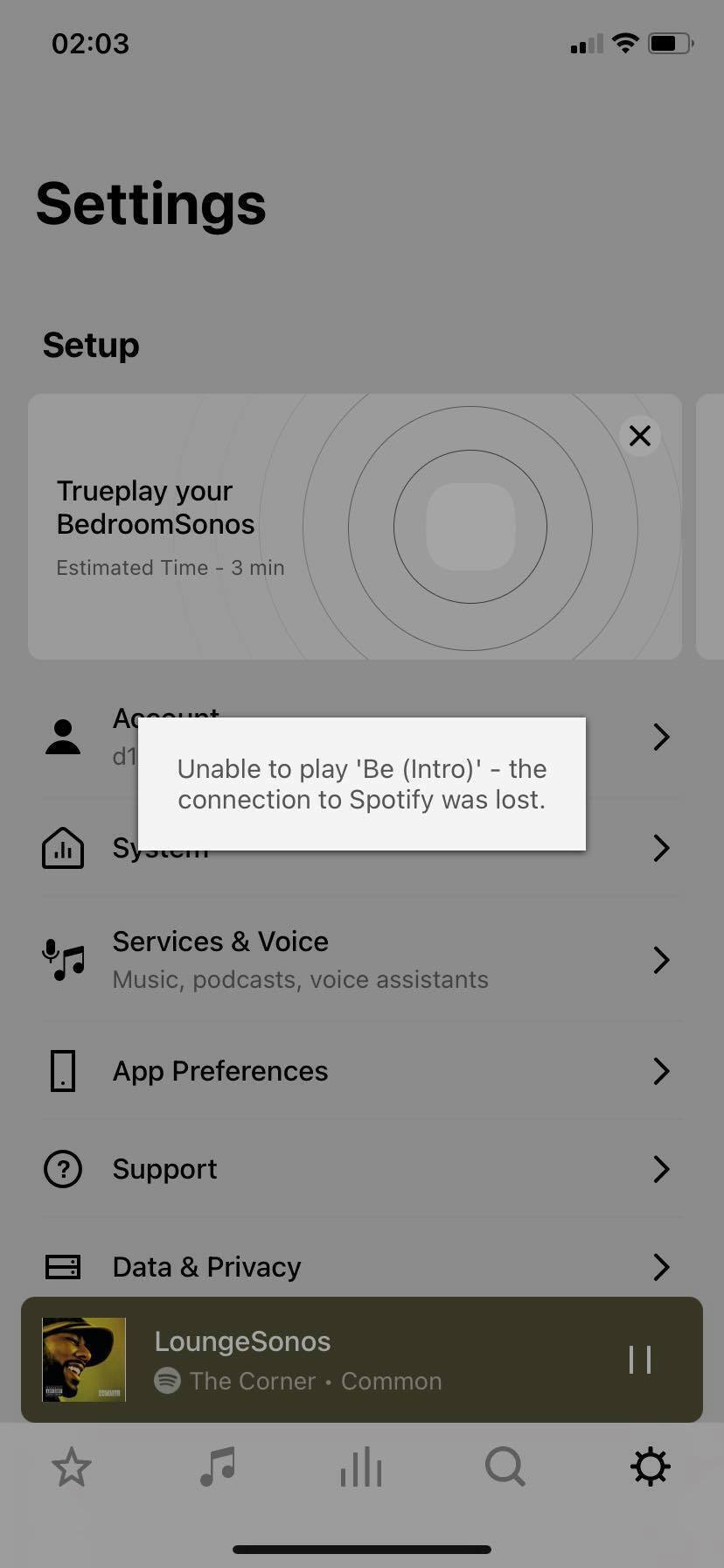
The symptoms are the Spotify system would sit on “connecting” when I asked it to play through the SONOS, eventually timing out, or, the SONOS app would attempt to play a song and throw an error about the connection to Spotify being “lost”.
I run a “PiHole” DNS sinkhole on my home network to prevent unncessicary connections from my IoT devices “phoning home” to send my usage data to various providers (Samsung, Philips Hue, Amazon, Sonos etc).
I have not been prompted, asked, warned or given any consent for this data to be collected, gathered or sent back to any vendor simply to be able to use their products. Fairly sure there are opt-in laws in Europe about this behaivour under GDPR.
I see no real reason why this should be mandatory simply to allow a set of speakers to play songs from a service I subscribe to.
Now, what I have found is fairly clear to me. My PiHole sinks any connection to msmetrics.ws.sonos.com via “gravity”.
When PiHole sinks this connection, my Sonos is effectively bricked. Nothing on my home network will work through the speakers, nothing connects and it simply sits there for a bit then times out. Sometimes I get the message “Unable to play <song>. The connection to Spotify was lost”.
I can see the DNS request being blocked by the PiHole.
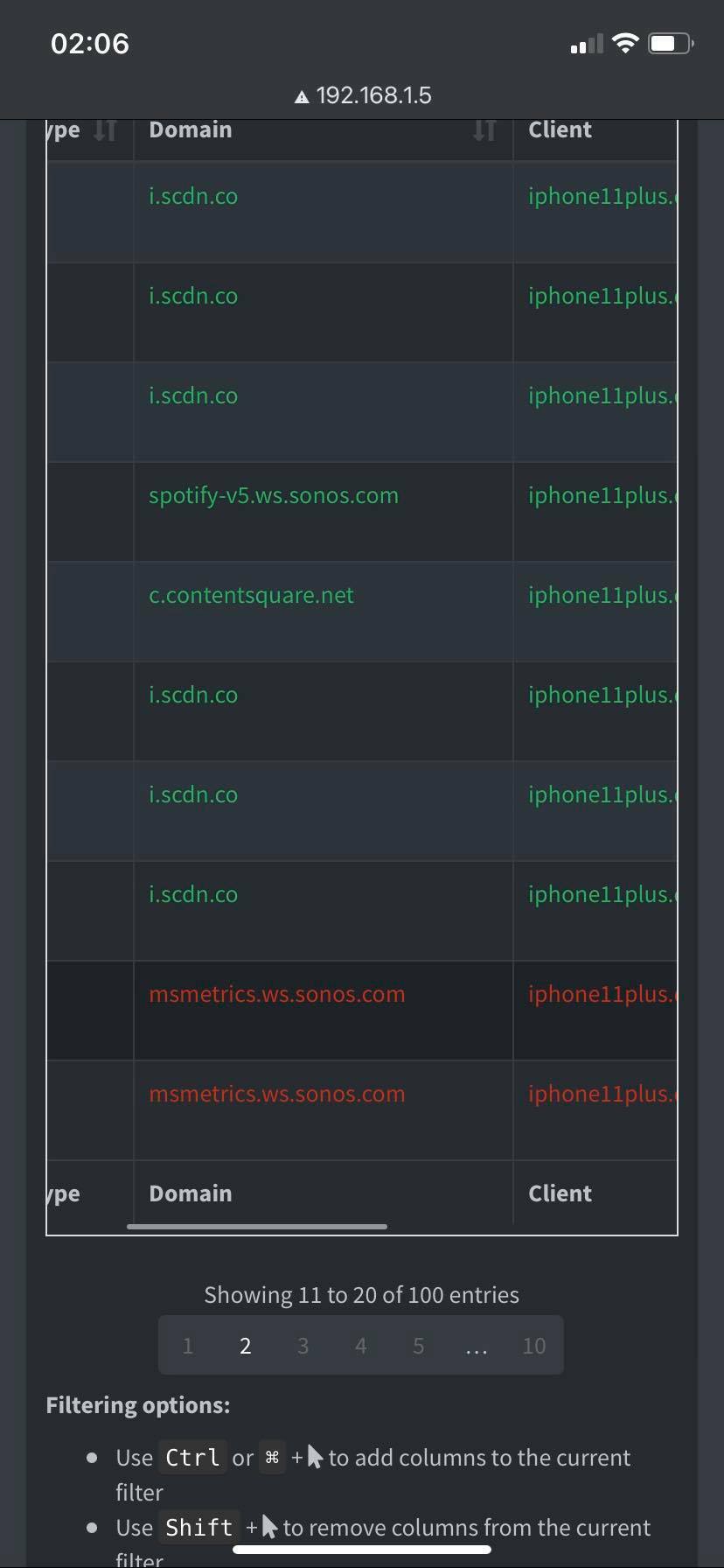
Now the bit that bothers me - as soon as I add that address to the whitelist, my entire system kicks into life and everything works. This doesn’t just bother me, this really annoys me.
I seem to now be in a position where I’m unable to use the speaker system that I’ve spent a good couple of thousand pounds on if I’m unwilling to allow the transmission of usage and tracking data back to SONOS that I haven’t consented to.
If I want to simply play tunes on a speaker, using a service that I pay a regular subscription for, I’m expected to allow SONOS to effectively spy on my usage of said system, or not use it at all?
Would someone from SONOS care to comment please?
I’d very much like a solution where I can block (opt-out) of my data being collected and transmitted to SONOS without it turning my speakers into bricks.
If this isn’t resolved to my satisfaction I’ll just beome another angry voice complaining to the ICO about this clear breach of GDPR.