Contributor I
November 22, 2020
Answered

Products will not Link to Account

  • November 22, 2020
  • 4 replies
  • 6240 views

Having an ongoing issue that is not allowing me to use any services on app. 
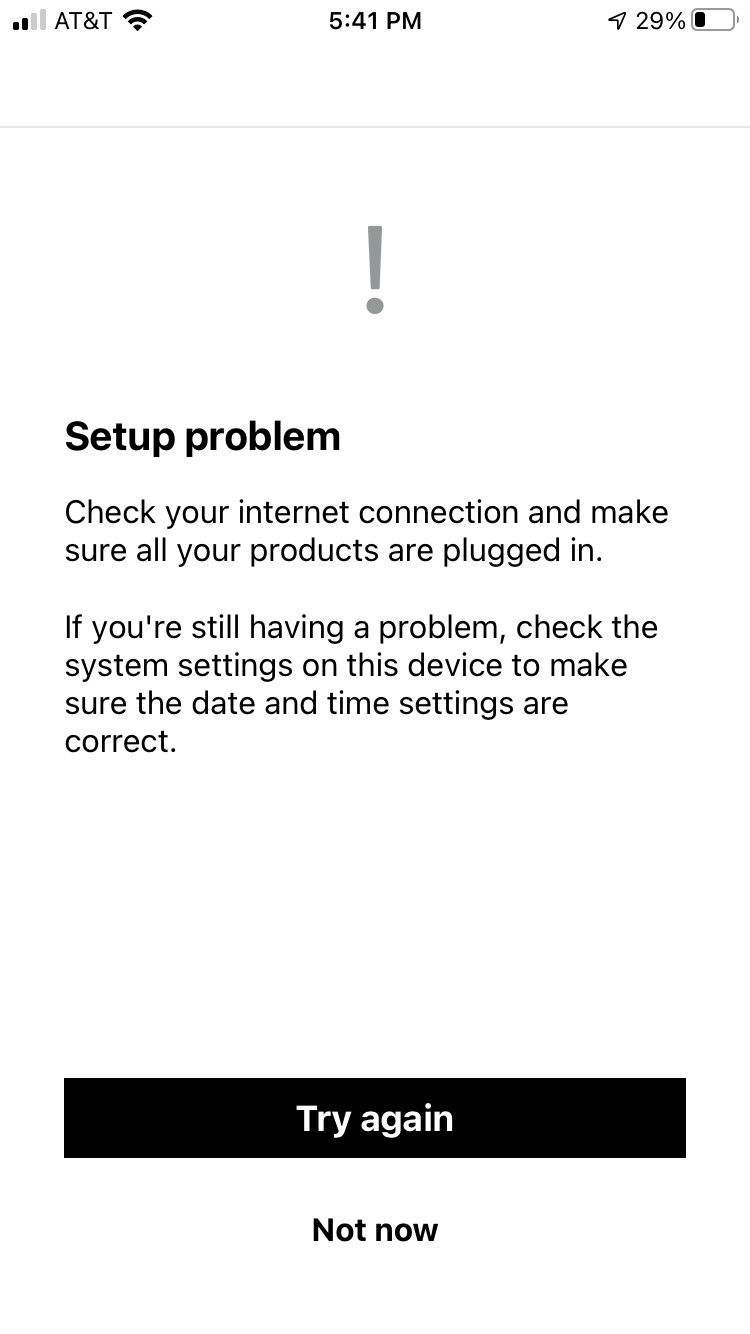
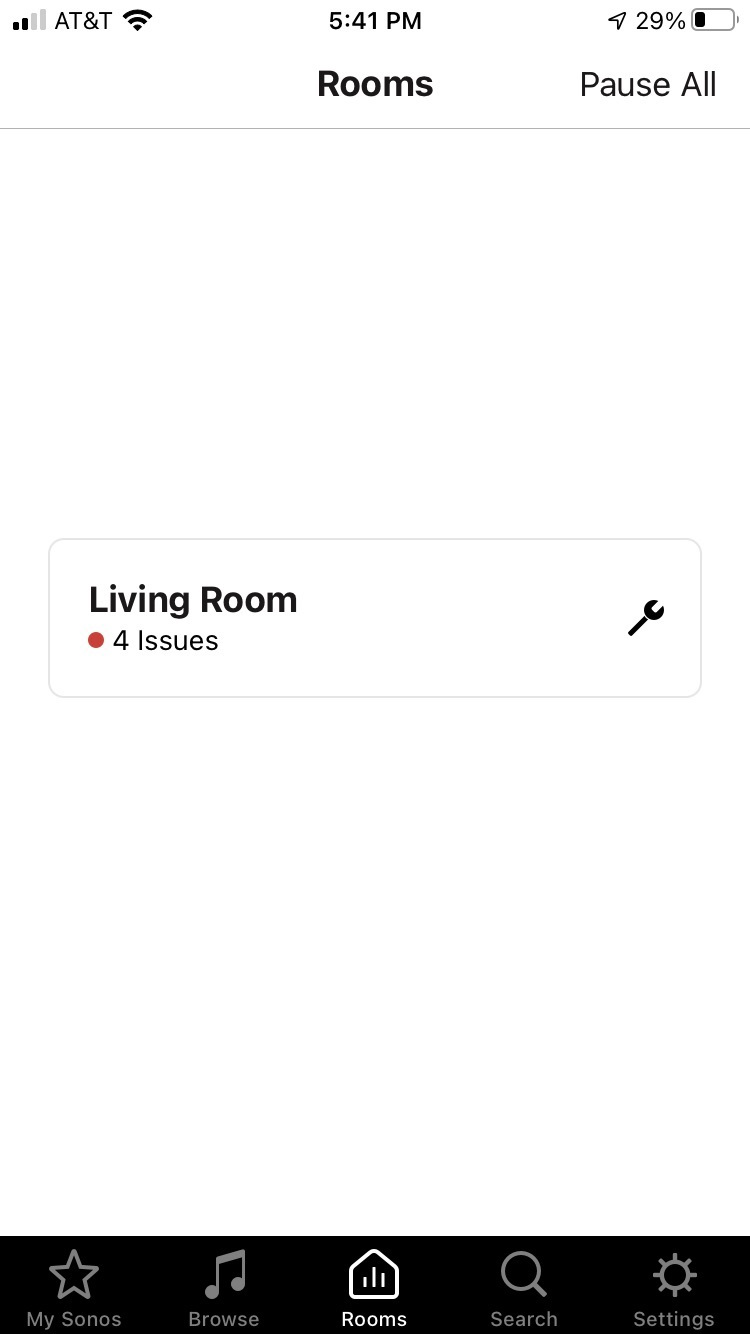
The app indicates that speakers need to be Linked to Account - See Error messages attached. 
Need help addressing. Do not want to do factory reset unless advised. 

After clicking to see 4 issues I am prompted to “Link Products” including (2) play1 sound bar & sub. 
After attempt, receive another error message indicating “Set Up Problems”.

Connection & time settings are fine. Audio playback is perfect. 
I have no access to app functions. This sometimes includes options such as TruPlay. 

This issue occurred after moving into new home. 


This topic has been closed for further comments. You can use the search bar to find a similar topic, or create a new one by clicking Create Topic at the top of the page.
Best answer by Mark P

Hi @LeoDad.

Welcome, thank you for reaching out to Sonos Community, I totally understand where you're coming from and I’m here to help.

Try to hardwire the speaker to the router temporarily and see if you can setup the speakers.

Can you submit a diagnostic report from your Sonos system and reply back with your confirmation number?

Let us know if it works. If you need help with any other information, please be sure to let us know.

4 replies

LeoDadAuthor
Contributor I
November 23, 2020

Additional photos of what my Sonos App looks like. Sometimes more/less options are available. 


Mark P
Mark PAnswer
Retired Sonos Staff
November 23, 2020

Hi @LeoDad.

Welcome, thank you for reaching out to Sonos Community, I totally understand where you're coming from and I’m here to help.

Try to hardwire the speaker to the router temporarily and see if you can setup the speakers.

Can you submit a diagnostic report from your Sonos system and reply back with your confirmation number?

Let us know if it works. If you need help with any other information, please be sure to let us know.

Help others find useful content by clicking the like button and selecting the best answer to your question
LeoDadAuthor
Contributor I
November 23, 2020

Hi Mark. Thank you for response. 
I was able to speak with a rep @ Sonos and we got it worked out. 
What you suggested is the route we took.

All is operational.

Thanks for your time! 

Mark P
Retired Sonos Staff
November 26, 2020

Hi @LeoDad.

Welcome, thank you for reaching back to Sonos Community.

Glad it works.

Chears.

If you need help with any other information, please be sure to let us know.


Help others find useful content by clicking the like button and selecting the best answer to your question