
Contributor II
March 10, 2026
Answered

Line in Era 100 - connected but no sound

  • March 10, 2026
  • 15 replies
  • 264 views

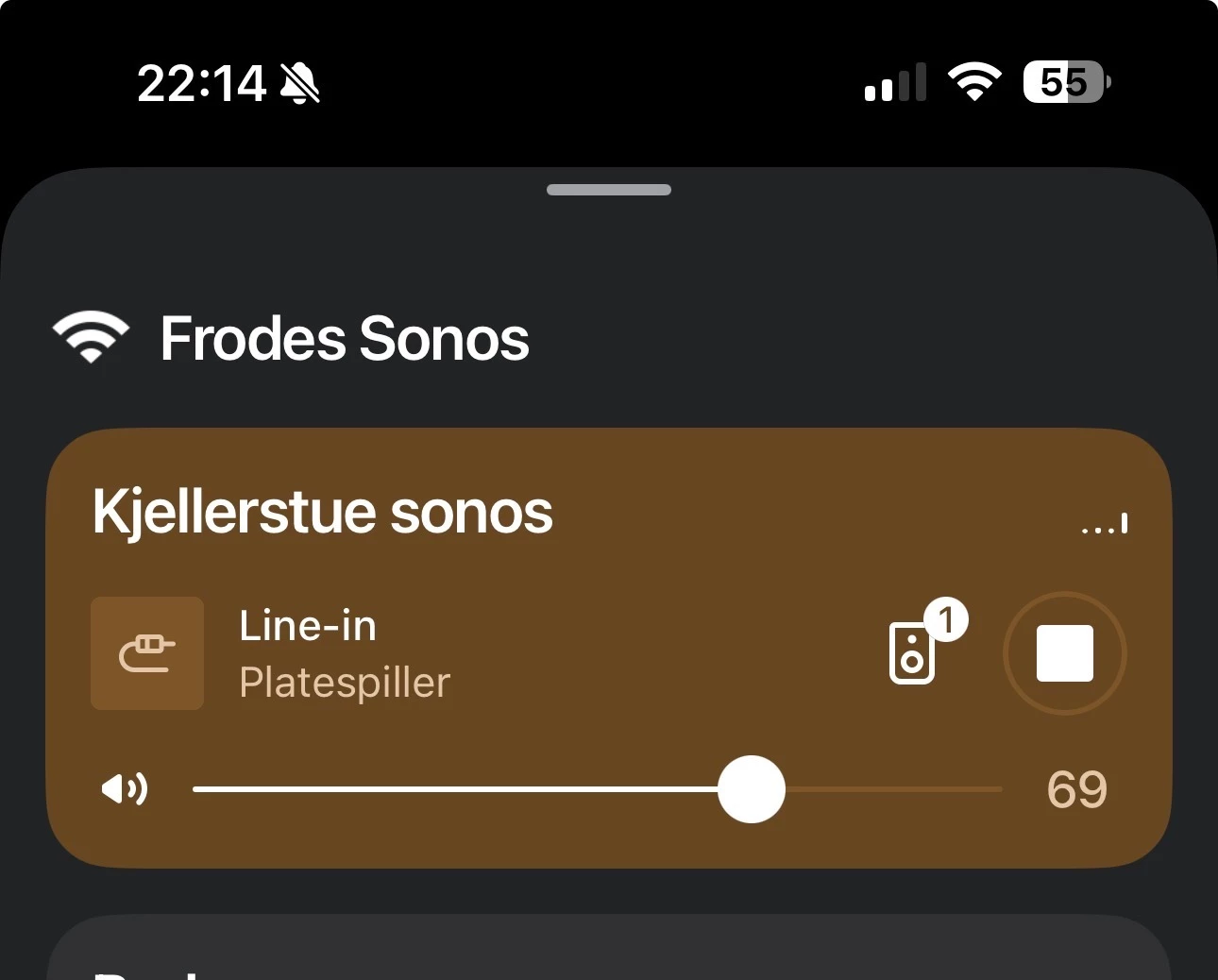
I have an argon turntable with preamp and the official Sonos line-in connection. Turntable connected, preamp functioning and line-in set up on the Era 100. Line in chosen as source and in the app linein is marked on the era 100 and the “sound icon shows music playing- but no sound. Volume turned up and down numerous times. Autoplay - tried  both on and off,Cables checked, Sonos and app updated and every post here read and tried - no sound. Any tips? Turntable works with other amps/speakers, Era is functioning in the Sonos system and it is set up as a single unit. 
Picture showing the era 100, playing by line in
 

This topic has been closed for further comments. You can use the search bar to find a similar topic, or create a new one by clicking Create Topic at the top of the page.
Best answer by Airgetlam

Ok, from your screenshot, the Sonos recognizes the line in (something is plugged in), but don’t get caught out by the bouncing lines, they aren’t measuring anything. 

There are a couple of things I’d check. Both of which you’ve probably done, but just in case…. First, check to ensure the cables going to the Sonos adapter are plugged in correctly. This screenshot is indicative to me of the Sonos line in adapter not receiving a line level signal. Next, check your pre-amp (is it internal or external?) to ensure it is set to ‘Line’ and not ‘Phono’. 

If neither of those are helpful, I’d call Sonos Support to discuss it.

When you speak directly to the Support staff, they have tools at their disposal that will allow them to give you advice specific to your network and Sonos system.

15 replies

Stanley_4
Grand Maestro
March 10, 2026

What happens if you Group with another Sonos?

What happens if you select the line-in from another Sonos?

Airgetlam
AirgetlamAnswer
March 10, 2026

Ok, from your screenshot, the Sonos recognizes the line in (something is plugged in), but don’t get caught out by the bouncing lines, they aren’t measuring anything. 

There are a couple of things I’d check. Both of which you’ve probably done, but just in case…. First, check to ensure the cables going to the Sonos adapter are plugged in correctly. This screenshot is indicative to me of the Sonos line in adapter not receiving a line level signal. Next, check your pre-amp (is it internal or external?) to ensure it is set to ‘Line’ and not ‘Phono’. 

If neither of those are helpful, I’d call Sonos Support to discuss it.

When you speak directly to the Support staff, they have tools at their disposal that will allow them to give you advice specific to your network and Sonos system.

Bruce
frobruAuthor
Contributor II
March 10, 2026

Thanks. No difference if I group the speakers. I have a lot of Sonos but only this era 200/ speaker with line in capability. Internal pre amp with only off and on switch , not sure if I understand the line in and pre amp suggestion. 

Airgetlam
March 10, 2026

What are the two position labels on the internal pre-amp? Normally speaking, they should be ‘Phono’ and ‘Line’, but they might be slightly different on your turntable. You’d want the setting for ‘Line’, and it might be worth flipping it back and forth a couple of times. Sometimes, they don’t make appropriate contact. 

What did Support say, when you called in?

Bruce
Stanley_4
Grand Maestro
March 10, 2026
Airgetlam
March 11, 2026

Which Argon turntable do you have?

Bruce
frobruAuthor
Contributor II
March 11, 2026

I have the MK ll. 

Airgetlam
March 11, 2026

There is a TT Mk2, and a TT-4 Mk 2?

Bruce
frobruAuthor
Contributor II
March 11, 2026

It’s the TT Mk2. 
thanks for the reply’s. haven’t found the time to call Sonos support and do some more testing but will get back to that over the weekend. 

Pools-3015
Prodigy I
March 11, 2026

It’s the TT Mk2. 
thanks for the reply’s. haven’t found the time to call Sonos support and do some more testing but will get back to that over the weekend. 

From the sound of things, you need to have the RIAA enabled on the to Mk2 for the internal preamp to be active.

Then you will need to go to Settings (the gear icon in the top right), the room where the Era 100 is, then Line in Sources and set the source level to 8. The default is sometimes not enough for some sources.