
Avid Contributor I
December 19, 2021

Here we go again...

  • December 19, 2021
  • 67 replies
  • 1599 views

Yet again the wonderfully robust and user friendly software messes up my day. 

The Sonos software and update process is a piece of junk, there’s imply no way it should behave as it is, the lack of attention to detail is astonishing.

The hoops we have to jump through to get something working is absurd.

Of course to complain means I’ll get asked lots of questions, I’ll be asked to unplug this and that, connect this or that to something else with a piece of cable and so on and so forth, all the burden is on the customer.

I tried to update because the PS controller software insists that I update, yet it always fails. If I try the same update from my iPhone, again it fails.

The iPhone fails (I think) because the controller is “not S2 compatible” whatever that means. The PC software is not S2 yet that also fails and the error code I get varies each time.

e.g. “Error code 30: BRIDGE” or “Error code 1002: BRIDGE”.

If these error codes mean something then why not pull down the message text and display it in the controller software???

Everything was working but I have a Roam that fully discharged, I recharged it yet it was not visible in either the PC controller or the iPhone controller, as I tried to get more insight it kept suggesting I update so I tried.

Now the system can’t find jack s**t, it cannot see even one of the devices.

I submitted a diagnostic and the code I got back was: 703555998 perhaps that can shed light.

I’m a very experienced software engineer so before people rush in to defend Sonos don’t bother, this is abysmal, with today’s technology the customer experience can be far far better than it is.

Now I have no system, can listen to no music and was planning on a restful Christmas alone this year to do some reading and studying, without Sonos this really messes up what would have been a restful period for me.


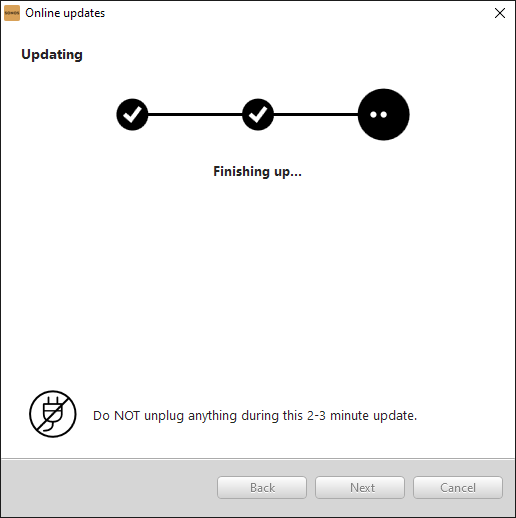
The update almost works, I get this far:
but then I get this:
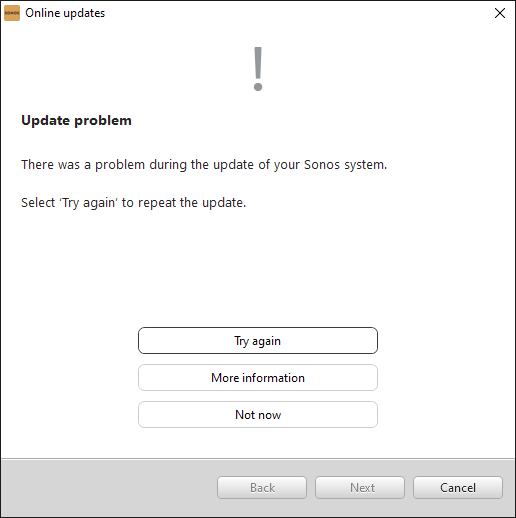


“More information” gives this:
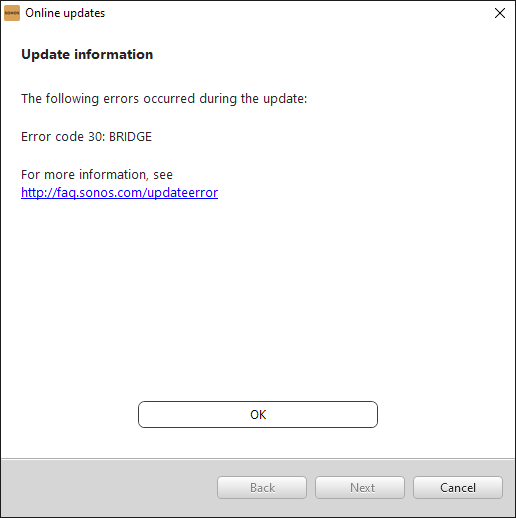


and that’s pretty much that!

Now I’m stuck with this:
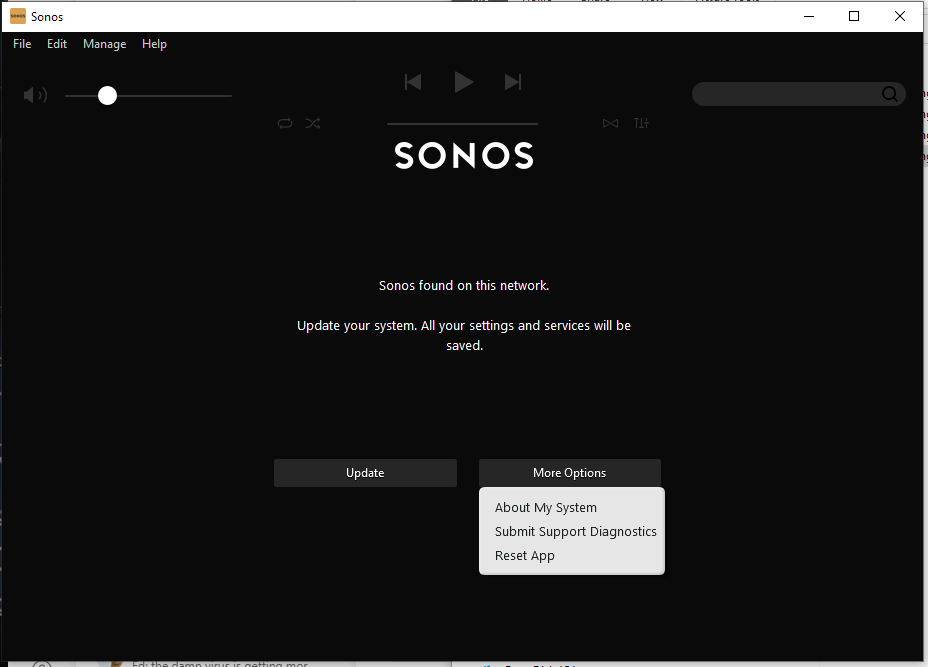
See? I cannot choose “Just continue running with current version” why? 

This update is something I CHOSE to try (because the Roam was not working) so by definition the existing version did work - at least - with the non-roam devices.

This is a one way trap door, the system works with some version, one tries to install an updated version - that fails - yet it is no longer possible to run with the older version - even though it was working!


    This topic has been closed for further comments. You can use the search bar to find a similar topic, or create a new one by clicking Create Topic at the top of the page.

    67 replies

    KorporalAuthor
    Avid Contributor I
    January 2, 2022

    Well a problem has arisen and I want to be patient and see what others suggest before I try.

    None of the PLAY3 devices or the ROAM play this morning. When I press the play button on the PLAY3 that’s connected - wired - to the router is flashes white several times, then orange and then freezes white.

    Using the app indicates no issues, I can see all devices and it lets me try to play stuff.

    If I try to play the main PLAY3 (wired) I see in the app after a few mins waiting “Unable to play <whatever> the server cannot be found” whatever I try to play and so on with the other - wireless - devices.

    I guess the wired PLAY3 has lost its settings or something but I do not want to try to address that in case I end up having to re-add all of the other devices again, so want to know what exactly are the steps to take in this situation.


    Ken_Griffiths
    January 2, 2022

    Ignoring the Roam for one moment, I believe you have 3 x Play:3’s all running of SonosNet with one wired direct to your router. What is the mobile device controller connected to?

    I would perhaps just check to see if it’s connected to the Routers 2.4Ghz band, rather than an access point and if the App can then see your wired Play:3 (at the very least)… try closing and reopening the App and also (if necessary) power-cycling the wired Play:3.

    KorporalAuthor
    Avid Contributor I
    January 2, 2022

    Ignoring the Roam for one moment, I believe you have 3 x Play:3’s all running of SonosNet with one wired direct to your router. What is the mobile device controller connected to?

    I would perhaps just check to see if it’s connected to the Routers 2.4Ghz band, rather than an access point and if the App can then see your wired Play:3 (at the very least)… try closing and reopening the App and also (if necessary) power-cycling the wired Play:3.


    Hi, I don’t know what you mean Ken by “What is the mobile device controller connected to”, do you mean the app on the iPhone?

    In the app under network it just says “SonosNet Channel”.

    The phone itself is connected to the 2.4 GHz channel.

    I’ll power cycle the wired PLAY3...

    (the problem is present whether I use the phone or desktop app too).


    Ken_Griffiths
    January 2, 2022

    Yes (sorry if my post wasn’t too clear🙏) I meant the WiFi signal (SSID) that your iPhone was connected to - I just wanted to establish if it was connected to your main routers 2.4Ghz band, rather than it being connected to your WiFi extender.

    KorporalAuthor
    Avid Contributor I
    January 2, 2022

    Alright Ken, all sorted, cycling the power did the trick. I was reluctant to try anything without asking simply because I’d dread having to re-setup all of that c**p over again!


    Thx


    Ken_Griffiths
    January 2, 2022

    Alright Ken, all sorted, cycling the power did the trick. I was reluctant to try anything without asking simply because I’d dread having to re-setup all of that c**p over again!


    Thx

    Ah good to hear that has worked and Happy New Year too by the way.👍

    KorporalAuthor
    Avid Contributor I
    January 2, 2022

    Alright Ken, all sorted, cycling the power did the trick. I was reluctant to try anything without asking simply because I’d dread having to re-setup all of that c**p over again!


    Thx

    Ah good to hear that has worked and Happy New Year too by the way.👍

    Indeed, same to you buddy!