Contributor I
November 12, 2020
Answered

Following 12.2 Update the “Line-In” is no longer working

  • November 12, 2020
  • 16 replies
  • 788 views

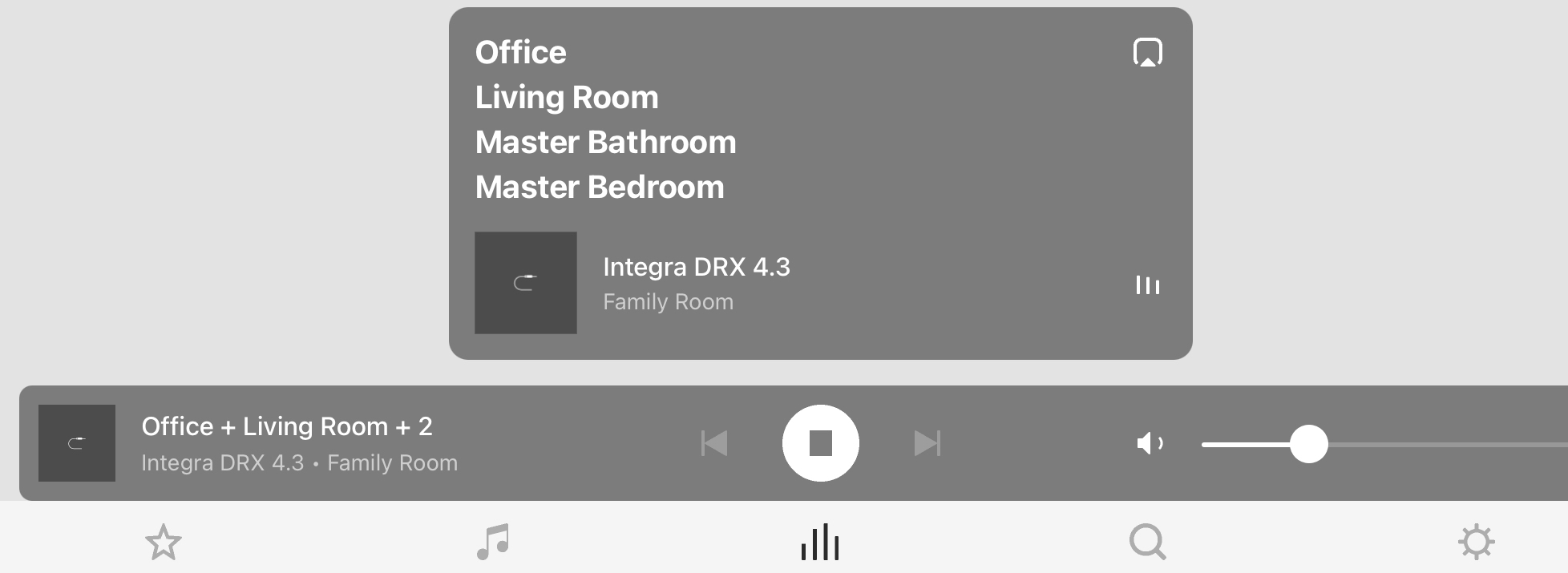
Following the update to the IOS Sonos app v 12.2 the “Line-In” is not playing sound through any of my 8 devices.  Prior to the software update it worked flawlessly.  Is anyone else having this issue?  You can see a typical play back in the screen shot.  The dancing bars look normal for play back.  All other sources play back normally.  It’s just “Line-In” that isn’t working and it’s driving me nuts! 😂👍🏻


I have tried the following:

  1. unplug all components and plug back in (power)
  2. unplug lan cables from Port to Lan Router and plug back in
  3. Unplug RCA cables from all components and plug back in 



This topic has been closed for further comments. You can use the search bar to find a similar topic, or create a new one by clicking Create Topic at the top of the page.
Best answer by KevinRyan

Hi All,

Thanks for all of the feedback here.  I used John B’s advice and disconnected the Integra Receiver from the Sonos Port and plugged in a dormant DVD player just to test the Sonos Line-In from a different source.  BAM 💥 it worked!  The issue I have is not Sonos but rather the Zone 2 out port on the Integra DRX 4.3.


I’ve tried a number of remedies for that but so far no luck.  Sonos for me is still rock solid … Onkyo and the Integra is a case of fool me once  shame on you fool me twice shame on me.  I have had this receiver, my second Integra, for only about a year and a half and now it’s acting up like the first one.  The hard part is it has been superb until this point.  Hopefully there is a fix for this issue. 
 

* Fingers Crossed *

Thanks again for the input…

Cheers, KR

16 replies

November 12, 2020

In fact I didn't even have to use the app to test it! Software developer or not...

Lyricist I
November 12, 2020

I agree that it’s a remote control.

Remote controls via Apps are also software.

Since the App (remote control) has been upgraded, it could be an remote control issue of the IOS app.

I suspect not sending the signal to let the Five play the line-in.

November 12, 2020

Well let's all just wait and see rather than speculate.

Lyricist I
November 12, 2020

Agreed! Thanks again for thinking along.

I’m still bummed about it and hope that Sonos can explain what is happening.

KevinRyanAuthorAnswer
Contributor I
November 13, 2020

Hi All,

Thanks for all of the feedback here.  I used John B’s advice and disconnected the Integra Receiver from the Sonos Port and plugged in a dormant DVD player just to test the Sonos Line-In from a different source.  BAM 💥 it worked!  The issue I have is not Sonos but rather the Zone 2 out port on the Integra DRX 4.3.


I’ve tried a number of remedies for that but so far no luck.  Sonos for me is still rock solid … Onkyo and the Integra is a case of fool me once  shame on you fool me twice shame on me.  I have had this receiver, my second Integra, for only about a year and a half and now it’s acting up like the first one.  The hard part is it has been superb until this point.  Hopefully there is a fix for this issue. 
 

* Fingers Crossed *

Thanks again for the input…

Cheers, KR

November 13, 2020

Glad your issue is sorted (well, from a Sonos perspective).  There is a natural tendency to think a recent update is responsible for a problem, but in long experience on here it rarely is.  When there is a non-trivial software bug (very rare, but it has happened) the forum is absolutely deluged with posts about it, so this looked more likely to be a coincidental local issue, as it has proved.

Now just need to discover the cause of @Kishen ‘s problem.  Maybe also worth trying a different device.  Also check that the TV is still set to send audio over the correct output - TV firmware updates have been known to reset things.